While you're reading these lines, OpenAI just opened the doors. Yesterday—literally yesterday—they launched the App Directory for ChatGPT and opened submissions for ALL developers. Not just for select partners. For everyone. Including you.
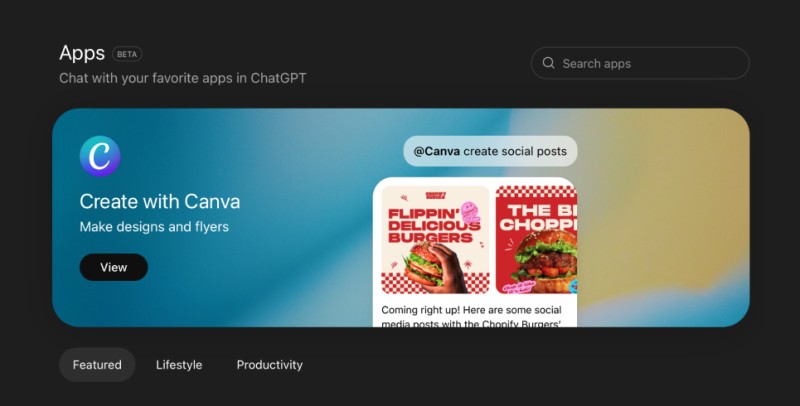
800 million users. Virtually no competition. The window of opportunity is open right now. And it'll close in a few months when everyone else rushes in.
This isn't another article about "look what you could do someday." This is a guide for those who want to seize the moment now, while the market is empty.
Remember how the App Store opened in 2008, and everyone thought "who needs apps on a phone anyway?" Then Angry Birds made a billion dollars, Instagram sold to Facebook for a billion, Uber grew to $80 billion. The first developers who got in back then hit the jackpot simply because they were first.
It's December 2025. And the exact same thing is happening right now. Except now it's called ChatGPT Apps.
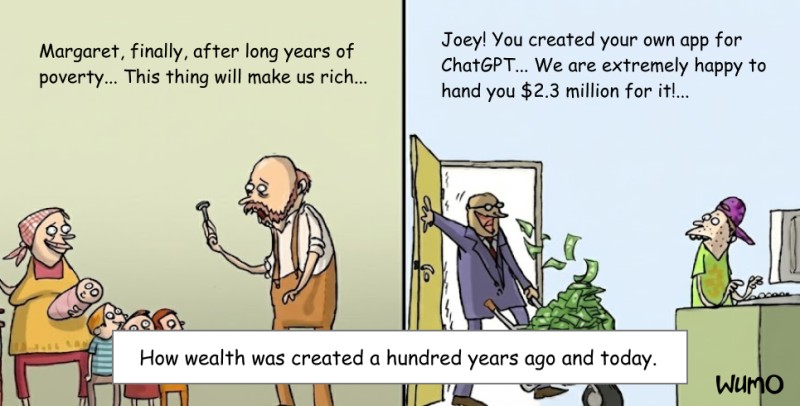
On October 6th, OpenAI launched a new platform—and you know how many users it has at launch? 800 million. Not 10 million like the iPhone in 2008. Eight hundred million. The App Store was 80 times smaller at launch. Get it?
And how many competitors are there right now? As of December 18th—fewer than twenty apps. Spotify, Booking.com, Canva, Zillow, AllTrails, a couple of enterprise tools. That's it. Literally everything. The market is completely empty. And yesterday OpenAI opened submissions for all developers—including you.
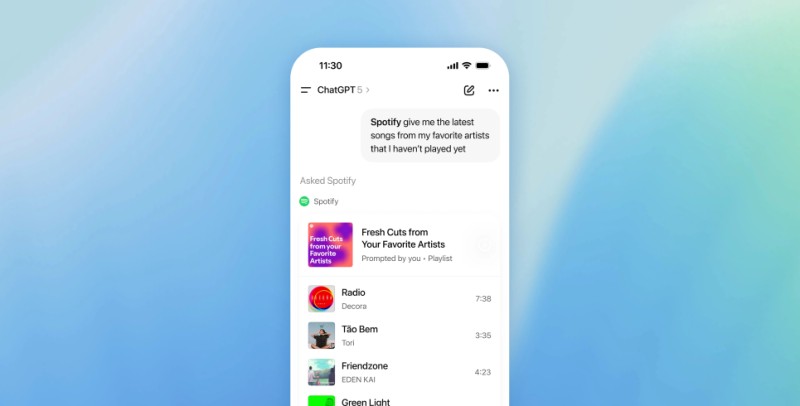
I'm not kidding. You type in ChatGPT: "Spotify, make a running playlist"—and right in the chat, a Spotify widget opens. With tracks, buttons, everything works. No tab switching, no copy-paste. Magic.
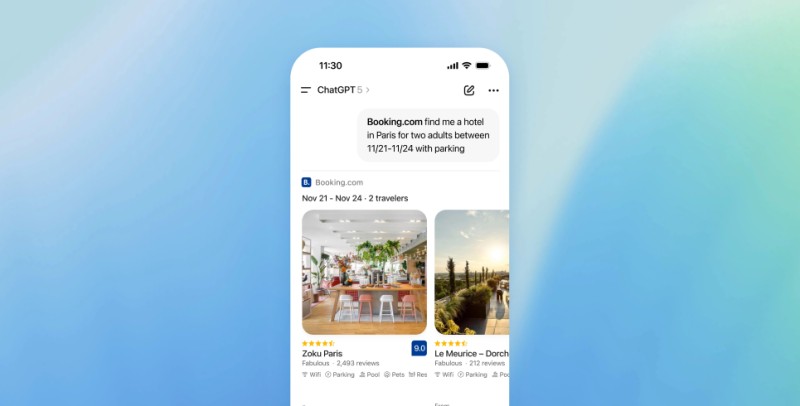
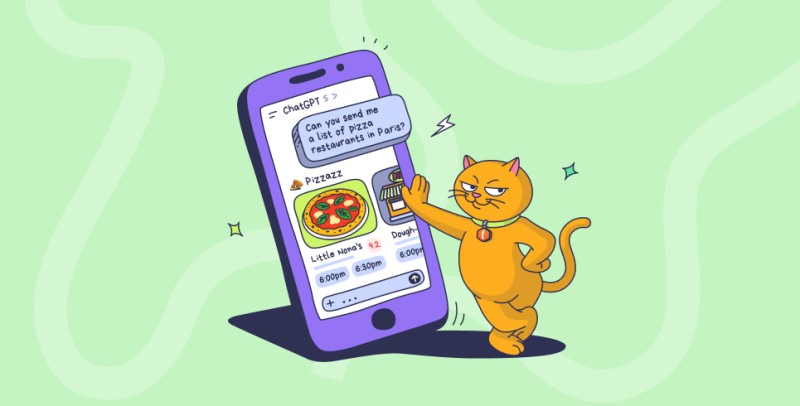
Or: "Booking, find a hotel in Paris under €100"—boom, a map with options, photos, you can book immediately.
And you can create the same kind of app.
Let me show you how.
Why This Isn't Just Another "New Feature"
Look, I get it. Everyone's developed immunity to news like "wow, new technology will change the world." Every week something new. Crypto, NFT, metaverse, AGI coming next week. Tired of the hype? Me too.
But this is different. Let's look at the numbers.
App Store in 2008:
- 10 million iPhone users at launch
- To develop an app, you needed a Mac (minimum $1000) and a device for testing
- Competition started from zero, but after six months there were thousands of apps
- You had to learn Objective-C (yeah, that nightmare with square brackets)
What came out of this? Instagram sold for a billion, Angry Birds got a billion downloads, Uber is now worth $80+ billion.
The guys who got in first—they just made it in time. They were there when there was no competition.
ChatGPT Apps now:
- 800 million active users every week
- Development—regular laptop, any OS, free tools
- Fewer than twenty competitors (December 17th they opened submissions for everyone!)
- Tech stack—TypeScript or Python, which you already know
The math is simple: audience 80 times larger, competitors hundreds of times fewer, barrier to entry several times lower.
This isn't hype. This is a window of opportunity that opened YESTERDAY (December 17th) and will close in 2-3 months when everyone else floods in. The first approved apps will start appearing in the catalog in January 2026. Right now there's almost nobody there.
What Exactly Are These ChatGPT Apps (No Fluff)
Alright, let's skip the technical jargon at first. In plain English.
It used to be like this: you're sitting in ChatGPT, want to do something—say, book a hotel. ChatGPT gives you advice, then you copy the hotel name, open Booking.com in a new tab, search, book. Tons of window switching. Annoying.
Now it's like this: you type in ChatGPT "Booking, find a hotel in Madrid for the weekend under €80," and right in the chat—a map, list of options, photos, prices, you can click and book. All right there. No tabs.
Seems like a small thing? Well, Apple seemed like a small thing too—"why touchscreen when you have buttons?" Then Nokia died.
ChatGPT Apps are NOT:
Let me clarify right away, so there's no confusion (I was confused at first too).
This is NOT Custom GPTs. Custom GPTs are just chatbots with instructions. You tell them "answer like a pirate"—they answer like a pirate. That's it. No widgets, no interactivity.
This is NOT ChatGPT Plugins. OpenAI shut down Plugins in April 2024. They were slow, clunky, worked poorly. They buried them, rightfully so.
This is NOT working with the ChatGPT API. The API is when you make your own app and use ChatGPT inside. Completely different story.
So what is it then?
ChatGPT Apps are full-fledged applications inside ChatGPT. With interface, buttons, cards, maps, video—whatever you want. You create the backend (in TypeScript or Python), make the UI (regular HTML/CSS/JS), and ChatGPT renders it right in the chat.
Example workflow (step by step):
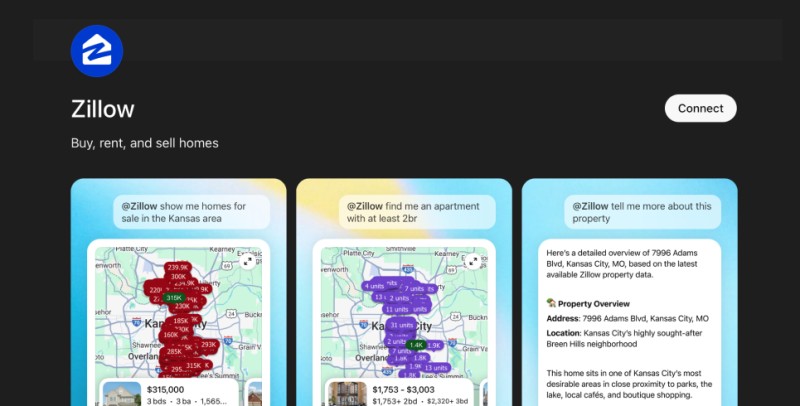
- User: "Zillow, show me homes in New York under $500k"
- ChatGPT understands: need to call the Zillow app
- Sends a request to your server (this is called an MCP server, but more on that later)
- Your server: searches for homes, forms a response + HTML for the widget
- ChatGPT receives the data and displays the widget with map, photos, descriptions
- User clicks on a home → sees details
- Says: "Remove everything over $400k" → list updates
- Found what they need → clicks "Open in Zillow" → website opens
All the magic is that this happens without context switching. The conversation with ChatGPT doesn't interrupt. You just say what you want, and everything appears right there.
Why Do We Even Need This?
Fair question. Here's a real use case:
Before: Want to book a table at a restaurant after visiting a museum.
- Open the museum website, check opening hours
- Google restaurants nearby
- Choose one, open OpenTable
- Book
- Add a reminder to your calendar
Now: "ChatGPT, book a restaurant near the Prado Museum after it closes."
- ChatGPT finds out closing time
- Finds nearby restaurants
- Offers options (with maps, menus, reviews)
- Books a table
- Adds to calendar
One sentence instead of five steps.
That's why we need this.
Three Reasons Why Developers Are Already Rushing There
1. Instant Access to Audience (It's Unfair, But It Works)
The usual startup path:
- Idea → MVP → launch
- Set up a website, configure analytics
- SEO (months of waiting)
- Paid ads (money, money, money)
- Cold calls, emails
- After a year: 1000 users (if you're lucky)
With ChatGPT Apps:
You make an app. Publish it in the Store. User writes "Find me a carbonara recipe"—and if you have a recipe app, ChatGPT itself suggests your app.
You're not looking for users. ChatGPT brings them to you.
It's like having the best sales manager in the world who works 24/7 for free and knows all 800 million users personally.
Now imagine you have three competitors. Not three thousand. Three. In some niches, there might be nobody at all.
2. No Need to Build UI from Scratch (But You Should Study the Guidelines)
You know how much time goes into proper UI in an app? Months. Responsiveness, cross-browser compatibility, themes (light/dark), accessibility. Plus separate iOS version, separate Android. Work up to your ears.
With ChatGPT Apps—ChatGPT renders the UI for you. You provide an HTML template, it embeds it in the interface. Themes? Automatic. Responsive? Automatic. iOS/Android? Works everywhere, it's web.
But there's a catch: OpenAI provides clear design guidelines. This isn't "do whatever you want." There are recommendations for widget sizes, color schemes, typography, spacing. Everything's clearly documented.

The good news: following these guidelines is easier than creating a design system from scratch. OpenAI has already thought through consistency, accessibility, UX patterns. You just apply their standards.
You focus on the logic, on the data, on what makes your app useful. Not on making a button look the same across different devices.
3. First-Mover Advantage (The Window Is Open RIGHT NOW)
Listen carefully, because this is the most important part of the article.
December 17, 2025—yesterday—OpenAI launched the App Directory and opened submissions for all developers. Not for partners, not for corporations. For everyone. You can go to platform.openai.com right now and submit your app for review.
What's there right now:
- Spotify, Booking.com, Expedia (travel)
- Canva, Figma (design)
- Zillow (real estate)
- Coursera (education)
- AllTrails, Coupler, Daloopa, Coveo, Egnyte, Hex (enterprise tools)
Count them. Fewer than twenty apps for 800 million users. The App Directory catalog is practically empty. Featured sections are empty. Recommendation algorithms are just being tuned.
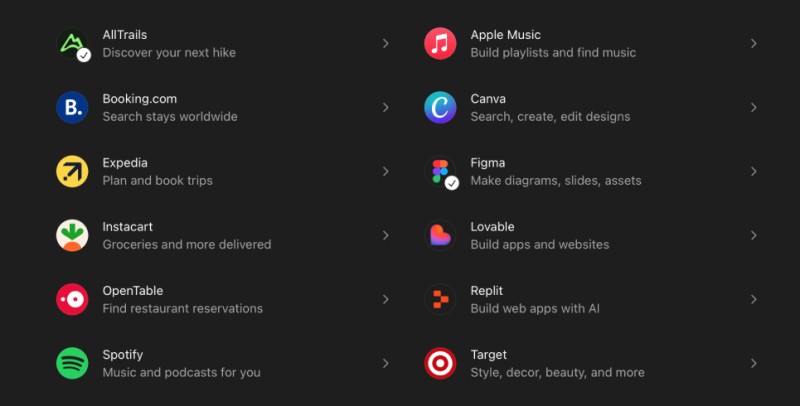
The first approved apps will start appearing in January 2026. This means you have 2-3 weeks to make a quality app and submit it for review. And a chance to be in the first wave.
By summer 2026 there will be:
- Thousands of developers
- Hundreds of startups
- Tons of copycats
- Fierce competition for Featured spots
- Recommendation algorithm already trained on thousands of apps
But don't worry. This doesn't mean it'll be too late in summer. ChatGPT Apps isn't a hype feature that'll disappear in a year. It's a fundamental platform that's here to stay.
Analogy: The App Store launched in 2008, and successful new apps still come out today. TikTok blew up the market in 2018—10 years after the store launched. Clubhouse was worth billions in 2020.
ChatGPT Apps will grow and evolve for years. It's just that those who enter in the first wave—in the next 2-3 months—will get maximum benefits: fewer competitors, more attention, first positions in rankings, pioneer reputation, chance to be Featured.
You can enter in six months too. But right now is a window of opportunity with minimal risk and maximum return. The catalog is empty. Submissions are open. Competition is almost nonexistent.
In a month there will be hundreds of submissions. In three months—thousands. But right now you can be one of the first twenty.
How It Works Technically (Without the Jargon)
Okay, enough marketing. Let's get to the point—how is this built under the hood.
Simple Diagram
User
    ↓ writes prompt
ChatGPT UI (what you see)
    ↓ understands which tool is needed
Apps SDK Runtime (engine)
    ↓ sends request
Your MCP Server (your code)
    ↓ processes, calls APIs
Your database / external services
    ↓ returns data
Widget (HTML/CSS/JS in iframe)
    ↓ displays
User sees result
In reality, one request looks like this:
User: "Spotify, create a morning run playlist"
- ChatGPT: Okay, this is about music, need the
create_playlisttool from Spotify - ChatGPT → Your server: POST request with parameters
{theme: "morning_run", duration: 30} - Your server:
- Received request
- Called Spotify API
- Compiled track list
- Formed response + HTML for widget
- Your server → ChatGPT: Here's your data + UI template
- ChatGPT: Renders widget in iframe (protected sandbox)
- Widget: Receives data through
window.openaiAPI - User: Sees playlist, can listen, edit
The whole process takes a couple of seconds.
MCP Protocol—What It Is and Why
MCP = Model Context Protocol. It's an open standard for connecting AI to external tools and data.
Brief history:
- November 2024 → Anthropic (creators of Claude) announced MCP
- March 2025 → OpenAI said "yeah, we're doing the same"
- December 2025 → MCP transferred to Linux Foundation
Now it's a common standard. Build an MCP server once—it works with ChatGPT, with Claude, with VS Code, with any AI client.
Analogy: remember how every phone used to have its own charger? Nokia one, Samsung another, iPhone a third. Really annoying. Then they invented USB-C—one port for everyone.
MCP is USB-C for AI applications.
The Three Pillars of MCP
MCP consists of three primitives. Sounds scary, but it's actually simple:
1. Tools
These are functions that AI can call. For example:
search_products— find productsbook_hotel— book a hotelcreate_playlist— create a playlistget_weather— get weather
You register a tool, describe the parameters (what needs to be passed), and ChatGPT automatically understands when to call it.
2. Resources
These are data sources or UI templates. For example:
- HTML file with a widget
- JSON with user data
- Images, videos
You control Resources, not the AI. You decide what to return and in what format.
3. Prompts
Reusable templates for common tasks. If you have a standard scenario, you can describe it once, and users will use it faster.
Honestly? Prompts are rarely used. Tools and Resources—that's what matters.
What About Security?
Widgets work in a sandboxed iframe—an isolated environment. They can't:
- Read cookies from other sites
- Execute arbitrary JavaScript in ChatGPT's context
- Access data from other users
All requests go through HTTPS. Data in transit is encrypted with TLS 1.2+. Storage—AES-256. OpenAI passed SOC 2 Type 2 audit, complies with GDPR/CCPA.
In short, security is solid. No need to reinvent the wheel.
Building Your First App (Right Now)
Enough theory. Let's make a real app. Now. In 20-30 minutes.
What we'll build: Todo List. Yeah, I know, it's cliché. But it's simple and clear. Build a todo—understand the principle—then model spaceships if you want.
What You'll Need
- Node.js (probably already installed)
- Any code editor
- Terminal
- ngrok (for public URL)
All free, all available.
Step 1: Create Project
mkdir my-first-chatgpt-app
cd my-first-chatgpt-app
npm init -y
npm install @modelcontextprotocol/sdk
package.json should look like this:
{
  "type": "module",
  "dependencies": {
    "@modelcontextprotocol/sdk": "^1.20.2"
  }
}
> Note: In the example, we use JSON Schema directly for parameter validation. If you want more powerful validation, you can add zod and use it inside the tool handler.
Step 2: Write MCP Server
Create a server.js file:
import { createServer } from "node:http";
import { readFileSync } from "node:fs";
import { McpServer } from "@modelcontextprotocol/sdk/server/mcp.js";
import { StreamableHTTPServerTransport } from "@modelcontextprotocol/sdk/server/streamableHttp.js";

// HTML with widget (we'll create in next step)
const widgetHtml = readFileSync("widget.html", "utf8");

// Our task "storage" (in reality, this would be a database)
let todos = [];
let nextId = 1;

function createTodoServer() {
  const server = new McpServer({
    name: "my-todo-app",
    version: "1.0.0"
  });

  // Register UI widget as Resource
  server.registerResource(
    "todo-widget",
    "ui://widget/todo.html",
    {},
    async () => ({
      contents: [{
        uri: "ui://widget/todo.html",
        mimeType: "text/html+skybridge",  // Important! Won't work without this
        text: widgetHtml,
        _meta: {
          "openai/widgetPrefersBorder": true  // Border around widget
        },
      }],
    })
  );

  // Register Tool for adding tasks
  server.registerTool(
    "add_todo",
    {
      title: "Add task",
      description: "Adds a new task to the list",
      inputSchema: {
        type: "object",
        properties: {
          title: {
            type: "string",
            description: "Task title"
          }
        },
        required: ["title"]
      },
      _meta: {
        "openai/outputTemplate": "ui://widget/todo.html",  // Which widget to show
        "openai/toolInvocation/invoking": "Adding task...",  // Text while loading
        "openai/toolInvocation/invoked": "Task added ✓",  // Text when done
      },
    },
    async ({ title }) => {
      // Create task
      const todo = {
        id: `todo-${nextId++}`,
        title,
        completed: false
      };
      todos.push(todo);

      // Return result
      return {
        // Text for ChatGPT (what to show in chat)
        content: [{
          type: "text",
          text: `✅ Added: "${title}"`
        }],
        // Data for widget
        structuredContent: {
          tasks: todos
        },
      };
    }
  );

  return server;
}

// HTTP server with CORS (mandatory!)
const port = 8787;
const httpServer = createServer(async (req, res) => {
  const url = new URL(req.url, `http://${req.headers.host}`);

  // CORS preflight (ChatGPT makes OPTIONS request first)
  if (req.method === "OPTIONS" && url.pathname === "/mcp") {
    res.writeHead(204, {
      "Access-Control-Allow-Origin": "*",
      "Access-Control-Allow-Methods": "POST, GET, OPTIONS",
      "Access-Control-Allow-Headers": "content-type, mcp-session-id",
      "Access-Control-Expose-Headers": "Mcp-Session-Id",
    });
    res.end();
    return;
  }

  // Health check (to verify server is alive)
  if (req.method === "GET" && url.pathname === "/") {
    res.writeHead(200).end("✅ MCP Server running");
    return;
  }

  // MCP endpoint (ChatGPT will call this)
  if (url.pathname === "/mcp") {
    res.setHeader("Access-Control-Allow-Origin", "*");
    res.setHeader("Access-Control-Expose-Headers", "Mcp-Session-Id");

    const server = createTodoServer();
    const transport = new StreamableHTTPServerTransport({
      sessionIdGenerator: undefined,
      enableJsonResponse: true,
    });

    // When connection closes, clean up
    res.on("close", () => {
      transport.close();
      server.close();
    });

    await server.connect(transport);
    await transport.handleRequest(req, res);
    return;
  }

  res.writeHead(404).end("Not Found");
});

httpServer.listen(port, () => {
  console.log(`🚀 Server running: http://localhost:${port}/mcp`);
});
Looks complicated? Actually there are three parts:
- Widget registration (UI)
- Tool registration (what it can do)
- HTTP server (so ChatGPT can reach us)
Step 3: Make Widget
Create widget.html:
<!DOCTYPE html>
<html lang="en">
<head>
  <meta charset="utf-8" />
  <title>Todo Widget</title>
  <style>
    * { box-sizing: border-box; }
    body {
      margin: 0;
      padding: 20px;
      font-family: -apple-system, BlinkMacSystemFont, sans-serif;
      background: var(--bg, #f8f9fa);
    }
    .task-list {
      display: flex;
      flex-direction: column;
      gap: 10px;
    }
    .task {
      padding: 15px;
      border-radius: 8px;
      background: white;
      box-shadow: 0 2px 4px rgba(0,0,0,0.1);
      display: flex;
      align-items: center;
      gap: 10px;
    }
    .task:hover {
      box-shadow: 0 4px 8px rgba(0,0,0,0.15);
    }
    .task.completed {
      opacity: 0.5;
      text-decoration: line-through;
    }
    .empty {
      text-align: center;
      padding: 40px;
      color: #999;
      font-style: italic;
    }
  </style>
</head>
<body>
  <div id="root"></div>

  <script type="module">
    // Get data from ChatGPT
    const toolOutput = window.openai?.toolOutput;
    const theme = window.openai?.theme;

    // If dark theme, change background
    if (theme === 'dark') {
      document.documentElement.style.setProperty('--bg', '#1a1a1a');
    }

    // Render task list
    function render(tasks) {
      const root = document.getElementById('root');

      if (!tasks || tasks.length === 0) {
        root.innerHTML = '<div class="empty">📝 No tasks yet. Add your first!</div>';
        return;
      }

      root.innerHTML = `
        <div class="task-list">
          ${tasks.map(task => `
            <div class="task ${task.completed ? 'completed' : ''}">
              <span>${task.title}</span>
            </div>
          `).join('')}
        </div>
      `;
    }

    // First render
    render(toolOutput?.tasks || []);

    // Listen for updates (when ChatGPT updates data)
    window.addEventListener("openai:set_globals", (event) => {
      const newTasks = event.detail?.globals?.toolOutput?.tasks;
      if (newTasks) render(newTasks);
    });
  </script>
</body>
</html>
This is regular HTML. The magic is in window.openai—that's how ChatGPT passes us data.
Step 4: Run Locally
Open two terminals.
Terminal 1 (start server):
node server.jsYou'll see: 🚀 Server running: http://localhost:8787/mcp
Terminal 2 (public tunnel):
ngrok http 8787ngrok will give you a public URL like https://abc123.ngrok.app. Copy it.
Step 5: Connect to ChatGPT
- Open ChatGPT
- Settings → Apps & Connectors → Advanced settings
- Enable Developer Mode (needs Plus or Pro)
- Click Create Connector
- Enter URL:
https://your-ngrok-url.ngrok.app/mcp - Save
Step 6: Test It!
Open a new chat and type:
Add task: Buy milkIf everything's right—you'll see a widget with the task!
Try more:
Add task: Go to the gym
Add task: Call mom
See the task list right in the chat? Congrats, you just created your first ChatGPT app! 🎉
What's Next?
This is the most basic example. Next you can:
- Add task deletion
- Make checkboxes for marking as completed
- Connect a real database (PostgreSQL, MongoDB)
- Add OAuth authorization
- Deploy to Vercel (free)
But you get the principle. The rest is details.
Advanced Features (When Basic Gets Boring)
Okay, made a todo list. Now you want something more serious. Here's what else you can do:
OAuth Authorization
If your app works with users' personal data (like Spotify playlists or Google Drive), you need authorization.
ChatGPT supports OAuth 2.1 with PKCE. Sounds scary, but works simply:
- User calls your app for the first time
- ChatGPT shows "Connect account"
- Redirects to your authorization server
- User grants access
- Your server returns a token
- ChatGPT saves the token and sends it with every request
In code it looks like this:
server.registerTool(
  "get_user_playlists",
  {
    title: "Get playlists",
    _meta: {
      "openai/auth": [{ type: "oauth2" }]  // Require authorization
    }
  },
  async (args, context) => {
    // Check token
    const token = context.headers?.authorization?.replace('Bearer ', '');

    if (!token) {
      return {
        error: "Unauthorized",
        _meta: {
          "mcp/www_authenticate": { error: "invalid_token" }
        }
      };
    }

    // Get data
    const playlists = await fetchSpotifyPlaylists(token);
    return { content: [{ type: "text", text: JSON.stringify(playlists) }] };
  }
);
Details of setting up an auth server is a separate topic. In short: you need a /authorize endpoint, /token endpoint, and server metadata. Read the docs, it's explained there.
Fullscreen Widgets
Sometimes a widget in chat is too small. Like for a map. You need fullscreen.
// In widget
await window.openai.requestDisplayMode({ mode: "fullscreen" });
There are three modes:
- inline — regular widget in chat (default)
- fullscreen — full screen (for maps, graphs)
- pip (picture-in-picture) — floating window (for video, music)
Switch via window.openai.requestDisplayMode().
Agentic Commerce Protocol (ACP)—Sales Right in ChatGPT
Want to sell products through ChatGPT? OpenAI and Stripe made an open standard for this—ACP.
How it works:
- You have products (Product Feed in JSON/CSV/XML)
- User: "ChatGPT, order Nike Air Max sneakers for me, size 10"
- ChatGPT finds the product in your feed
- Shows product card (photo, price, description)
- User: "Buy"
- Instant Checkout—payment through your Payment Provider (Stripe/PayPal)
- You receive a webhook about the purchase
- Ship the product
Commission: OpenAI takes a small percentage of sales (exact figures not disclosed).
Who's already working: Instacart (full Instant Checkout), 1M+ Shopify merchants.
This really works. People buy right in chat, without going to the site.
Deployment: Going to Production
Everything works locally, but users need a stable server. ngrok will die in an hour—not an option.
Option 1: Vercel (Easiest)
Vercel officially supports ChatGPT Apps. There's a free tier, enough to start.
npm i -g vercel
vercel login
vercel
That's it. Vercel will set up HTTPS, configure CDN, give you a stable URL.
Ready-made template from Vercel:
vercel.com/templates/next.js/chatgpt-app-with-next-jsOption 2: Railway / Fly.io / Render
If you need more control (your own Docker, your own env variables, etc):
Railway:
railway login
railway link
railway up
Fly.io:
fly launch
fly deploy
All three platforms are free to start, then you pay for resources. Cheap.
Production Checklist
Before launching, check:
✅ HTTPS — mandatory, otherwise ChatGPT won't connect
✅ CORS — allow https://chatgpt.com
✅ Health check — / should return 200
✅ Rate limiting — so you don't get DDoS'd
✅ Env variables — no secrets in code
✅ Logging — to understand what broke
✅ Monitoring — uptime, latency, errors
Minimal CORS for Express:
app.use((req, res, next) => {
  res.header('Access-Control-Allow-Origin', '*');
  res.header('Access-Control-Allow-Methods', 'GET, POST, OPTIONS');
  res.header('Access-Control-Allow-Headers', 'content-type, mcp-session-id');
  next();
});
That's enough to start.
ChatGPT App Directory: Submissions Open RIGHT NOW
The most common question was: "When can we publish?"
Answer: You already can. December 17, 2025 OpenAI opened submissions for all developers.
Status as of December 18, 2025:
✅ App Directory launched — https://chatgpt.com/apps
✅ Submissions open — through platform.openai.com
✅ Apps SDK in BETA — any developer can use
✅ First approved apps — will start appearing in January 2026
Who's already there:
- Spotify — playlists, recommendations
- Booking.com, Expedia — travel
- Canva, Figma — design and presentations
- Zillow — US real estate
- Coursera — educational courses
- AllTrails — trails and routes
- Coupler, Daloopa, Coveo, Egnyte, Hex — enterprise tools
Total fewer than 20 apps. That's ALL. The catalog is almost empty.
How to Submit Your App (Step by Step)
Step 1: Prepare Your App
Before submitting, make sure:
- App tested in Developer Mode
- Server runs on HTTPS (mandatory!)
- Follows App Submission Guidelines
- Has Privacy Policy and Terms of Service
- UI meets OpenAI guidelines
Step 2: Go to OpenAI Developer Platform
Go to platform.openai.com → "ChatGPT Apps" section → "Submit App".
Step 3: Fill Out Submission Form
You'll need to provide:
App Information:
- App name (unique, clear)
- Description (what it does, who it's useful for)
- Category (productivity, travel, education, entertainment, etc.)
- Icon and banner for catalog (PNG, specific sizes)
MCP Details:
- Your MCP server URL (must be accessible via HTTPS)
- List of tools provided by the server
- Authentication settings (if OAuth is needed)
- Widget endpoints
Testing Guidelines:
- Test scenarios for reviewers (how to check everything works)
- Example prompts that trigger your app
- Expected behavior
Screenshots / UI Previews:
- Screenshots of widgets in ChatGPT
- Demonstration of main features
- Show how the app looks in light/dark themes
Country Availability:
- Which countries the app will be available in
- Regional restrictions (if any)
Privacy Policy:
- Mandatory for all apps
- What data you collect, how you use it, how you store it
- Link to full policy text
Release Notes:
- What's new in this version
- Known limitations or bugs
- Future plans (optional)
Step 4: Submit for Review
Click "Submit". OpenAI starts checking:
- Technical review (does the server work, are there bugs)
- Security review (are there vulnerabilities, is data handled correctly)
- Policy review (complies with Usage Policies)
- UX review (is it convenient to use)
Review timeline: from a few days to a few weeks (depends on complexity).
Step 5: Get Response
Either Approved — congrats, the app goes to the catalog!
Or Changes Requested — need to fix issues and resubmit.
After approval, your app appears in the App Directory, and 800 million users can find it.
Requirements for Approval
To pass review, the app must:
✅ Comply with Usage Policies OpenAI
✅ Be appropriate for all audiences (no adult content, violence, hate speech)
✅ Request only necessary data (least privilege principle)
✅ Have a working HTTPS endpoint (HTTP won't work)
✅ Provide clear Privacy Policy
✅ Follow UI Guidelines (design consistency, accessibility)
✅ Not violate Terms of Service of third-party services (if integrating with them)
Automatic rejection if:
- No HTTPS
- No Privacy Policy
- Requesting data that's not needed for functionality (e.g., location if you don't use it)
- UI isn't responsive or broken
- App crashes with errors
What to Do After Approval
Your app appears in the catalog—users can find it through search or the Featured section.
How users will find you:
- Catalog search — search by keywords
- @mention — type in chat
@your_app do something - Recommendations — ChatGPT itself suggests your app when it sees a relevant query
- Featured — best apps get into recommended
Deep links:
You can share direct links to your app:
https://chatgpt.com/apps/your-appPost on social media, on your site, in newsletters—people click and land directly in your app in ChatGPT.
- Support contacts
- Security certification (if working with money)
Monetization—Can You Really Make Money?
The million-dollar question (literally).
Income options:
| Method | How it works | Status |
| Instant Checkout | OpenAI takes % from sales | ✅ Works |
| Subscription | Users pay for the app | 🔜 Coming soon |
| Freemium | Basic version free, Pro paid | 🔜 2026 |
| Ads | Advertising model | ❓ Unclear |
Instant Checkout already works. Instacart sells groceries right in ChatGPT, OpenAI takes a commission (size not disclosed, but they say "reasonable").
Subscription will launch in Q1-Q2 2026. Like the App Store—users pay for the app, OpenAI takes ~30% (presumably).
How much can you make?
Nobody knows. The Store isn't open, there are no statistics. But we can look at the App Store:
- Top 1% of apps: $10K-100K+/month
- Top 10%: $1K-10K/month
- The rest: $0-1K/month
ChatGPT Apps has higher potential because:
- AI itself recommends apps (free discovery)
- Conversion is higher (everything in chat, no switching)
- Instant Checkout reduces friction
But for now—it's uncertain. The first ones will experiment.
Who This Is For (Honest Talk)

Not everyone should rush into ChatGPT Apps. Let's be honest.
✅ This is for you if:
- You can code in TypeScript or Python
- You understand REST API, HTTP, JSON
- You have an app idea for a broad audience
- You're ready to learn and experiment
- You're not afraid of things changing (SDK in preview, everything's evolving)
- You want to enter a new industry at the start
❌ DON'T start if:
- You're a complete beginner in programming (learn the basics first!)
- You expect instant profit without work
- You need stable income right now (for now you can only link-out to your site for purchases)
- You're making a narrow B2B product (ChatGPT is for the mass market)
- You're not ready for the technology to change
Real Salaries for AI Developers
If you're not creating your own app but working at a company:
USA (2025):
- Junior AI Developer: $95K-$130K/year
- Mid AI Engineer: $161K-$220K/year
- Senior AI Engineer: $301K-$440K/year
- AI Research Scientist: $500K-$893K/year
Remote work by region:
- Western Europe: €60K-€120K/year
- Eastern Europe: $35K-$80K/year
- India: $15K-$45K/year
- China: $25K-$70K/year
- South America: $30K-$65K/year
Freelance (global): $35-$116/hour (average $65-75)
Sources: levels.fyi, Glassdoor, AngelList (December 2025)
Demand for AI developers is growing 10-20% annually. And will continue to grow.
The Real Challenges of Creating ChatGPT Apps

Okay, I've been telling you how cool and simple this is all article. But let's be honest—it's not all smooth sailing.
There are real challenges developers face:
1. Paradigm Shift
This is the hardest part. You're used to writing regular apps: user clicks a button → code executes → result displays. All predictable.
With ChatGPT Apps it's different:
- AI decides when to call your tool
- User speaks natural language, not clicking UI
- Your app is a tool in AI's hands, not direct logic
You need to learn to think like an AI engineer, not like a classic web developer. It's like transitioning from procedural to functional programming—the technique seems familiar, but the approach is different.
2. MCP Protocol—New Standard
MCP just appeared, there's little documentation, best practices are still forming. You can't Google "how to do X in MCP"—Stack Overflow is empty.
You have to read official docs (which are sometimes incomplete), study examples from OpenAI, experiment.
3. Debugging Is Harder Than in Regular Web Apps
In a regular app you see the request → look at logs → understand what broke.
In ChatGPT Apps:
- AI might misinterpret the prompt
- Tool might be called when you don't expect
- Widget renders in sandboxed iframe—DevTools doesn't always help
- Errors can be at three levels: AI, MCP transport, your code
You need new debugging skills.
4. OAuth and Security—High Responsibility
If your app works with personal data, you need OAuth. But it's not just "install a library and it works."
You need to:
- Set up authorization server
- Implement PKCE flow
- Validate tokens on every request
- Ensure secure secret storage
- Pass security review from OpenAI
One mistake—and user data leak. Seriously.
5. Production Deployment—Not Just "Upload to Hosting"
HTTPS is mandatory. CORS needed. SSE/Streaming HTTP must work. Health checks. Rate limiting. Monitoring. Logging without leaking sensitive data.
For a junior developer this can be overwhelming.
6. Competition with Big Players
When the Store opens, not just indie developers will enter. Spotify, Booking, Canva—these are large companies with big teams.
How to compete with them? You need a clear strategy, niche focus, market understanding.
7. Fast-Changing Ecosystem
Apps SDK is in preview. Features are added every week. What worked a month ago might break after an update.
You need to be ready to adapt quickly.
That's why you need a fundamental course, not just a "30-minute tutorial."
Training: Course from CodeGym
We at CodeGym understand these challenges. And that's exactly why we're creating not just "ChatGPT Apps basics in half an hour," but a full production-grade course that prepares you for real development.
What We Do Differently
1. Gradually Shifting the Paradigm
The course starts with classic web development, then smoothly transitions to an AI-first approach. You're not jumping into cold water—you're taking it step by step.
2. Deep Dive into MCP
We don't just say "here's how MCP works." We break down:
- Internal architecture of the protocol
- How AI decides to call a tool
- Optimizing tool descriptions for better discovery
- Advanced patterns for working with Resources
- Debugging at all stack levels
3. Real-World Projects, Not Hello World
40 practical tasks—not "make a todo list." These are:
- E-commerce app with Instant Checkout
- Travel planner with map integration
- Content creation tool with AI generation
- Analytics dashboard with real-time data
- And 36 other tasks
4. Security First
Separate module on security:
- OAuth 2.1 with PKCE (step by step)
- Token validation
- Rate limiting strategies
- PII protection
- GDPR/CCPA compliance
5. Production Deployment in Real Conditions
Not just "here's a command for Vercel." But:
- Platform comparison (Vercel, Railway, AWS)
- CI/CD pipelines
- Monitoring and alerting
- Error tracking
- Performance optimization
- Scaling strategies
6. NestJS as Foundation
The entire course is built on NestJS—a modern TypeScript framework for backend development.
Why NestJS?
- Ideal for MCP servers (modular architecture)
- Production-ready out of the box
- Dependency injection support
- Great TypeScript work
- Huge community
Even if you haven't worked with NestJS before—we'll explain everything from scratch. And if you have—you'll learn how to apply it to AI apps.
7. Mindset Shift Through Practice
Each level includes:
- Theory block (10-15 minutes)
- Practical task (30-60 minutes)
- Code review from AI mentor
- Analysis of common mistakes
By the end of the course, you think like an AI engineer, not just know the syntax.
Course Program (Brief)
Module 1: Basics (Levels 1-4)
- What are ChatGPT Apps and why they're needed
- MCP Protocol: architecture and principles
- Setting up environment (NestJS + MCP SDK)
- First app: simple widget
Module 2: MCP and Tools (Levels 5-8)
- Registering and describing Tools
- Parameters and validation (Zod)
- Structured content and UI templates
- Tool discovery optimization
Module 3: Widgets and UI (Levels 9-12)
- HTML/CSS/JS for widgets
- window.openai API
- Display modes: inline, fullscreen, PiP
- OpenAI design guidelines
- Theming and responsiveness
Module 4: OAuth and Security (Levels 13-15)
- OAuth 2.1 with PKCE
- Authorization server setup
- Token management
- Security best practices
- GDPR/CCPA compliance
Module 5: Advanced Features (Levels 16-18)
- Agentic Commerce Protocol (ACP)
- Instant Checkout integration
- Multi-step workflows
- State management
Module 6: Production (Levels 19-20)
- Deployment strategies
- Monitoring and logging
- Performance optimization
- Scaling and load balancing
- ChatGPT Store submission
Why This Works
Not just theory. 80% of the course is practice. You write code every day.
Not just tutorials. Tasks with increasing complexity. From simple to advanced.
GO TO FULL VERSION