An API is how programs talk to each other. One asks, the other answers. Using a marketplace as the example, we'll look at what a request is made of, how to read a JSON response and what to check when Claude Code connects an external data source. At the end we'll briefly clarify where FastAPI comes in.
What an API is, in plain words
An API (Application Programming Interface) is a programming interface. It defines which operations are available and the rules for calling them. APIs are not limited to standalone applications: libraries, the operating system and the browser have them too. Through an API one program can ask another program, or a part of it, to do something and get the result back. Here we'll mostly stick to network APIs (the kind you reach at an address).
Picture a restaurant. As a customer, you don't walk into the kitchen and explain to the chef how to cook. You tell the waiter what you want from the menu, the waiter takes the order to the kitchen and brings the dish back to you. The API is the waiter. The client program places its order through it, and the kitchen (another program) fills it. You don't need to know how things work inside. It's enough to know the menu and understand what you can ask for and what comes back.
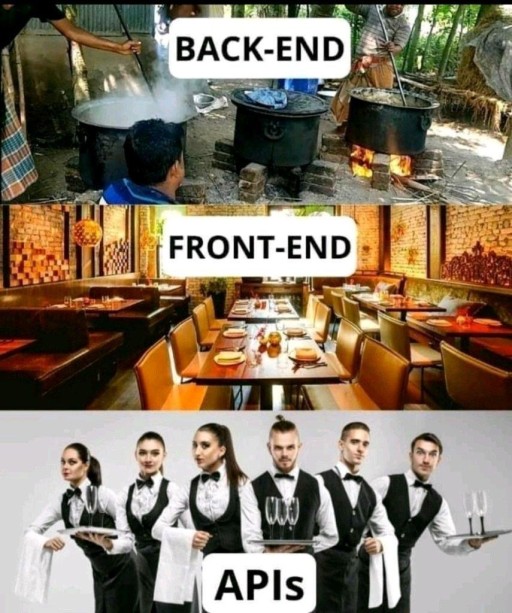
In essence, an API is a contract: "you can call me like this, and in return I'll give you this kind of result".
When Claude Code suggests connecting a service, it has to find out what it can request and what comes back. The API documentation describes that "menu".
There's also a short humorous video on the topic, "How API work". Think of it as an illustration of the same idea, not a lesson. Everything you need is in the text below.
Request and response: a marketplace example
Picture a marketplace where a supplier uploads products from their own software. Moving thousands of items through the site's buttons would be painful, so the marketplace exposes API operations for programs to call. For example, POST /products adds a product, and GET /reports returns a report.
The address of an available operation is called an endpoint. To understand a request, look at both the address and the HTTP method. GET /products and POST /products can do different things. Roughly speaking, GET is for reading and POST is for sending data to be processed.
Data is often sent as JSON. Curly braces group the fields of an object, strings go in quotes, and a list of objects goes in square brackets:
{
  "name": "Desk lamp",
  "price": 15000,
  "count": 350
}
The client sends a request, the server processes it and returns a response. Below is a simplified sketch of the exchange, not a full HTTP message:
POST /products
{ "name": "Desk lamp", "price": 15000, "count": 350 }

201 Created
{ "id": 4567, "status": "added" }
201 Created is the response status, and the JSON under it is the body with the result. For a real API, the documentation lists the endpoint, the method, required parameters, headers, the shape of the response and the possible errors. And start with a single test object, not the full data set. It's just safer.

An API is a contract. Claude Code can write the request, but you check the code against the contract, using the current documentation and a real response from the service.
Frontend, backend and the API between them
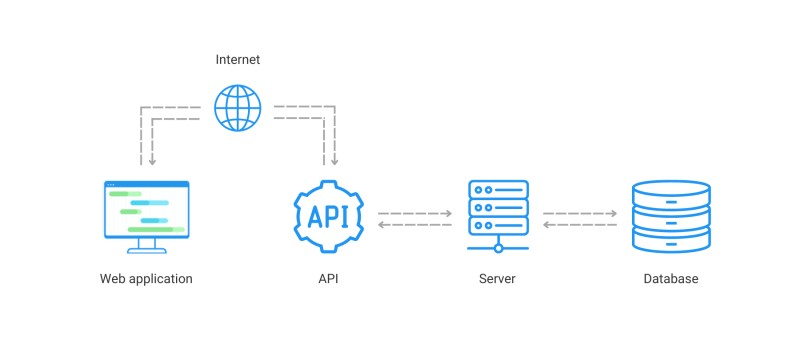
APIs aren't only for connecting different applications. Quite often a single application is itself made of two programs, and they talk to each other through an API as well.
The frontend is the part of the application you work with in the browser. Buttons, images, menus, forms, the way the page behaves - that's all frontend. Its logic is usually written in JavaScript. It can do heavy computations on its own, and it can also call the server when it needs data or an action on the service's side.
The backend is the server side of the application. It processes payments, stores orders, checks access, searches for products. During development the server can run on your computer, and after release on a hosting provider. Users don't get its source code along with the page. The browser only gets responses to its requests.
So how do they talk? Through that same API. The backend exposes endpoints not only to outside suppliers but to its own frontend too:
- you open the page - the frontend hits the
/products/listendpoint, the backend returns the product list, the frontend renders it nicely; - you click "buy" - the frontend sends the data to the
/ordersendpoint, the backend creates the order.
- Action in the browser
- Frontend request
- Processing on the backend
- Response with data
In other words, different applications can talk through an API, and so can parts of one application. In this setup the browser sends a request, the backend works with the data and returns the result. The database doesn't have to be directly reachable from the browser.
A request from the browser
Earlier we said the frontend "hits an endpoint" on the backend. Let's see what that looks like in code. The browser has a built-in function for it called fetch. It sends an HTTP request to the given address and returns the response. The response body usually arrives as JSON, and you parse it into an object with the .json() method.
Take a list of locales, i.e. combinations of a language and regional settings. Suppose the backend can already serve the list at /locales, and the frontend has to display it. Say the server returns:
[
  { "code": "en-GB", "language": "English", "country": "United Kingdom" },
  { "code": "de-DE", "language": "Deutsch", "country": "Germany" }
]
How the response arrives
The snippet below runs inside an async handler function on the page. It fetches the data; rendering the table isn't shown here.
const res = await fetch("/locales");
if (!res.ok) {
  throw new Error(`HTTP ${res.status}`);
}
const locales = await res.json();
// Now locales holds the data for the table
We check res.ok before reading the data. An HTTP error like 404 or 500 does not, by itself, make fetch throw an exception. On top of that, the network request itself can fail, or the JSON can fail to parse. The page code has to catch the error from a snippet like this and show a clear message. These are different causes, though the user ends up with the same thing either way. No data. More details are in the MDN guide to fetch.
There are a couple of details here that are easy to miss:
- by default
fetchsends aGET, a request to retrieve data. For other operations you set the method explicitly; for example, our marketplace accepts a new product viaPOST; - the address
/localesis relative. On a regular HTTP page it points to the root of the same origin. An origin is defined by the scheme, host and port; the server has to have that route; fetchand.json()don't return their result right away, which is why you putawaitin front of them, meaning "wait for the response".
If you open the HTML as a file via file://, /locales won't turn into an address on your HTTP server. For this example, you open the page through a server that implements the route. The HTML file doesn't create that route by itself.
The frontend and the API can live on different origins. In that case, for the browser to read the response, the API server has to allow that access through CORS. It's the mechanism for cross-origin access, not a catch-all name for network errors. Putting the page and the API on the same origin keeps the example simple (real applications don't all have to do that). The details are in the MDN article on CORS.
Who answers the browser
Who answers fetch("/locales")? The backend, and it doesn't have to be Python with FastAPI. An API is an agreement between programs, not a specific language. The same endpoint can be written in Node.js, Go or Java. For example, a Node.js server handler can return a prepared locales array. Below is just a fragment of the handler, not a complete server:
// req and res come from the handler, locales is prepared in advance
if (req.method === "GET" && req.url === "/locales") {
  res.statusCode = 200;
  res.setHeader("Content-Type", "application/json; charset=utf-8");
  res.end(JSON.stringify(locales));
}
From the outside it's still the same HTTP request GET /locales, and the response carries status 200 and JSON. The frontend doesn't need to know what the backend is written in. It needs the address, the request rules and the response format.
When Claude Code writes fetch("/locales"), ask it to show you the other side too. Have the agent point out which code answers that request. Then check what the user will see if no response comes back.
Kinds of APIs
It's handy to split APIs along two lines:
- local and network - for example, a library's API is called from the program's code, while a network API is reached over a network. That network can also be internal, with no access to the public internet;
- public and internal - public ones are meant for outside developers, internal ones connect parts of a system. A public API can still require sign-up, payment and permissions.
Web APIs often use HTTP, a request-response protocol. REST, a name you'll run into in documentation, describes an approach to designing APIs; not every HTTP API automatically follows REST. For now it's more useful to learn to read the status code in a response:
200- all good;201- created (for example, a new object after aPOST);404- not found;401- the request lacks valid authentication credentials;429- too many requests;500- internal server error.

Don't dig too deep into this for now. the thing to grasp is the idea itself, requests going out and responses coming back. That's enough for the moment.
No need to memorize the codes. On http.cat every HTTP status comes with a picture of a cat.
Why a service wants an access key
Many services first ask you to get an API key, a string tied to your account or project. You pass it the way the documentation says, often in a request header. The service checks access and may keep track of how many requests you've made. In other integrations you'll see the word token. It serves a similar purpose, but how you get it, how long it's valid and what it's allowed to do can differ.
Without proper access the request won't go through, e.g. the server may respond with 401. Exceeding the request rate is often signaled with 429. Check the exact meaning of a response and the usage limits in the documentation for the specific service. And some open data sources don't need a key at all, which is nice.
A secret key grants access within the permissions it was issued with, sometimes at your expense. Don't paste it into chats, public code or Git. On the server side the value can be passed through the process environment; a variable that ends up in browser JavaScript no longer hides the secret. Where to set the value and how to pass it to the program is a separate topic about keys and environment variables.
Where to find a ready-made API
Maps, weather, payments and delivery all get built into applications through APIs. Public documentation helps you understand what a service can do before you even connect it. Start with the task itself, though. Decide what data you need, how often it should update and what you plan to do with it.
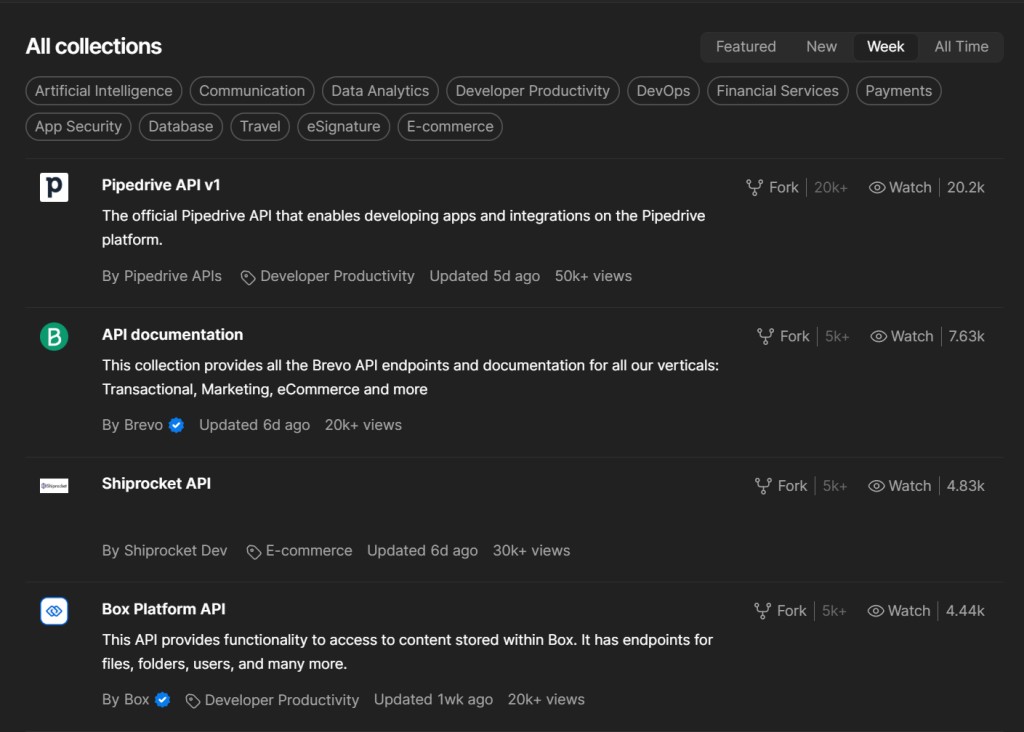
A handy place to search is the Postman Public API Network, a catalog of APIs and sample requests. Whatever example you find there is just a starting point. You still need to verify the address, format, access and limits against the service owner's official documentation.
Where FastAPI fits in
FastAPI is one of the frameworks for building APIs and web servers in Python. It can connect an endpoint to your server code, accept a request and return a JSON response. You need FastAPI when you're building your own Python backend; to use an existing API, you don't have to learn it. At level 7 it's enough to recognize the name and know where that line is. That's it.
How this works together with Claude Code
With these concepts in hand, it's easier to judge the agent's work. It can read the documentation for someone else's API, write a client request or build your own API with FastAPI. What matters is that you can see the concrete path from the request to the data on the page. Who sends the request, who answers, and how is the response handled?

For example, for an earthquake radar there's the public USGS GeoJSON feed. The address for the list of events from the past hour:
GET https://earthquake.usgs.gov/earthquakes/feed/v1.0/summary/all_hour.geojsonBelow is a small sample of the response structure, with a made-up event and a trimmed set of fields. This is not current USGS data:
{
  "type": "FeatureCollection",
  "features": [
    {
      "type": "Feature",
      "properties": { "mag": 4.2, "place": "Sample location" },
      "geometry": { "type": "Point", "coordinates": [-122.5, 38.0, 8.0] }
    }
  ]
}
features holds an array of events. The path features[0].properties.mag leads to the magnitude of the first one. Index 0 means the first element of the array. Coordinates come in the order "longitude, latitude, depth in kilometers". The agent can use the magnitude for the size of a dot and the coordinates for its position. If the array is empty, there is no first element; if the magnitude is null, the value is unknown, which is not the same as an event of zero strength.
What's left is deciding what to show after the request:
| What came back | What to show |
|---|---|
| A successful response with events | The current set of events. It may match the previous one, since new events don't have to appear on every request. |
| A successful response with an empty array | There are no events in the selected time window. Old dots may have dropped out of it; don't show them as current. |
| An error fetching or reading the response | A message about the failure. If there's a last successful snapshot, you can keep it on screen with a timestamp and a warning that it's out of date. If there's no snapshot, there's nothing to show yet. |
While the request is in progress, the page can show a loading state. To test the different outcomes, mock responses come in handy. That way you don't have to sit around waiting for a real service outage or a new earthquake.
Now a task for Claude Code might read like this:
Connect the page to data from the specified API.
First check the official documentation: address, method,
response format and access terms. Show which fields you use.
Handle loading, an empty list and a refresh error.
If you show old data after a failure, mark that on the page.
Do not put a secret key in client-side code.
Test the result and tell me which states you were able to check.
When the work is done, look at the request itself and the test results, not just how the finished page looks. And keep the agent's access and the page's access apart; they're easy to mix up. MCP can connect a tool to Claude Code, but a published application needs its own integration. Closing the agent's session shouldn't stop the site's requests if they are implemented in the application itself.
GO TO FULL VERSION