Claude Code changed the code and reported: "Tests passed". Behind that short line sit files with checks, a command that runs them, and specific results. Let's start with the kinds of testing there are and what you can check by hand, then look at an automated test and what its result actually means.
A small example about awarding points is enough for that. No need to know any testing libraries up front: first we'll walk through the scenario manually, then state the expectations for automated tests and read the report they produce.

The kinds of testing
Testing helps you find out how a program behaves, whether it matches the requirements, and where the problems are. Whether points are awarded correctly, for instance, or whether a submission goes through with an empty field, or whether the error message makes sense. To do that you pick the conditions for the check, perform the actions, and look at the result.
There's more than one way to split testing up. Let's start with who performs the actions and judges the result:
- manual testing - a person goes through the check themselves and decides what came out of it;
- automated testing - part of the checking is handed to a program: it performs the actions and comparisons you specified. Checks like that are usually called automated tests.
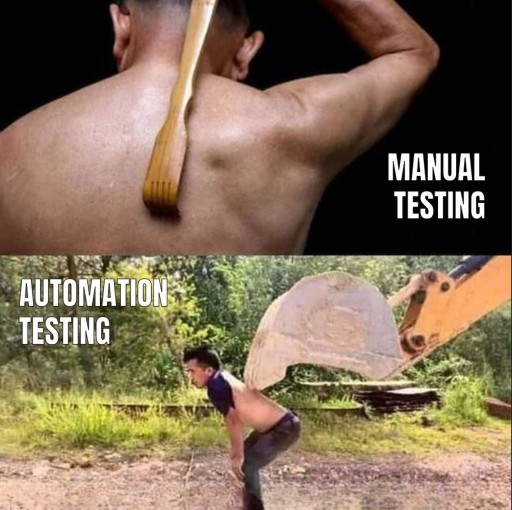
That split is about how the checking is done. There's a second question: what exactly is being checked. Functional checks are about behavior - whether the points that were due got awarded. Non-functional ones are about how the application works: how fast it answers, say, or how easy it is to use. These two ways of splitting are independent: the same function can be checked both by hand and automatically.
Automation doesn't take the person out of the loop. Someone still has to pick the scenarios worth checking, decide on the expectations, and make sense of the differences that turn up. The program just takes over the repetitive part. that's the whole deal.
What manual testing is
In manual testing you perform the actions yourself and see whether the result matches what you expected. You don't have to write any test code for that. What you need is clear conditions and a question you want answered.
Say a sample portal awards 10 points per match, so three matches are worth 30. Here's one way to check that by hand:
- open the right version of the portal and set up a user with a zero balance who hasn't been awarded anything yet;
- prepare a submission with three matches and send it once;
- look at the balance afterwards: 30 points expected;
- write down the actual result. If the number came out different, save the steps and, if it helps, a screenshot.
The starting balance matters here. If it already held 20 points, then after the points are awarded you expect 50, not 30. Without the starting conditions it's easy to take a correct result for a bug, or the other way round (both happen more often than you'd think).
It helps to write the outcome down in one line: "Balance before sending 0, three matches, sent once, expected 30, got 3". From a note like that another person, or Claude Code, can tell what needs reproducing. "The points are acting weird" explains none of it.
Manual testing can also be exploratory: you poke around the application and come up with new checks as you go. You notice the button stays clickable after sending, say, and decide to check what a second press does. There's no route mapped out step by step here, but the goal stays the same: understand the behavior and write down the problems you find. Not just clicking around.
Tools are perfectly fine along the way. You can open the browser console, look at the server's response, take a screenshot, keep a list of checks. The word "manual" means a person drives the check and judges the result, not that they work without tools.

A manual check works well when you need to explore new behavior or judge whether the interface makes sense. An automated one pays off when you repeat actions and comparisons you've already described. It's not a hard split into "interfaces by hand, calculations by code": actions in the browser can be automated too, and a calculation can be checked by hand.
Pressing the button that launches automated tests isn't manual testing: once they start, the program does the checking. But if Claude Code wrote you a list of steps and you walked through the portal yourself and judged the result, the check stays manual. The agent only helped you prepare it.
What an automated test is
Picture yourself checking a calculator. You type 2 + 2, you expect 4 before you look, and you compare the number on the screen against that expectation. If you see 5, the result for this example is clearly wrong. You know the right answer regardless of what the calculator shows.
An automated test does much the same job in code. It's a small program that sets up the starting conditions, performs an action, and checks the result. The comparison is done by code instead of a person. From here on we'll just call this kind of automated test a test.
Back to the sample portal: one match brings 10 points, three are worth 30. The check can be written out in plain words, no code yet:
- set the number of matches: 3;
- run the reward calculation;
- check that the reward equals 30.
That's what becomes a single test. It has an example you know in advance and an expected answer. The rule "10 points per match" belongs to our sample portal; in another application it may be something else.
A test doesn't work out for itself how many points a user is owed. Someone has to take the rule from the requirements and write the expectation down. That someone can be a developer, or Claude Code at your request, but the meaning of the expectation still has to be checked against the task.
Why repeat a check
Checking the points by hand once is perfectly fine. The trouble shows up later: you add a new kind of reward, change how submissions are handled, or ask the agent to simplify a function. After every such edit the same question comes back: do three matches still give 30?
You can prepare the submission from scratch each time, perform the actions, and look at the result. Or you can write the check down in code and run it again. Given the same prepared conditions, the test repeats the actions and the comparison you specified. nobody has to explain all over again where to click and what counts as correct.
As the project grows, rules like this pile up. A submission with zero matches shouldn't add points; a repeated submission mustn't count twice; the list of rewards has to come in a certain order. You can run the checks together and see which expectation stopped holding after a change.
That's what automation buys you: re-checking behavior you've already described takes less manual work. Writing tests costs time too, and when the requirements change they need revisiting. But for the rules you keep coming back to, that work pays for itself over repeated runs.
Where tests live
Tests are kept in ordinary project files. In a small JavaScript project it's convenient to put the check next to the code it calls:
reward-example/
├── package.json
└── src/
    ├── reward-flow.js
    └── reward-flow.test.js
reward-flow.js holds the reward calculation. reward-flow.test.js holds the code that calls that calculation and checks the answer. The package.json file describes the project's settings and commands, the test command among them.
The .test.js part of the name helps you spot a check file. That's a convention testing tools support, not a rule of the JavaScript language. Other projects use different names, or a separate tests/ folder. One file can hold several tests, so no, you don't need a test file sitting beside every source file.
If Claude Code is working in a project you don't know, ask it first to find the existing test for awarding points and show you its path. That way you can line the check up with the behavior you care about even while you're still finding your way around the folders.
Turning an intention into a check
"Fix the points and check it with tests" leaves the agent with two open questions at once: what counts as awarding them correctly, and what would confirm the result. Better to start from the behavior you want. Something like: "Each match is worth 10 points. With three matches the reward should be 30."
An intention like that can be turned into a check without a single line of code. Describe three things:
| What to set | Question to ask yourself | Example |
|---|---|---|
| Starting conditions | What's known before the action? | There's a result with three matches; each one is worth 10 points |
| Action | What exactly are we checking? | We calculate the reward for that result |
| Expectation | What observation would make the result right? | The reward equals 30 points |
You can read that back as one sentence: "If three matches came in, then calculating the reward should give 30 points." There's enough information here to discuss what the test means. How to express the check in code in this particular project is the agent's problem, not yours.
It matters which thing you want confirmed. "A reward of 30 was calculated" and "the user's balance is now 30" are different expectations. The second one needs a starting balance and the points actually landing on it, as in the manual check above. So it's better to replace "check the points" with a precise observation.
Then think about the neighboring situations. For our rule a small table is enough to start with:
| Situation | Expected result | Why check it |
|---|---|---|
| Three matches | Reward of 30 points | The case we're fixing the calculation for in the first place |
| Zero matches | Reward of 0 points | The behavior when there are no matches at all |
| Five matches | Reward of 50 points | One more value under the same rule |
No need to invent dozens of cases at once. Start with the scenario that's broken and a few neighbors the edit could have touched. If it isn't clear what should happen with a repeated submission, say, pin the rule down first. The agent can propose an option, but that isn't an agreed expectation yet.
Ask Claude Code to list the situations and the expected results before it changes anything. In a list like that it's easier to spot that the agent is checking the wrong action, has dropped an important condition, or has made a rule up on its own. Fixing a few sentences at this stage is easier than untangling finished tests written for a different task.
Handing the check to Claude Code
Once the expected behavior is stated, you can organize the work around it. First the agent finds out which checks the project already has, then lines them up against your scenarios. The check you need may already exist, in which case what matters is running it and reading the result. If it doesn't exist, the agent will have to add a test.
The first instruction can look like this:
The reward calculation needs fixing.
The rule: each match awards 10 points.
Cases to check: 3 matches give 30 points,
0 give 0, 5 give 50.

Before changing anything, find the existing checks for these cases.
Briefly describe what is already checked, what is missing
and which tests you suggest adding or changing.
If anything in the requirements is unclear, point it out.
Don't change the files yet.
Read the answer as a description of the result to come. Are the numbers in every case taken from your rule? Is it the size of the reward being checked, or something else? Is there a suggestion to change the rule itself so the current behavior fits it? At this step you're sharpening the task, and you don't have to read the test's implementation to do it.
Once the scenarios are settled, tell the agent to do the work:
Fix the calculation according to the rule we discussed.
Add the missing checks for the agreed cases,
using the tools the project already relies on.
Don't change existing expectations to make the run pass.
If you think an expectation is wrong, explain why first.

Run the relevant tests following the project's instructions.
Show the command, the working directory and the actual output.
For each of the three cases, say which test covered it
and how it finished. List skipped and unrun checks
separately.
The agent finds the command to run in the project's documentation and settings. In a JavaScript project it's often npm test: npm runs the command from the scripts.test field of package.json. Any number of different checks can sit behind that name. Your job is to make sure the scenarios you care about made it into the run.
A test written and a test run are two different stages of the work. "Added three checks" tells you only about changes in files, nothing more. To judge the result you need an actual run. If that isn't possible, because of a missing dependency for instance, the agent should say what got in the way and which checks didn't run.
In the answer, look for the chain "our scenario → a specific test → a result". If only one of the three cases we discussed was run, only that one is confirmed so far. Even if the summary line is green.
How to read the result
Below is a real run of a single test from our example, on Node.js 20.18.0 and npm 10.8.2. It checks only the reward calculation for three matches, not the whole set of scenarios suggested above. Timing lines and the report's boilerplate have been removed to make it easier to read:
> reward-example@1.0.0 test
> node --test --test-reporter=tap

# Subtest: three matches give 30 points
ok 1 - three matches give 30 points

# tests 1
# suites 0
# pass 1
# fail 0
# cancelled 0
# skipped 0
# todo 0
The first two lines show the package and the command that ran. Below them comes the test's name. The line ok 1 means test number 1 passed; for a failed test it starts with not ok. The lines pass 1 and fail 0 say: one test passed, none failed. That's the "green" result everyone talks about, even when the terminal itself doesn't color the text.
In the broken version, three matches produce a reward of 3 points instead of the 30 the rule calls for. The same test then prints this fragment; the path, the call stack, the timings and some of the boilerplate are left out here:
not ok 1 - three matches give 30 points
  error: |-
    Expected values to be strictly equal:

    3 !== 30

  code: 'ERR_ASSERTION'
  name: 'AssertionError'
  expected: 30
  actual: 3
  operator: 'strictEqual'

# tests 1
# pass 0
# fail 1
# cancelled 0
# skipped 0
# todo 0
Find the test's name first, then compare expected against actual. The first is what was expected, the second what came back. Here 30 was expected and 3 came back. The line fail 1 sums it up: one test failed.
A failure like this means what came back didn't match the expectation that was written down. The next job is finding the cause: a bug in the calculation, wrong starting data, or a wrong expectation in the test itself. Changing the number in the check just to get a clean report is not an option - you check the rule from the task first.

There are other kinds of failure too: the test couldn't load the file with the function, for instance. Then it never got as far as comparing the points, and the report may not even show the name of the test you need: the whole file gets marked as failed. So the single line fail 1 isn't enough to conclude "the calculation is wrong". Look at the message above the summary.
A skipped test
There's one more state a test can be in that matters. A check can be marked as skipped; in Node.js one way to do it is test.skip. A skipped test doesn't run. Seeing its name in the report doesn't mean the scenario was checked.
In a separate run of our example, the skipped test produced this line and these totals:
ok 1 - three matches give 30 points # SKIP

# tests 1
# pass 0
# fail 0
# cancelled 0
# skipped 1
# todo 0
Note the detail that catches people out: the line starts with ok but ends with # SKIP. That's how this format marks a skip. You can't go by the first word alone; the total pass 0 confirms that nothing passed here.
Let's put the three runs of the same scenario side by side:
| State | pass | fail | skipped | What you know |
|---|---|---|---|---|
| Passed | 1 | 0 | 0 | For three matches the check got the expected 30 |
| Failed on the comparison | 0 | 1 | 0 | The number that came back didn't match 30 |
| Skipped | 0 | 0 | 1 | This test didn't check the calculation at all |
Bigger reports have other lines. In our runs cancelled and todo are both zero. If you see non-zero values, find out which tests were cancelled or marked unfinished; don't count them as successfully checked. The suites line refers to groups of tests: our example has no groups.
And one more small thing. If the report shows zero tests, the absence of failures confirms nothing about how points are awarded. The check you needed may simply not have made it into the run. The name of the scenario and the number of checks that ran matter more than the general impression the terminal's colors give you.
What a green result means
The test in that report answered a narrow question: "Is the reward for three matches calculated correctly?" It didn't check zero matches, a repeated submission, or the number shown on the page. Those cases don't become checked just because we mentioned them in the instruction.
To check zero matches you need another scenario with its own expectation of 0. To check a repeated submission you'd have to describe the repeated action itself and its expected result. A test won't infer these rules from the code next to it. Only what's written in it gets checked.
A missing test is not the same as a skipped one. A skipped test is visible in the report as skipped. The report usually says nothing at all about a scenario nobody ever wrote a check for (which is exactly what makes it easy to miss). Every existing test can pass while the unchecked behavior has a bug.
Finally, a successful comparison doesn't make the expectation itself correct. If someone writes 3 instead of 30 for our rule by mistake and the calculation returns 3, the comparison passes. So when you discuss a check, it pays to answer two questions: which behavior does it check, and where did the expected result come from.
"Tests passed" is a useful phrase once you know its limits. It tells you that specific checks succeeded in one specific run. It doesn't promise that "the application has no bugs left".
GO TO FULL VERSION