Putting a Python app in a Docker container used to be a five-line Dockerfile. In 2026 the same job has matured into a real discipline: four base images to choose from, a multi-stage pattern that's now the default, uv integration that drops build time by 10x, layer caching mechanics that decide whether your rebuilds take 5 seconds or 5 minutes, and a couple of traps (Alpine's musl libc, oversized images, stale caches) worth dodging once. This guide walks the modern Python Dockerfile from start to finish: which base image fits which project, why multi-stage matters, how to wire in uv, and the production-ready template you can copy. It's one of 10 explainers in our Python Environment Setup pillar page.
Key Takeaways
Default to python:3.13-slim for most projects. Full python (1 GB) is too big; alpine (55 MB) has the musl trap.
Multi-stage builds cut image size by ~80%. Builder stage installs deps, runtime stage gets only the venv. This is the modern default.
uv inside Docker is 10x faster than pip and the Astral team publishes pre-built uv images at ghcr.io/astral-sh/uv for COPY into your build stage.
Set UV_COMPILE_BYTECODE=1 and UV_LINK_MODE=copy when using uv in Docker. The first compiles bytecode at build time for faster cold starts; the second makes the venv portable between stages.
COPY dependency files BEFORE source code. Docker layer cache invalidates everything below the first changed instruction, so put rarely-changing deps first to keep the dep-install layer cached on source changes.
Use distroless (gcr.io/distroless/python3) for the runtime stage when you need the smallest production image. Adds significant security too (no shell, no package manager).
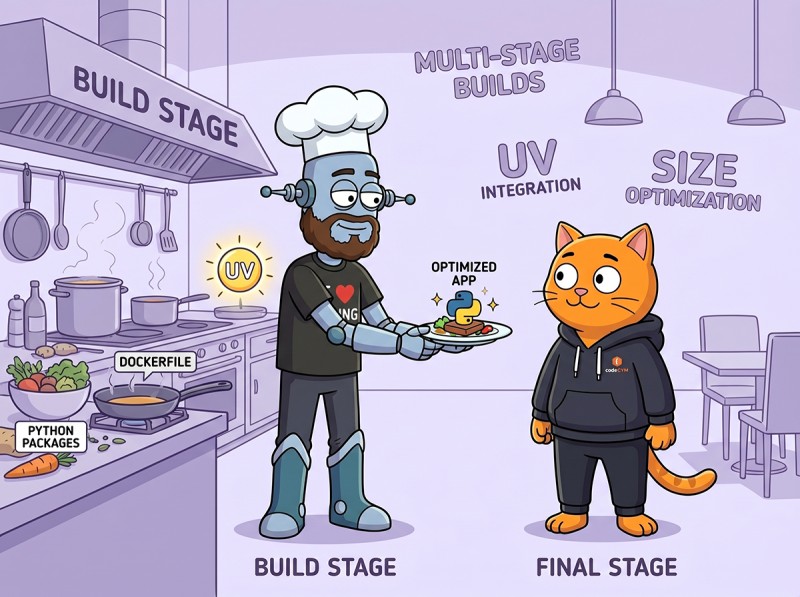
The builder does the heavy lifting. The runtime keeps only the venv and the application. Build caches, compilers, and lockfiles stay behind.
Why Docker for Python
Four real reasons a Python project ends up in Docker:
Reproducibility. Your dev machine has Python 3.13, the CI server has 3.10, the prod server has 3.12. A Docker image pins all three to the same Python everywhere.
Deployment. Most modern hosts (Kubernetes, Fly.io, Railway, AWS ECS) accept Docker images as the deploy unit. You build once, run anywhere they accept your image.
Isolation. The container has its own Python, its own packages, its own filesystem. Conflicts with system Python or other apps stay outside.
Dependency cleanliness. The image is a snapshot of exactly what your app needs. No "but it works on my machine"; the image IS your machine.
If you're shipping a CLI tool to end users, an .exe is usually better (see turn a Python script into an .exe). For server-side work and dev environments, Docker wins.
The Four Base Image Choices
The first decision is which FROM python:... to start with:
Base image
Size
libc
Best for
python:3.13 (full)
~1 GB
glibc
Builder stage only; too big for runtime
python:3.13-slim
~150 MB
glibc
Default for runtime; works with most wheels
python:3.13-alpine
~55 MB
musl
Pure-Python apps; trap for native deps
gcr.io/distroless/python3
~50 MB
glibc
Minimal runtime; no shell, no apt
The Alpine Trap
Alpine looks attractive because it's small. The catch is musl libc instead of glibc, and most Python wheels on PyPI ship as manylinux (glibc-targeted) binaries. On Alpine, those wheels can't be used directly; pip falls back to compiling from source, which is slow and can fail. Packages with native code (NumPy, SciPy, Pandas, Pillow, cryptography, lxml) hit this most often.
The general rule: if your dependencies are pure Python or have musllinux wheels available, Alpine is fine. If you depend on the scientific stack or have any native C extensions you didn't write yourself, slim is the safer choice. Test on Alpine before committing.
The Multi-Stage Pattern
The single biggest size win for Python images. Two FROM statements in one Dockerfile:
# syntax=docker/dockerfile:1.7

# ----- Stage 1: builder -----
FROM python:3.13-slim AS builder

# Install build deps if your project needs to compile native extensions
RUN apt-get update && apt-get install -y --no-install-recommends \
    build-essential \
    && rm -rf /var/lib/apt/lists/*

# Copy uv from the official image
COPY --from=ghcr.io/astral-sh/uv:latest /uv /uvx /bin/

WORKDIR /app

# Cache mounts make rebuilds fast
ENV UV_COMPILE_BYTECODE=1
ENV UV_LINK_MODE=copy

# Copy ONLY the lockfile and project metadata first
COPY pyproject.toml uv.lock /app/

# Install deps with a cache mount; project not installed yet
RUN --mount=type=cache,target=/root/.cache/uv \
    uv sync --frozen --no-install-project --no-dev

# NOW copy the source code
COPY . /app/

# Install the project into the venv
RUN --mount=type=cache,target=/root/.cache/uv \
    uv sync --frozen --no-dev

# ----- Stage 2: runtime -----
FROM python:3.13-slim AS runtime

# Create a non-root user
RUN useradd -m -u 1000 appuser

WORKDIR /app

# Copy ONLY the virtual env from the builder
COPY --from=builder --chown=appuser:appuser /app/.venv /app/.venv

# Copy the application source
COPY --from=builder --chown=appuser:appuser /app/src /app/src

# Put the venv on PATH
ENV PATH="/app/.venv/bin:$PATH"

USER appuser

CMD ["python", "-m", "src.main"]
This Dockerfile produces an image around 150-200 MB depending on dependencies. Without multi-stage, the same project would be 800 MB or more because the builder's compilers and caches would all ship with the runtime.
The Layer Caching Mechanics
Docker treats each instruction in a Dockerfile as a layer. When you run docker build, Docker checks each instruction in order: if the instruction's inputs haven't changed since the last build, Docker reuses the cached layer; if anything changed, that layer AND every layer after it gets rebuilt.
This explains the dependency-first pattern:
COPY pyproject.toml uv.lock is rarely-changing. Cached most of the time.
RUN uv sync --frozen depends on what was copied before; if pyproject.toml didn't change, this entire dependency install is cached.
COPY . /app/ picks up every source change.
The final uv sync --frozen only re-runs the cheap project install, not the expensive dep install.
If you reversed the order (COPY . /app/ first, then uv sync), every source edit would invalidate the COPY layer, then invalidate the sync layer, then reinstall every dependency. The first build would be fine; the second would also take 60 seconds because nothing was cacheable.
ENV UV_COMPILE_BYTECODE=1  # precompile .pyc at build time
ENV UV_LINK_MODE=copy      # copy files instead of hardlinking
UV_COMPILE_BYTECODE=1 tells uv to precompile .pyc files for every installed package at build time. The result is a slightly larger image but much faster cold starts: the .pyc files are already there, so Python doesn't need to compile them on first import. This matters for serverless platforms (Lambda, Cloud Run) where every cold start has to recompile bytecode if you skip this.
UV_LINK_MODE=copy tells uv to copy package files into the venv instead of creating hard links to the uv cache. Hard links don't survive being copied between Docker stages with COPY --from=builder; the resulting venv would have broken links. Copy mode produces a self-contained venv that survives stage transitions.
By default, COPY . /app/ copies your entire project directory, including .git/, __pycache__/, your local .venv/, build artifacts, and anything else lying around. A .dockerignore file at the project root tells Docker what to skip:
# Version control
.git/
.gitignore

# Python
__pycache__/
*.pyc
*.pyo
.pytest_cache/
.mypy_cache/
.ruff_cache/

# Virtual environments (these belong in the builder, not the copy)
.venv/
venv/
env/

# Editor / IDE
.vscode/
.idea/
*.swp

# Build artifacts
dist/
build/
*.egg-info/

# Local environment files (NEVER ship secrets)
.env
.env.local
secrets/

# Docker (don't recursively include in the build)
Dockerfile
docker-compose.yml
.dockerignore
The most important line is .env. Forgetting to ignore .env ships your secrets in the Docker image, which then sits in your container registry forever. Always grep .env entries when reviewing a Dockerfile.
Distroless: The Smallest Production Runtime
Google's distroless images contain only your application's runtime: no shell, no apt, no package manager, just the Python interpreter and the libc. The result is smaller AND more secure (no shell means no shell-based attack surface).
# Builder stage stays the same (uses python:3.13-slim)
# ...

# Runtime stage uses distroless instead of python:3.13-slim
FROM gcr.io/distroless/python3-debian12

WORKDIR /app

COPY --from=builder /app/.venv /app/.venv
COPY --from=builder /app/src /app/src

ENV PATH="/app/.venv/bin:$PATH"

# Distroless image already runs as nonroot user (no useradd needed)
CMD ["python", "-m", "src.main"]
Distroless caveats. No shell means you can't docker exec -it into the container to debug. No apt means you can't install diagnostic tools after the fact. For development, stay with slim. For production deployments where the image is locked, distroless is the security win.
docker-compose for Development
For dev work, docker-compose.yml defines services, networks, volumes, and environment variables together:
Run docker compose up and you get your Python app + a Postgres instance with one command, networking already wired between them. The volumes: - ./src:/app/src line is the dev trick: source code mounted from the host, so changes show up in the container without a rebuild.
Use docker-compose for dev environments and the standalone Dockerfile for production builds. Don't ship docker-compose.yml to prod; it's not a deployment tool.
Image Size Benchmarks
Real numbers for a typical FastAPI + SQLAlchemy + Pydantic app with ~30 deps:
Approach
Final size
Build time (warm)
Single-stage python:3.13 + pip
~1.2 GB
~60s
Single-stage python:3.13-slim + pip
~300 MB
~45s
Multi-stage slim + pip
~180 MB
~50s
Multi-stage slim + uv
~180 MB
~10s
Multi-stage slim builder → distroless runtime
~120 MB
~10s
Multi-stage alpine + uv (works for pure Python)
~70 MB
~15s
The big jump is from full to slim (75% size cut). The next big jump is from single-stage to multi-stage (another 40%). uv replaces pip for speed without affecting final size much. Distroless saves another 30% on the runtime.
Common Pitfalls
"My build is slow even with caching"
Source files changed cascading into the dep-install layer. Check the order in your Dockerfile: lockfile and pyproject.toml MUST be copied before source code. Otherwise every source change re-runs uv sync.
"The image is huge"
Either no multi-stage, or your .dockerignore is missing entries (the build context includes .git/, dev venvs, or large data files). Run docker build . and look at the "transferring context" line; if it's huge, your .dockerignore needs work.
"It works on my machine but breaks in the container"
Usually a version mismatch (your dev Python is different from the container's) or an environment variable that's set on your machine but not in the container. Bind a venv inside the container during dev (docker run -v $(pwd):/app) to catch this earlier.
"Cold starts are slow"
You probably skipped UV_COMPILE_BYTECODE=1. Without it, Python compiles bytecode on every cold start. Setting the variable adds ~30% to build time but saves seconds on every container start.
"My secret leaked through the image"
The .env file ended up in the image because it wasn't in .dockerignore. Once an image with secrets is in your registry, treat the secrets as compromised: rotate them, push a fixed image, prune the bad image from the registry.
The Production Dockerfile Template
Putting it together, here's a complete Dockerfile for a production FastAPI app:
Build with docker build -t myapp ., run with docker run -p 8000:8000 myapp. The resulting image is ~180 MB, builds in ~10 seconds on a warm cache, and starts in milliseconds.
Frequently Asked Questions
Which Python Docker base image should I use in 2026?
Start with python:3.13-slim. It's ~150 MB, has the standard glibc that most Python packages expect, and the resulting images behave the same as your dev machine. Use python:3.13-alpine only if your dependencies are pure Python or compile cleanly on musl libc (most NumPy/SciPy/Pandas-heavy stacks have issues on Alpine). Use Google's gcr.io/distroless/python3 for the runtime stage of a multi-stage build when you need the smallest possible production image. Avoid the full python:3.13 image (1 GB) outside of build stages; the size isn't worth it.
What is a multi-stage Docker build for Python?
A multi-stage build uses two FROM statements in one Dockerfile. The first stage (the builder) uses a full image with build tools, installs your dependencies, and produces a virtual environment. The second stage (the runtime) starts from a minimal image and COPIES only the virtual environment from the builder. The result is a small final image that includes just your code plus its runtime deps, with no build tools or compiler caches. This pattern typically cuts image size by 80% and is the modern default for Python production images.
Why does Alpine Linux cause problems for Python?
Alpine uses musl libc instead of glibc. Most Python wheels on PyPI are built for glibc, so installing a wheel on Alpine triggers a source compile (slow build) or falls back to a different code path that may behave differently at runtime. Packages with native code (NumPy, SciPy, Pandas, lxml, Pillow with certain features, cryptography) can fail to compile or produce subtly different binaries on musl. Use python:3.13-slim instead unless you've tested every dependency on Alpine specifically.
How do I use uv in a Dockerfile?
Astral publishes pre-built uv images at ghcr.io/astral-sh/uv. Copy the uv binary from there into your build stage, set UV_COMPILE_BYTECODE=1 (precompiles bytecode at build time so cold starts are faster) and UV_LINK_MODE=copy (makes the venv self-contained for copying between stages). Run uv sync with the --frozen flag against your lockfile in a stage with cache mounts for /root/.cache/uv, then copy the resulting .venv to the runtime stage. The full pattern is documented at docs.astral.sh/uv/guides/integration/docker.
What is layer caching in Docker and why does dependency order matter?
Docker caches each layer (each instruction in the Dockerfile) and reuses it if the inputs haven't changed. When you change a file, every layer AFTER the one that reads that file gets invalidated and rebuilt. The Python convention is COPY pyproject.toml first, then RUN install dependencies, THEN COPY the source code. Why: source code changes constantly during development, but deps change rarely. With this order, a source-only change reuses the (cached) dependency-install layer and rebuilds only the cheap source-copy layer. The reverse order would reinstall every dep on every source change.
The Bottom Line: slim Base, Multi-Stage, uv with Bytecode, Right COPY Order
Four rules cover 95% of Python Docker builds. Start from python:3.13-slim. Use a multi-stage build with a builder and a runtime. Copy uv from the Astral image and set UV_COMPILE_BYTECODE=1. Copy lockfile and pyproject.toml BEFORE source code so layer caching works. The result is a 150-200 MB image that rebuilds in 10 seconds on a warm cache and starts instantly. For the rest of your Python environment story, see our venv decision guide, the Python-to-.exe guide, or browse the full Python Environment Setup pillar page.
Learn Python Without the Docker Detour
CodeGym's Python track teaches the language through 800+ hands-on tasks across 62 levels, all running in a browser-based WebIDE. No Dockerfile, no layer cache invalidation, no image size optimization. First level free; full plan on the pricing page.


GO TO FULL VERSION