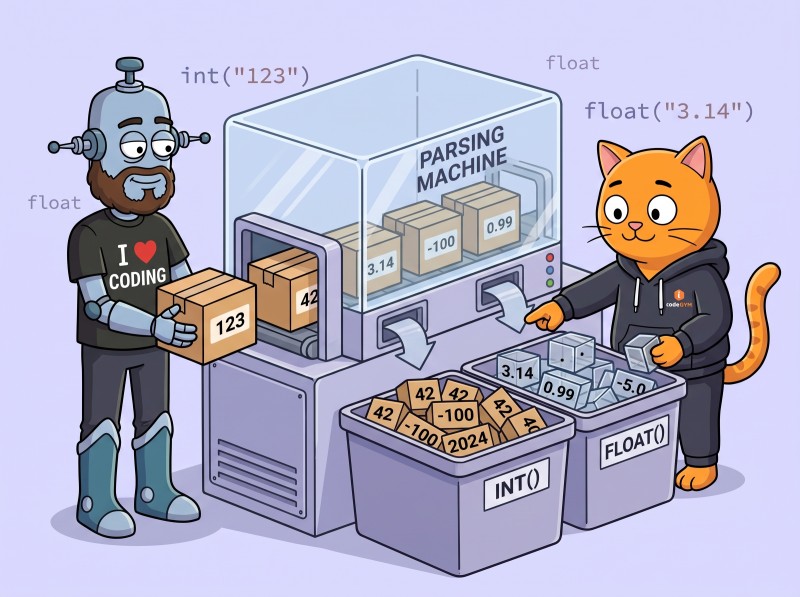
Converting a string to a number is one of the most common Python tasks and one of the most likely to crash. int("3") works. int("3.5") raises ValueError. int(None) raises TypeError. int("1_000") works in modern Python but not in 2.x leftovers. float("1,234.56") works but float("1.234,56") doesn't (the European format), and the locale-aware fix differs from the string-replace shortcut. This entry covers the canonical int() and float() built-ins, the distinction between ValueError and TypeError, the safe parsing patterns every production codebase should use, the locale and Decimal corners, and the edge cases that bite. Part of our Stdlib Essentials guide.
Key Takeaways
int(s) and float(s) are the canonical converters; wrap them in try/except blocks for safe parsing with proper error fallback.
ValueError means the format was wrong, while TypeError means the input was the wrong type altogether (often None from a missing dict key).
int() rejects decimal strings:int('1.5') fails with ValueError; use int(float('1.5')) if you really want truncation toward zero.
European formats ('1.234,56'): use string replacement for quick scripts, locale.atof for production.
Use Decimal for money and exact base-10 math; float is fine for measurements and statistics.
Left: the success-or-fallback flow. Right: edge cases that bite (signs, separators, scientific notation, locale, Decimal). Bottom: the rule.
The Canonical Pattern
For a single string of unknown shape that should become a number:
This tries an integer first (preserves type when the input is whole) and falls back to float for decimals. If both fail, it returns None as a sentinel. Callers can check the result type or test for None.
For inputs that are always one specific type, simplify:
Leading and trailing whitespace (stripped automatically): ' 42 ' works.
Leading + or -: '-5' works.
Underscore separators between digits (Python 3.6+): '1_000_000' works.
int() also accepts (with base parameter)
Hexadecimal with the 0x prefix when base=16 or base=0: int('0x10', 16) == 16.
Binary with 0b: int('0b101', 2) == 5.
Octal with 0o: int('0o17', 8) == 15.
With base=0, Python uses the prefix to detect the base; this is the safest "parse whatever the user typed" mode for integer literals.
float() also accepts
Scientific notation: '1e10', '1.5e-3'.
Special values: 'inf', '-inf', 'nan' (all case-insensitive).
Decimal points: '1.5' (but only with ., not ,).
Always rejected
Empty string ''.
Whitespace-only ' '.
Non-numeric characters (other than allowed prefixes/separators).
European-format decimals like '1,5' without preprocessing.
ValueError vs TypeError
The two exceptions answer different questions.
ValueError: right type, wrong value
int('hello')
# ValueError: invalid literal for int() with base 10: 'hello'

float('not-a-number')
# ValueError: could not convert string to float: 'not-a-number'
The input was a string (which is what these functions accept), but the contents didn't match a valid number format. This is the common case for "user typed garbage".
TypeError: wrong type altogether
int(None)
# TypeError: int() argument must be a string, a bytes-like object or a real number, not 'NoneType'

int([1, 2, 3])
# TypeError: int() argument must be a string, a bytes-like object or a real number, not 'list'
The input wasn't even a candidate. This often indicates a missing dict key (config.get('count') returned None) or a programming bug.
Catching both
For "convert if possible, otherwise default":
try:
    n = int(value)
except (ValueError, TypeError):
    n = default
The tuple catches both exception types. This is the right pattern when you genuinely don't care WHY conversion failed.
The 0.1 + 0.2 Problem: When to Use Decimal
Floating-point arithmetic is famously imprecise:
0.1 + 0.2
# 0.30000000000000004
This isn't a Python bug; it's IEEE 754 binary floating point. The value 0.1 can't be represented exactly in binary, just like 1/3 can't be represented exactly in decimal.
For most use cases (statistics, measurements, simulations) the error is negligible. For money, financial calculations, or anywhere "rounded to two decimals" matters, use decimal.Decimal:
from decimal import Decimal

Decimal('0.1') + Decimal('0.2')
# Decimal('0.3')   - exact!

Decimal('19.99') * 3
# Decimal('59.97')   - no rounding error
The cost: Decimal arithmetic is implemented in software (slower than hardware float) and the syntax is heavier. Reserve it for financial and accounting domains; use float everywhere else.
Why pass strings to Decimal:Decimal(0.1) stores 0.1000000000000000055... (the imprecise float) inside a Decimal wrapper. Decimal('0.1') parses the string directly and stores exact 0.1. Always pass strings (or use the constructor that accepts tuples) when exact decimal representation matters.
European Number Formats
"1.234,56" is one thousand two hundred thirty-four point fifty-six in most of continental Europe. float('1.234,56') raises ValueError.
The locale module handles the regional rules correctly. The cost: setlocale changes process-wide state (affects formatting too), and the requested locale must be installed on the system.
For one-off scripts processing known input, string replacement is fine. For application code processing international data, locale-aware parsing is the safer choice; even better, ask users to standardize on a fixed format like ISO 8601 for dates or unambiguous numeric input.
Required fields use direct int() so missing data crashes loudly. Optional fields use the safe helpers.
Validating user input from a form
def get_age(raw: str) -> int:
    try:
        age = int(raw.strip())
    except (ValueError, TypeError):
        raise ValueError(f"age must be a whole number, got {raw!r}")
    if not 0 <= age <= 150:
        raise ValueError(f"age out of range, got {age}")
    return age
The exception is re-raised with a user-friendly message. Range validation happens after type conversion.
Decimal raises its own InvalidOperation on bad input; catch it and re-raise as ValueError for consistency with the rest of your validation code.
Python 3.13+: PEP 467 and Safer Parsing
Python 3.13 added a few quality-of-life improvements to integer handling that matter for parsing. The int.from_bytes method now accepts a literal-style string in certain conversion contexts, and the underlying parsing tightened to reject some previously-accepted ambiguous patterns (notably leading zeros in non-zero numbers like '007', which now raises a ValueError in strict modes). For most application code these changes are invisible because typical input doesn't hit the corners. For code that parses numeric strings from third-party APIs, run the test suite on Python 3.13+ to catch any newly-stricter rejections before users see them.
The broader trend across releases is making parsing both faster and more predictable. Trusting the standard library's parsers over hand-written regex is the right default in 2026; the built-ins have absorbed years of corner-case fixes that custom code typically misses.
Helper Module for Application Code
For larger codebases that parse user input in many places, centralize the safe-parsing logic in a small helper module:
# parsing.py
from decimal import Decimal, InvalidOperation
from typing import TypeVar

T = TypeVar('T')

_MISSING = object()

def safe_int(s: str | None, default: T = _MISSING) -> int | T:
    try:
        return int(s)
    except (ValueError, TypeError):
        if default is _MISSING:
            raise
        return default

def safe_float(s: str | None, default: T = _MISSING) -> float | T:
    try:
        return float(s)
    except (ValueError, TypeError):
        if default is _MISSING:
            raise
        return default

def safe_decimal(s: str | None, default: T = _MISSING) -> Decimal | T:
    try:
        return Decimal(s)
    except (InvalidOperation, TypeError):
        if default is _MISSING:
            raise
        return default
The sentinel pattern (_MISSING) lets callers distinguish "no default given, propagate the exception" from "default explicitly set to None or 0". Use the helpers consistently across the codebase; they read better at call sites than try/except scattered everywhere.
Common Mistakes
1. Forgetting that int() rejects decimals
int("1.5")
# ValueError

int(float("1.5"))
# 1   - truncates toward zero
If you expect users to enter floats but need an int, decide and document the rounding behavior. int(float(s)) truncates; use round() or math.floor/math.ceil for other behaviors.
2. Catching bare Exception
try:
    n = int(s)
except Exception:    # WRONG - swallows everything
    n = 0
Catches keyboard interrupts, programming bugs, and unrelated errors. Catch the specific exceptions: except (ValueError, TypeError).
3. Comparing float for equality
float("0.1") + float("0.2") == 0.3
# False
Use math.isclose for floating-point comparison, or switch to Decimal when exact equality matters.
4. Using float() for money
Decimal is the right type for money. float() introduces rounding errors that accumulate over many operations and produce wrong totals.
5. Letting None reach int() unchecked
Code that pulls values from a dict often hits this: int(config.get('count')) raises TypeError if count is missing. Either provide a default to get() or check for None explicitly.
Frequently Asked Questions
How do I convert a string to an int in Python?
Use int(s) where s is the string. If the string is a valid integer literal (digits with optional leading +/- and optional underscore separators in Python 3.6+), it returns the integer. If not, it raises ValueError. Common safe pattern: try: n = int(s) except ValueError: n = default_value. For non-decimal bases pass the base argument: int('ff', 16) returns 255. Leading and trailing whitespace is stripped automatically. int() raises TypeError if you pass None or another non-string; check for None separately if it's possible.
What is the difference between ValueError and TypeError when parsing strings in Python?
ValueError means the input was the right TYPE (a string) but the wrong VALUE (couldn't be parsed as a number). int('hello') raises ValueError. TypeError means the input was the wrong TYPE altogether. int(None) raises TypeError because None isn't a string or a number. The practical difference: ValueError catches bad user input; TypeError catches programmer errors or unexpected None values. Catch both with except (ValueError, TypeError) when you want any conversion failure to fall through to a default, or catch them separately if you want different handling per cause.
How do I parse European number formats like 1.234,56 in Python?
Two approaches. Quick fix: use string manipulation to swap separators: float(s.replace('.', '').replace(',', '.')) converts the European format to standard. This is fine for one-off scripts where you control the input. Robust approach: use the locale module: locale.setlocale(locale.LC_NUMERIC, 'de_DE.UTF-8'); locale.atof('1.234,56'). The locale approach handles edge cases (negative numbers, scientific notation) correctly across all conventions, but requires the system to have the locale installed. For application code that processes user-supplied data from many regions, prefer locale.atof; for ad-hoc scripts, string replacement is fine.
Can int() parse a float-looking string in Python?
No. int('1.5') raises ValueError because the string isn't a valid integer literal. To convert a float-formatted string to an int, parse it as float first then convert: int(float('1.5')) returns 1 (truncates toward zero). For rounding behavior other than truncation, use the round(), math.floor(), or math.ceil() functions after parsing to float. If you expect users to enter '1.5' but you need an integer, you must decide and document the truncation/rounding behavior; silently truncating is usually wrong for monetary or counted values.
When should I use Decimal instead of float in Python?
Use decimal.Decimal whenever you need exact base-10 arithmetic: money, financial calculations, scientific measurements with required precision. float uses IEEE 754 binary representation, which can't represent 0.1 exactly (it's 0.1000000000000000055...), so 0.1 + 0.2 != 0.3 in float arithmetic. Decimal('0.1') + Decimal('0.2') == Decimal('0.3') exactly. The cost: Decimal is slower than float (pure-Python arithmetic vs hardware floating point). For scientific computation where rounding errors don't matter much (statistics, signal processing), float is fine. For accounting and any place where "rounded to two decimals" matters, use Decimal.
The Bottom Line: try int, fall back to float, handle ValueError and TypeError
The canonical pattern is a try/except around int(s) with a fallback to float(s), catching both ValueError (bad format) and TypeError (None or other non-string). Use Decimal for money and exact decimal arithmetic. For European number formats, string replacement is fine for scripts; locale.atof is safer for application code. The edge cases (whitespace, signs, underscores, scientific notation, infinity, NaN) are mostly handled automatically by int() and float(). Next: converting strings to datetime. Or browse the full Stdlib Essentials guide.
Lock In Safe-Parsing Reflexes
CodeGym's Python track turns numeric parsing into reflex across 62 levels: int/float conversions, Decimal for money, locale-aware international formats, exception handling done right. AI validators catch the bare-Exception traps and the Decimal-from-float bug; AI mentors explain why one format succeeded and another failed. First level free; full plan on the pricing page.


GO TO FULL VERSION