"How do I run a shell command from Python" is the sixth-most-upvoted Python question on Stack Overflow (over 6,200 upvotes), and it has one clean answer for most cases: subprocess.run(['cmd', 'arg'], check=True, capture_output=True, text=True). The list argument keeps the shell out of the picture (safer); check=True raises on non-zero exit codes; capture_output=True collects stdout and stderr; text=True returns strings instead of bytes. Popen is for the cases run can't handle (streaming, interactive, long-running). asyncio.create_subprocess_exec is for async contexts. And shell=True is the trap that turns user input into shell-injection vulnerabilities. This entry covers all three APIs, the security boundary, and the production patterns. Part of our Stdlib Essentials guide.
Pass a list, not a string to skip the shell entirely; safer and avoids quoting headaches.
shell=True enables shell features but exposes you to injection if any input comes from outside.
Popen for streaming or interactive subprocesses; run handles the rest.
asyncio.create_subprocess_exec for async code (FastAPI, asyncio applications).
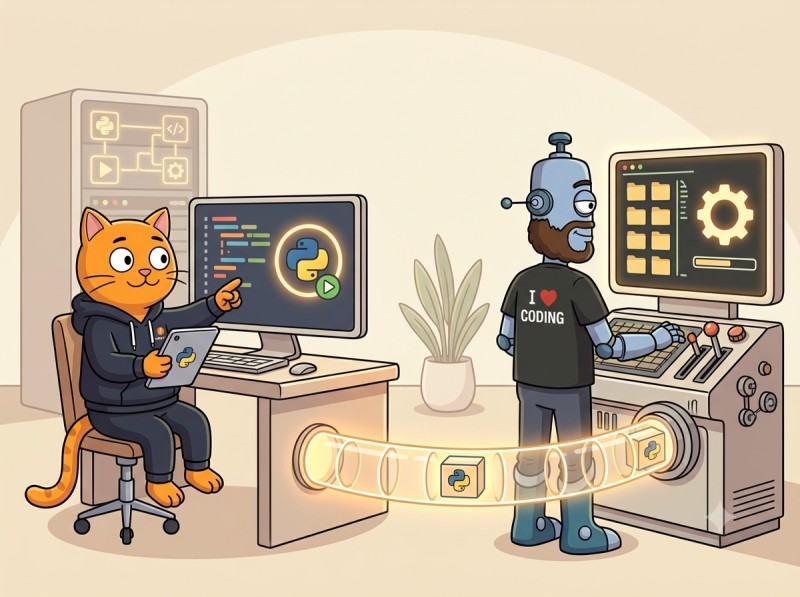
Top: parent Python spawns the child via fork+execve; data flows through three real pipes. Bottom: the same input becomes a single harmless argument with shell=False, but two separate commands when the shell tokenizes it.
List, not string: the command and arguments as a list bypasses the shell entirely.
check=True: raises CalledProcessError on non-zero exit code instead of silently returning.
capture_output=True: collects stdout and stderr (Python 3.7+).
text=True: returns strings instead of bytes; same as encoding=....
timeout=30: kills the process if it doesn't finish in 30 seconds.
The return value is a CompletedProcess with stdout, stderr, returncode, and args attributes. For most scripts this is all you need.
The shell=True Trap
The single most dangerous subprocess option. shell=True passes your command to a shell interpreter, which then parses metacharacters: semicolons, pipes, backticks, redirects, globs, and so on.
# DANGEROUS: shell injection vulnerability
user_input = input("filename: ")
subprocess.run(f"cat {user_input}", shell=True)

# If user enters: somefile; rm -rf ~
# The shell executes BOTH: cat somefile AND rm -rf ~
The shell doesn't know which characters were "meant" by your code versus came from user input. Any user-controlled string in a shell=True command is an injection vector.
The fix is to skip the shell entirely:
# SAFE: list argument, no shell
subprocess.run(["cat", user_input])
# user_input is treated as a single argument; the shell never sees it
The PSF docs are explicit: "if the shell is invoked explicitly, via shell=True, it is the application's responsibility to ensure that all whitespace and metacharacters are quoted appropriately to avoid shell injection vulnerabilities." Treat any code that combines shell=True with non-literal input as a security bug.
When shell=True IS appropriate: when you genuinely need shell features (pipes, redirects, environment expansion) AND every part of the command is a literal you wrote. Example: subprocess.run("ls *.txt | wc -l", shell=True). Even then, prefer building the pipeline in Python with multiple Popen calls; it's clearer and easier to test.
Parsing a Command String with shlex
Sometimes you have a command as a single string (loaded from config, environment variable, or shipped command-line tool). Don't pass it to shell=True; use shlex.split to convert it to a safe argument list:
shlex.split respects shell-style quoting rules (single quotes, double quotes, backslash escapes) but doesn't interpret metacharacters. The result is a clean argument list with no injection risk.
Capturing Output
Three patterns for handling stdout and stderr:
Capture both, return as strings
result = subprocess.run(
    ["uname", "-a"],
    capture_output=True,
    text=True,
)
print(result.stdout)
Combine stderr into stdout (useful for log capture)
result = subprocess.run(
    ["build_script.sh"],
    stdout=subprocess.PIPE,
    stderr=subprocess.STDOUT,
    text=True,
)
# result.stdout has both stdout AND stderr interleaved
For very large outputs (multiple GB), don't use capture_output; pipe directly to a file via stdout=open(...) or stream with Popen.
Error Handling
Three layers of error handling for subprocess calls.
Process didn't start (FileNotFoundError)
try:
    subprocess.run(["nonexistent_command"])
except FileNotFoundError as e:
    log.error(f"command not found: {e.filename}")
Raised when the executable doesn't exist on PATH.
Process exited non-zero (CalledProcessError)
try:
    subprocess.run(["grep", "pattern", "file"], check=True, capture_output=True, text=True)
except subprocess.CalledProcessError as e:
    print(f"command failed with code {e.returncode}")
    print(f"stderr: {e.stderr}")
check=True makes failures explicit; without it, non-zero exits are silent and need a returncode check.
Process didn't finish in time (TimeoutExpired)
try:
    subprocess.run(["slow_command"], timeout=5)
except subprocess.TimeoutExpired as e:
    log.error(f"command timed out after {e.timeout}s")
    # Process is automatically killed by run()
The exception carries any partial output via stdout and stderr attributes.
subprocess.Popen for Streaming and Interactive
For long-running processes whose output you need to stream, or for interactive subprocesses you write to and read from, drop to subprocess.Popen.
Streaming output line by line
import subprocess

with subprocess.Popen(
    ["tail", "-f", "/var/log/app.log"],
    stdout=subprocess.PIPE,
    text=True,
) as proc:
    for line in proc.stdout:
        process_log_line(line)
The with block ensures cleanup; the loop reads each line as it's produced rather than waiting for the entire output.
communicate() sends the input, reads all output, and waits for the process to finish. For more complex interactions, manage stdin/stdout manually with proc.stdin.write and proc.stdout.readline.
The asyncio version yields control to the event loop while the subprocess runs, so other async tasks can make progress. Covered alongside the broader async model in the async/await mental model guide.
Environment, cwd, and Other Options
Setting environment variables
import os

env = os.environ.copy()
env["MY_VAR"] = "value"
subprocess.run(["./script.sh"], env=env)
Pass env to start with a custom environment; without it, the subprocess inherits the parent's env.
Setting the working directory
subprocess.run(["pwd"], cwd="/tmp", capture_output=True, text=True)
# stdout will be "/tmp\n"
check=True halts the loop on first failure; the next step never runs. Clean linear flow.
Cross-Platform Considerations
subprocess works on Linux, macOS, and Windows, but each platform has quirks worth knowing.
Windows .exe extension and PATHEXT
On Windows, executables typically need the .exe extension, though PATHEXT lets the OS resolve common variations. subprocess.run(['python']) works on Linux but on Windows may need subprocess.run(['python.exe']) depending on how Python was installed. The cleanest cross-platform pattern is to call shutil.which('python') first to resolve the full path:
import shutil

python = shutil.which("python") or shutil.which("python3")
if python is None:
    raise RuntimeError("Python interpreter not found on PATH")
subprocess.run([python, "-c", "print(42)"], check=True)
shutil.which follows the same rules as the shell's PATH lookup, including Windows PATHEXT handling.
Windows quoting and command-line parsing
Windows passes the command line as a single string to the child process, which then re-parses it according to MSVC rules. This means subprocess on Windows applies its own quoting logic to your list arguments, and unusual characters in arguments may need list2cmdline awareness. For typical commands and arguments, the default handling is correct; for arguments containing quotes, backslashes, or special characters, test on Windows before deploying there.
Shell differences
When you do use shell=True, the shell that runs is platform-dependent: /bin/sh on Unix, cmd.exe on Windows. Their syntax differs sharply (pipes, redirects, variable expansion). Cross-platform code that needs shell features should generally avoid shell=True and use Python-level alternatives (Path operations for globs, multiple Popen calls for pipelines).
Managing a Persistent Process
For subprocesses that should outlive a single function call (a service spawned at startup, a worker pool, a long-running build process), manage the lifecycle deliberately:
import atexit
import signal
import subprocess

class WorkerProcess:
    def __init__(self, command: list[str]):
        self.proc = subprocess.Popen(
            command,
            stdin=subprocess.PIPE,
            stdout=subprocess.PIPE,
            stderr=subprocess.PIPE,
            text=True,
        )
        atexit.register(self.shutdown)

    def shutdown(self, timeout: float = 5.0) -> None:
        if self.proc.poll() is not None:
            return    # already exited
        self.proc.terminate()
        try:
            self.proc.wait(timeout=timeout)
        except subprocess.TimeoutExpired:
            self.proc.kill()
            self.proc.wait()

    def is_running(self) -> bool:
        return self.proc.poll() is None
Key parts: terminate() sends SIGTERM (a polite request to stop); kill() sends SIGKILL (forced); poll() checks if the process exited without blocking; atexit ensures cleanup runs even on normal interpreter exit. For signal-aware shutdown (handling Ctrl+C), add a SIGINT handler that calls shutdown before re-raising. This pattern is the foundation for any long-running subprocess in production code.
Common Mistakes
1. Using shell=True with user input
Shell injection vulnerability. Always pass a list when input is involved.
2. Forgetting check=True
Without it, subprocess.run silently returns non-zero exits. Either check result.returncode manually or use check=True for explicit failures.
3. Using os.system for command execution
os.system is the deprecated legacy interface; it always uses the shell and provides no output capture. Always use subprocess.run.
4. Using subprocess.run for long-running streams
run waits for the process to exit. For tail-like streaming, use Popen and iterate over its stdout.
5. Not setting a timeout on external commands
External processes can hang forever. For any production code, set timeout=N to bound the wait.
Frequently Asked Questions
How do I run a shell command from Python?
Use subprocess.run() with a list argument, check=True, and capture_output=True. Example: result = subprocess.run(['ls', '-la'], check=True, capture_output=True, text=True); print(result.stdout). The list argument bypasses the shell entirely (safer); check=True raises CalledProcessError on non-zero exit codes; capture_output collects stdout/stderr; text=True returns strings instead of bytes. This is the canonical 2026 pattern and handles 90% of subprocess needs. For long-running or interactive processes that need streaming, drop to subprocess.Popen. For async contexts, use asyncio.create_subprocess_exec.
Why should I avoid shell=True in Python subprocess?
shell=True passes your command to a shell interpreter, which then parses metacharacters (semicolons, pipes, quotes, backticks). If any part of the command comes from user input, an attacker can inject extra shell commands. For example, subprocess.run(f'ls {user_input}', shell=True) with user_input = '; rm -rf /' executes both ls and the destructive rm. The safe alternative is to pass arguments as a list without shell=True: subprocess.run(['ls', user_input]) treats user_input as a single argument that the shell never sees. Use shell=True only when you genuinely need shell features (pipes, redirects, glob expansion) AND you control all input.
What is the difference between subprocess.run() and subprocess.Popen()?
subprocess.run() is the high-level convenience function (Python 3.5+) that runs a process to completion and returns a CompletedProcess with the exit code and captured output. subprocess.Popen() is the low-level interface that spawns the process and gives you control while it runs: you can read its stdout incrementally, write to its stdin, check liveness, and signal it. Use run() for the 90% case of fire-and-wait commands; use Popen() for streaming output from long-running processes, interactive subprocesses, and producer-consumer pipelines between processes. The PSF docs recommend run() for all use cases that it handles.
How do I capture stdout and stderr in Python subprocess?
Pass capture_output=True (Python 3.7+) to subprocess.run(), and text=True if you want strings instead of bytes. Example: result = subprocess.run(['date'], capture_output=True, text=True); print(result.stdout). For separate redirection of stdout and stderr, use stdout=subprocess.PIPE and stderr=subprocess.PIPE individually. For combining stderr into stdout (useful for log capture), use stderr=subprocess.STDOUT. To suppress output entirely, redirect to subprocess.DEVNULL. The encoding is controlled by text=True (uses locale default) or encoding='utf-8' (explicit).
How do I set a timeout for a subprocess in Python?
Pass timeout=seconds to subprocess.run() or Popen.communicate(). If the process doesn't exit within the timeout, subprocess.TimeoutExpired is raised and the process is killed (in run; you must kill manually with Popen). Example: try: result = subprocess.run(['slow_cmd'], timeout=30) except subprocess.TimeoutExpired: log.error('command timed out'). On timeout, any partial output is available on the TimeoutExpired exception's stdout and stderr attributes. For long-running daemons that you intend to outlive the Python process, use Popen without timeout and manage lifecycle yourself.
The Bottom Line: subprocess.run for 90%, Popen for streaming, never shell=True with input
subprocess.run(['cmd', 'arg'], check=True, capture_output=True, text=True, timeout=N) is the canonical 2026 pattern for running external commands. Drop to Popen for streaming or interactive subprocesses. Use asyncio.create_subprocess_exec in async code. Avoid shell=True whenever any part of the command comes from outside your code; use shlex.split to convert command strings safely. Set timeouts on production calls so that external processes can't hang the parent indefinitely, and use check=True to surface non-zero exit codes as explicit exceptions rather than silently passing along garbage results. Next: modern Python logging in 2026. Or browse the full Stdlib Essentials guide.
Build subprocess Reflexes
CodeGym's Python track turns subprocess patterns into reflex across 62 levels: run() with check/capture/timeout, Popen for streaming, shell injection awareness, async subprocess in FastAPI services. AI validators catch the shell=True bombs and missing timeouts; AI mentors explain when Popen is the right tool. First level free; full plan on the pricing page.


GO TO FULL VERSION