You know what's happening right now, as you're reading these words? Somewhere in the world, another person just landed a job as a Python developer. Starting at $30,000 a year for a junior in Eastern Europe or $70,000 in the US. And in another hour — another one. And another.
This isn't a fairy tale. It's statistics.

Python right now is the fastest way to break into IT. Not the easiest (there are no easy paths in programming), but the fastest. And you know why?
Why Everyone's Going Crazy Over Python
Let's cut the fluff. Here are the facts:
Python is the #1 language in the world according to the TIOBE Index 2025. It's overtaken Java, JavaScript, C++, and all the rest. This isn't a temporary trend — it's been a consistent pattern for the last 5 years.
Average Python developer salaries:
- Eastern Europe: Junior from $1,000-1,500/month, Middle from $2,500-4,000/month, Senior from $5,000+/month
- Western Europe: Junior from $40,000-50,000/year, Middle from $60,000-85,000/year, Senior from $90,000+/year
- USA: Junior from $70,000/year, Middle from $95,000-120,000/year, Senior from $140,000+/year
- Asia: Junior from $20,000-35,000/year, Middle from $42,000-70,000/year
And that's the average. In big tech companies, the numbers are 1.5-2 times higher.
But here's the best part — versatility. Python powers websites (Instagram, Spotify, Netflix), analyzes data, creates artificial intelligence, automates routine tasks, builds bots. Learn one language — unlock five different specializations.
Sounds like marketing? Okay, here's the anti-marketing: most people who start learning Python quit within a month or two.
The Biggest Beginner Mistake (and Why You'll Probably Make It Too)
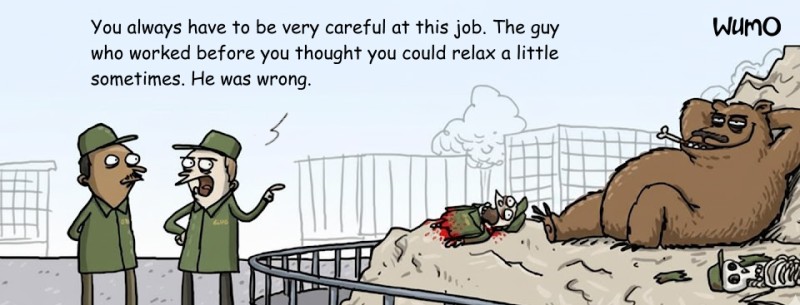
The scenario is painfully familiar:
- Someone decides: "I want to get into IT! I'll learn Python!"
- Googles "free python courses"
- Finds some 50-hour video course on YouTube
- Watches the first 5 lectures, takes notes
- Does a couple of examples from the videos
- After three weeks realizes they remember nothing
- Quits
You know what the problem is?
You can't learn programming by watching. You can only learn by doing.
It's like driving a car. You can memorize all the traffic rules, watch 100 hours of videos about turning the steering wheel. But the first time you get behind the wheel — you'll still freeze at every intersection.
Practice. Practice. And more practice.
But not just any practice — structured practice. With gradual progression. With instant feedback. With motivation to keep going when it gets tough.
And here we come to the main question: how do you choose a course that will actually teach you, not just waste your time?
What to Look for When Choosing a Python Course

1. Amount of Practice (Not Theory)
If the course description says "100 hours of video lectures" — that's a bad sign. If it says "500+ practical tasks with auto-verification" — now we're talking.
Rule of thumb: for every hour of theory, there should be at least 3-4 hours of practice. Preferably more.
2. Instant Solution Verification
Imagine: you solved a problem, submitted it for review... and wait three days for the instructor to check it. In those three days, you'll have forgotten what you even wrote.
Good courses check solutions instantly. Write code — hit the button — get results in a second. It works or it doesn't. And if something's wrong, you know why.
3. Gamification and Motivation
No joke — this is critically important. Learning programming is hard. Especially the first few months, when your brain literally resists this new type of thinking.
Levels, achievements, rankings, progress visualization — this isn't fluff, it's necessary. It helps you not quit when things get tough.
4. Up-to-Date Curriculum
Python evolves quickly. A 2018 course is already outdated. Make sure the program includes modern approaches: working with async/await, type hints, current frameworks (Django 4+, FastAPI).
5. Clear Outcomes
A good course clearly states: "After completion, you'll be able to do X, Y, and Z." A bad course promises "master Python" without specifics.
Types of Courses: What to Choose for Your Goals

Let's figure out what learning formats exist and what suits whom.
Interactive Courses with Game Mechanics
This is a modern format where learning is built like a game. You complete levels, solve problems, earn rewards. The entire process is gamified to keep it engaging.
Who it's for: those learning independently, at their own pace. Those who need flexibility — you can study whenever you want, as much as you want, even 20 minutes a day.
Main advantage: tons of practice. In good interactive courses, there are 5-10 tasks for every lecture.
Example:
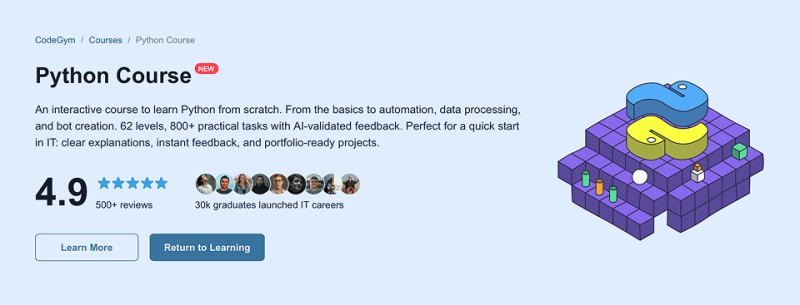
Interactive Python Course from CodeGym — this is exactly that format. CodeGym has existed for 12+ years, and over 2 million students have gone through their platform. More than 30,000 graduates have landed jobs at IT companies worldwide. Now they've applied their legendary approach to learning Python.
What's inside:
- 800+ practical tasks with instant auto-verification
- AI mentor that analyzes your code and gives personalized recommendations (this isn't just automatic checking — it's real analysis of your coding style)
- 300+ lectures — short, no fluff, straight to the point
- IDE plugin — solve tasks directly in a professional development environment
- Gamification maxed out: levels, rankings, achievements, progress visualization
The program covers everything: from basics (variables, loops) to advanced topics (asynchronous programming, web scraping, data handling, GUI applications, algorithms and data structures).
The hook: you're not just learning from a textbook — you're playing a game. And in the process, you solve hundreds of problems without even noticing. And practice is what turns a beginner into a programmer.
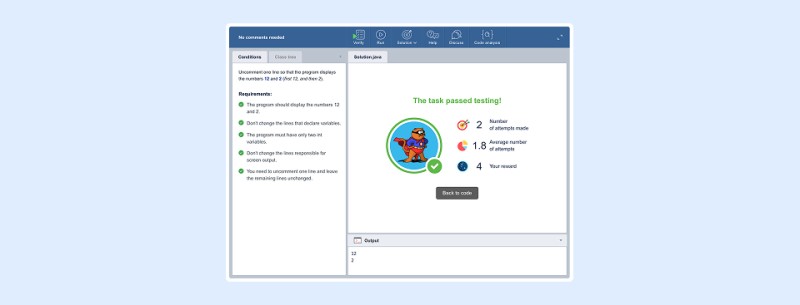
Format: free start, then $30/month. Learn from anywhere, anytime.
More info: https://codegym.cc/courses/python
Other Useful Resources and Platforms
Besides specialized courses, there are many additional resources that can help with learning Python. Among them are both completely free options and paid services with trial versions.
Important to understand: these resources are good as a supplement to main training or as a way to "taste test" before choosing a full course. Fully learning Python only from scattered materials is harder — there's no unified structure or motivation system.
But let's look at popular options:
W3Schools Python Tutorial
What it is: a huge reference resource with short explanations and code examples.
Pros:
- Free
- Can run code right in the browser
- Good reference for quick lookups
- Covers basic and intermediate levels
Cons:
- No structured learning program
- Superficial explanation of complex topics
- Little practice — mostly examples to copy
- No feedback
Verdict: excellent reference, but not a main course.
freeCodeCamp Python Curriculum
What it is: a nonprofit platform with free programming courses.
Pros:
- Completely free
- Structured program
- Lots of practice with interactive assignments
- Can get a certificate (free)
- Huge community
Cons:
- Interface is a bit dated
- Sometimes tasks are poorly explained
- Course is quite long (about 300 hours)
- No personalized feedback
Verdict: one of the best free options if you have iron discipline.
Codecademy Python Course

What it is: an interactive platform for learning programming.
Pros:
- Basic course is free
- Interactive code editor in the browser
- Step-by-step instructions
- Instant code verification
- Modern, user-friendly interface
Cons:
- Free version limited to basic topics
- Need Pro subscription for advanced topics ($20/month)
- No personal mentor
- Course oriented toward American audience
Verdict: good for getting started, but you'll quickly hit the free version's limitations.
YouTube Channels
Popular channels:
- Corey Schafer — excellent detailed tutorials
- Tech With Tim — projects and practice
- Real Python — advanced topics
- Programming with Mosh — beginner courses
Pros:
- Completely free
- Visual learning
- Many different teaching styles
- Can pause and rewatch
Cons:
- No structure — you decide what to watch
- Passive learning (watching, not doing)
- No verification of your solutions
- Easy to get distracted by other videos
Verdict: excellent supplement to a main course, but not a replacement.
Codewars / LeetCode / HackerRank
What it is: platforms with algorithmic challenges.
Pros:
- Free (basic versions)
- Hundreds of problems of varying difficulty
- Gamification (rankings, levels)
- Automatic solution verification
- Preparation for technical interviews
Cons:
- Don't teach from scratch — need basic knowledge
- Focus on algorithms, not practical skills
- Can be too difficult for beginners
- No concept explanations
Verdict: for practice after learning basics, not for starting out.
Course Comparison Table
| Course | Price | Duration | Format | Best For |
| CodeGym Interactive Course | Free start, $30/month | 6-12 months | Interactive, self-paced | Beginners, need flexibility |
| freeCodeCamp | Free | ~300 hours | Interactive | Limited budget |
| Codecademy | Free / $20/month | 25-50 hours | Interactive | Quick start |
| YouTube | Free | Unlimited | Video | Course supplement |
| Udemy courses | $10-200 | 20-60 hours | Video lectures | Specific skills |
| Coursera | $39-79/month | 4-6 months | University-style | Academic approach |
Paid Courses: Worth It?
The main question everyone asks: "Why pay when there are free resources?"
Let's do the math:
Option 1: Free Learning
- Time to employment: 12-18 months (average)
- Probability of completion: 10-15%
- Cost: $0
Option 2: CodeGym Interactive Course ($30/month)
- Time to employment: 6-12 months
- Probability of completion: 50-60%
- Cost: $240-360 for the whole course
The difference:
- A paid course saves 6 to 12 months of your time
- Course cost pays for itself in 1-2 weeks of Junior developer work
- Success probability is 4-6 times higher
The math is simple: if a paid course helps you get a job even one month earlier, it's already paid for itself many times over.
But it's not just about money. Paid courses give you:
- Structure — a clear path from A to Z
- Motivation — you paid, so you'll finish
- Support — someone to ask questions
- Community — learning with others is easier
- Feedback — you understand where you're making mistakes
Python Specializations: Where to Go Next
After learning Python basics, you can choose a specialization:
1. Web Development (Backend)
What they do: create the server side of websites and applications.
Technologies: Django, FastAPI, Flask, PostgreSQL, Redis.
Salary: Junior $1,500-2,500/month, Mid $3,000-6,000/month, Senior $7,000+/month
Example projects: social network, e-commerce site, booking system.
2. Data Science / ML
What they do: analyze data, build machine learning models.
Technologies: pandas, NumPy, scikit-learn, TensorFlow, PyTorch.
Salary: Junior $2,000-3,500/month, Mid $4,000-8,000/month, Senior $10,000+/month
Example projects: recommendation system, price prediction, image classification.
3. DevOps / Automation
What they do: automate development and deployment processes.
Technologies: Docker, Kubernetes, Ansible, Terraform, CI/CD.
Salary: Junior $2,000-3,000/month, Mid $4,000-7,000/month, Senior $8,000+/month
Example projects: deployment automation, infrastructure monitoring, CI/CD pipelines.
4. Desktop Applications / GUI
What they do: create programs with graphical interfaces.
Technologies: PyQt, Tkinter, Kivy.
Salary: Junior $1,200-2,000/month, Mid $2,500-5,000/month, Senior $6,000+/month
Example projects: editors, business applications, utilities.
5. Web Scraping / Parsing
What they do: automatically collect data from websites.
Technologies: BeautifulSoup, Scrapy, Selenium.
Salary: Freelance $20-50/hour, projects from $200-5,000
Example projects: price monitoring, contact collection, data aggregators.
Roadmap: How to Learn Effectively
Months 1-2: Basics
- Python syntax
- Variables, data types
- Conditions and loops
- Functions
- Lists, dictionaries, sets
Months 3-4: Advanced Basics
- OOP (classes, inheritance)
- Working with files
- Exception handling
- Modules and packages
- Databases (SQL)
Months 5-6: Specialization
- Choose a direction (web/data/automation)
- Learn the main framework
- Make 2-3 small projects
Months 7-9: Deepening
- Advanced framework features
- Git and GitHub
- Testing
- Large personal project
Months 10-12: Job Preparation
- Algorithms and data structures
- Solving problems on Codewars/LeetCode
- Final portfolio project
- Resume, LinkedIn, applications
Common Mistakes When Choosing a Course
Mistake #1: Grabbing everything at once
Bought 5 courses on Udemy sale, subscribed to freeCodeCamp, downloaded 10 books. Result? Finished nothing.
Solution: One course, one focus. Finish it, then take the next one.
Mistake #2: Choosing by price
"This $10 course on Udemy is the same as that $100 one!" No, it's not the same. Usually cheap courses are just long videos without structure or support.
Solution: Look at content, reviews, graduate outcomes.
Mistake #3: Ignoring practice
Went through the whole course, watched all videos... but never coded anything yourself. Result? You can't do anything.
Solution: Code every day. Even 30 minutes, but every day.
Mistake #4: Waiting for the perfect moment
"I'll start Monday," "I'll start in the new year," "I'll start when I have more time."
Solution: Start today. Right now. With 15 minutes.
How Not to Quit Learning
Statistics are brutal: 85-90% of people who start learning programming quit in the first 3 months. How do you avoid becoming part of that statistic?
1. Set a minimum daily goal
Not "I'll study 3 hours a day," but "I'll solve at least 1 problem a day." Even on your busiest day, you can find 15 minutes. The key is not breaking the chain.
2. Public accountability
Tell friends/family about your goal. Keep a public blog about your learning. Put social pressure on yourself.
3. Find a learning partner
Learning with someone else is way easier. You can discuss problems, compete, support each other.
4. Visualize your progress
A calendar where you mark learning days. GitHub streak. A table with completed topics. Seeing progress is powerful motivation.
5. Remember your "why"
When it's tough, remember why you started. New career? More money? Freedom and remote work? Keep your goal in sight.
Concrete Action Plan for Today
Stop reading articles. Time to act.
If you have zero experience and want to learn Python:
- Today — go to the CodeGym website, explore the interactive Python course program
- Tomorrow — try the free part of the course to understand the format
- In 2 days — if it clicks, get a subscription for $30/month
- Next — solve 5-10 problems every day, no skipping
- In 2 months — start your first project on GitHub
- In 6-12 months — start applying for Junior Python Developer positions
If your budget is zero:
- Today — start the free part of CodeGym's interactive course or freeCodeCamp
- Parallel — watch YouTube (Corey Schafer), read documentation
- In a month — register on Codewars, solve problems
- In 2 months — start your project on GitHub
- Getting stuck? — save money for a paid course like CodeGym
Important: don't try to do everything at once. One course, one focus, a little each day.
Python Learning Specifics in 2025: What's Changed
A few important trends to consider:
1. AI has become part of development
ChatGPT, GitHub Copilot, Claude — all these tools are now used by programmers. But they're tools, not a brain replacement. You still need to understand what the code does.
Tip: use AI to explain complex concepts and debug, but not to solve all problems for you.
2. Remote work is the norm
Python developers work remotely more often than other specialists. You can live anywhere and work for a company in London, Berlin, or San Francisco.
But: competition is global. You're competing not just with local developers, but with specialists from around the world.
3. Focus has shifted to practice
Employers care less about diplomas and more about GitHub and real projects. Your portfolio matters more than certificates.
4. New niches
Python is actively used in:
- AI/ML — developing machine learning models
- Data Engineering — processing big data
- DevOps/Automation — process automation
- Blockchain — smart contracts in Python
- Cybersecurity — security testing scripts
Choose a niche based on your interests — it'll make learning easier.
Myths About Learning Python
Let's debunk popular misconceptions:
Myth 1: "Python is for beginners, serious developers use C++ or Java"
Reality: Instagram serves a billion users on Python. Spotify, Netflix, Dropbox — all on Python. The language is used at NASA, Google, Facebook.

Myth 2: "I'm already 30/40/50, too late to learn programming"
Reality: There are many people in programming who came in after 30-40. Your life experience is an advantage, not a disadvantage.
Myth 3: "You need a math degree"
Reality: For web development in Python, you barely need math. For ML/Data Science — yes, but you can learn it in parallel.
Myth 4: "You can quickly learn Python in a month"
Reality: In a month you can learn syntax. Becoming a programmer — minimum 6-12 months of practice.
Myth 5: "Free resources are just as good as paid ones"
Reality: Free resources are enough for learning, but the probability of finishing is much lower. Paid courses provide structure, motivation, and support.
What to Expect on the Learning Path
Let's be honest: learning programming is hard. Here's what awaits you:
Weeks 1-2: Euphoria
Everything's new, interesting, seems simple. You're excited: "I can program!"
Weeks 3-4: First crisis
Tasks get harder, your brain resists. Thoughts appear: "Maybe this isn't for me?"
Months 2-3: Plateau
You know a lot, but still struggle with simple things. Feels like no progress.
Months 4-6: Breakthrough
Suddenly everything starts clicking. You see problem solutions. Code comes easier.
Months 7-12: Confidence
You're making your own projects. Understanding others' code. Ready for interviews.
Important: everyone goes through these stages. If you're in crisis mode — it's normal. Keep going.
How Much Can You Really Earn
Let's be honest about money. Salaries vary greatly by location and experience:
Remote work for international companies:
- Junior: $2,000-3,500/month
- Mid: $4,000-7,000/month
- Senior: $7,000-12,000/month
Local markets (office):
Eastern Europe:
- Junior: $1,000-1,500/month
- Mid: $2,500-4,000/month
- Senior: $5,000-8,000/month
Western Europe:
- Junior: €35,000-45,000/year
- Mid: €55,000-75,000/year
- Senior: €80,000-120,000/year
USA:
- Junior: $70,000-90,000/year
- Mid: $95,000-130,000/year
- Senior: $140,000-200,000/year
Asia (Singapore, Hong Kong):
- Junior: $40,000-55,000/year
- Mid: $70,000-100,000/year
- Senior: $120,000-180,000/year
Important: these are average figures. At FAANG (Facebook, Apple, Amazon, Netflix, Google) they pay 1.5-2 times more.
Freelance:
You can earn from $30-50/hour as a Junior to $100-200/hour as an experienced developer.
Final Thoughts
Python in 2025 is genuinely one of the fastest ways to change your life. I've seen people who in 8-12 months went from "I'm not a programmer" to "I work as a Python developer and earn well."
But I've also seen thousands of people who started learning and quit. Because they learned wrong. Without a system, without practice, without motivation.
Don't be one of those who quit.
Choose the learning path that fits you:
- Interactive course with gamification (CodeGym Python) — if you need flexibility, tons of practice, and self-study
- Free resources — if budget is zero but you have iron self-discipline
- Combination approach — mix paid and free resources based on your needs
But the main thing — start. Not tomorrow. Not Monday. Not after New Year's.
Today.
Because in a year you'll only regret one thing — not starting sooner.
In a year you could be:
- In the same place you are now, with the same thoughts "should learn programming"
- Or already working as a Python developer with a decent salary
The choice is yours.
P.S. Save this article. When you land a Python developer job in a year, you'll remember where it all started.
P.P.S. And if you've already tried learning Python and quit — don't worry. 90% of programmers quit at least once. Try again, but with a different approach. With the right course and the right motivation.
P.P.P.S. Good luck! And remember: every expert was once a beginner who simply didn't give up 🚀
GO TO FULL VERSION