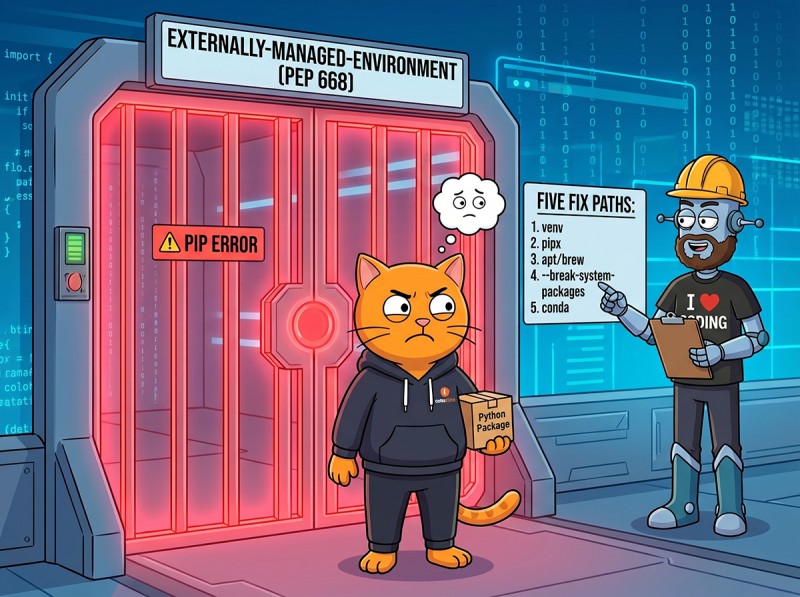
The pip error externally-managed-environment appeared on millions of Linux and macOS machines during 2023 and confused everyone who hit it for the first time. The short version: your operating system marked its bundled Python as off-limits to pip because the OS itself owns those packages. The marker is a real file (you can read it), the standard is PEP 668, the rollout dates are public, and the five fix paths each have a clear best-use case. This guide covers what changed, why it's a good change even though it broke your muscle memory, and how to pick the right fix instead of reaching for --break-system-packages as a reflex. It's one of 10 explainers in our Python Environment Setup pillar page.
Key Takeaways
It's not a bug; it's a guardrail. PEP 668 protects OS-owned Python from pip overwriting files apt/dnf/brew depend on.
The marker is a real file you can read./usr/lib/python3.12/EXTERNALLY-MANAGED on Linux; the contents tell pip what error to print.
Don't reflex to --break-system-packages. It can break your OS package manager months later. Use it in containers and CI, never on a real workstation.
uv sidesteps the whole thing. It installs and manages its own Python, so the OS marker never applies.
The OS owns its Python install. Everything you install with pip belongs in user space: a venv, a uv-managed Python, or a pipx-managed tool environment.
The Error in Full
The exact text varies slightly by distro. Here's what you'll see on Debian 12 or Ubuntu 23.04+:
$ pip install requests
error: externally-managed-environment

× This environment is externally managed
╰─> To install Python packages system-wide, try apt install
    python3-xyz, where xyz is the package you are trying to
    install.

    If you wish to install a non-Debian-packaged Python package,
    create a virtual environment using python3 -m venv path/to/venv.
    Then use path/to/venv/bin/python and path/to/venv/bin/pip.

    If you wish to install a non-Debian packaged Python application,
    it may be easiest to use pipx install xyz, which will manage a
    virtual environment for you. Make sure you have pipx installed.

    See /usr/share/doc/python3.12/README.venv for more information.

note: If you believe this is a mistake, please contact your Python
      installation or OS distribution provider. You can override this,
      at the risk of breaking your Python installation or OS, by
      passing --break-system-packages.
The error is doing two things: telling you the install is refused, and reading you the distro's suggested fix paths verbatim. Those paths come from a file you can inspect.
The EXTERNALLY-MANAGED File
Pip detects the marker by looking for EXTERNALLY-MANAGED in the standard library directory of the running Python. On a fresh Ubuntu 24.04:
$ cat /usr/lib/python3.12/EXTERNALLY-MANAGED
[externally-managed]
Error=To install Python packages system-wide, try apt install
 python3-xyz, where xyz is the package you are trying to
 install.

 If you wish to install a non-Debian-packaged Python package,
 create a virtual environment using python3 -m venv path/to/venv.
 Then use path/to/venv/bin/python and path/to/venv/bin/pip.

 If you wish to install a non-Debian packaged Python application,
 it may be easiest to use pipx install xyz, which will manage a
 virtual environment for you. Make sure you have pipx installed.

 See /usr/share/doc/python3.12/README.venv for more information.
The format is configparser INI: one section [externally-managed] with one key Error whose multi-line value pip prints back to you. Each distro customizes the message:
Distro / Source
Path
Primary suggestion in Error key
Debian, Ubuntu
/usr/lib/python3.X/EXTERNALLY-MANAGED
apt install python3-<pkg>
Fedora, RHEL
/usr/lib/python3.X/EXTERNALLY-MANAGED
dnf install python3-<pkg>
Arch Linux
/usr/lib/python3.X/EXTERNALLY-MANAGED
pacman -S python-<pkg>
Homebrew Python (macOS)
$(brew --prefix)/lib/python3.X/EXTERNALLY-MANAGED
brew install or pipx
python.org installer
not present
no marker, no error
If your distro's Python doesn't have the file, you won't see the error. That's by design: the python.org installer, manually built Python, and uv-managed Python all skip the marker because they aren't owned by an OS package manager.
Why This Is a Good Change
For a decade before PEP 668, pip would silently overwrite OS-managed Python packages. Most of the time nothing bad happened. Occasionally apt or dnf would break: you ran pip install --upgrade urllib3, and a few weeks later apt update failed because its Python helpers depended on the older urllib3 you replaced. Those bugs were hard to trace because the immediate symptom (apt broken) didn't point back at the cause (pip overwriting a shared dep months earlier).
PEP 668 makes the failure loud and immediate instead of quiet and delayed. You see the error the moment you try to install; the suggested fix paths all involve installing somewhere else; the OS package manager keeps working. The change broke "I just want to install a package" muscle memory, but the muscle memory was building a slow-motion footgun. The new error message hands you that footgun's safety catch already engaged.
The Five Fix Paths
Fix Path 1: Virtual Environment (Default Answer)
This is the right answer for almost every project-specific package install.
# Make a venv for this project
python3 -m venv .venv

# Activate it
source .venv/bin/activate     # macOS/Linux
.venv\Scripts\activate        # Windows

# Now pip works because you're inside an isolated env
pip install requests
The venv isn't OS-owned, so PEP 668 doesn't apply. Every package you install goes into the venv's own site-packages, leaving system Python untouched. For the deeper venv mechanics, see our venv vs uv vs Poetry decision guide.
Fix Path 2: uv (Modern Default)
uv ships its own Python, lives in your home directory, and never touches the system Python. The EXTERNALLY-MANAGED file simply doesn't apply to anything uv does.
# Install uv (one-line bootstrap)
curl -LsSf https://astral.sh/uv/install.sh | sh

# Install a Python managed by uv, isolated from the system
uv python install 3.13

# Create a project that uses it
uv init myproject
cd myproject
uv add requests        # works; no EXTERNALLY-MANAGED check
This is the cleanest path if you're starting fresh and want to skip the venv lifecycle entirely. uv manages everything per-project including the Python version. See docs.astral.sh/uv for the full feature set.
Fix Path 3: pipx (for CLI Tools)
When the thing you want to install is a Python application you'll call from the shell (not a library you'll import), pipx is the right path.
# Install pipx itself, often available from the OS package manager
sudo apt install pipx       # Debian/Ubuntu
brew install pipx           # macOS Homebrew

# Then install CLI tools into per-tool isolated envs
pipx install black
pipx install httpie
pipx install ruff
pipx ensurepath              # adds ~/.local/bin to PATH if needed
pipx creates an isolated venv per tool and symlinks the entry-point binary onto your PATH. The system Python stays untouched. For more on pipx vs uv as global-tool installers, see pipx.pypa.io comparisons.
Fix Path 4: System Package Manager
If the package you want is also packaged by your distro, install the distro's version. This is the right path when the package needs to integrate with other OS components.
# Debian/Ubuntu
sudo apt install python3-requests

# Fedora/RHEL
sudo dnf install python3-requests

# Arch
sudo pacman -S python-requests

# macOS Homebrew
brew install python-requests       # if available; usually you'd use a venv instead
This is the path the EXTERNALLY-MANAGED error message itself suggests first. The trade-off: distro packages often lag the latest PyPI release, you can only install what the distro has packaged, and you can't pin a specific version for your project. For most application-level deps, a venv beats this.
Fix Path 5: --break-system-packages (Last Resort)
The footgun. This flag does what the name says. It bypasses PEP 668 and installs into system Python, which can overwrite files apt/dnf/brew depend on and break OS tools weeks or months later.
# Per-command (when you've thought about it):
pip install --break-system-packages requests

# Globally via pip config (DON'T do this on a workstation):
pip config set global.break-system-packages true

# Globally via env var:
export PIP_BREAK_SYSTEM_PACKAGES=1
Legitimate uses. Docker base images where the container is ephemeral, one-shot CI runners where nothing else depends on the system Python, and tightly-scoped automation scripts where you've audited every package you install. In every other case, take 30 seconds to make a venv instead.
Decision Table: Which Fix Path Do I Want?
Your situation
Use
Why
Project that needs specific deps
venv
Isolated, scoped to this project
Starting fresh in 2026
uv
Faster, manages Python too, no marker applies
Installing CLI tools (black, ruff, httpie)
pipx or uv tool install
Per-tool isolation, binary on PATH
Need the package OS-wide and distro has it
apt install python3-pkg
OS-managed, integrates with the system
Docker base image build script
--break-system-packages
Ephemeral container, safe blast radius
CI runner, single-run
--break-system-packages or a venv
Either works, venv is cleaner
Your laptop, "I just want to install something"
venv
30 seconds, no surprises later
What About Docker?
Many official Python Docker images don't ship the EXTERNALLY-MANAGED marker, which is intentional: the container is the isolation boundary, so PEP 668 protection would be redundant. The python:3.13-slim image installs directly into system Python and that's fine. Distro-based images (ubuntu:24.04, debian:12) DO include the marker because they're packaging the distro's Python.
In a Debian-based Docker build, either explicitly opt out (ENV PIP_BREAK_SYSTEM_PACKAGES=1) or make a venv in the image (RUN python3 -m venv /opt/venv && PATH=/opt/venv/bin:$PATH). The venv path is cleaner; it makes the image smaller because pip won't try to track the system packages.
Edge Case: pip Config and EXTERNALLY-MANAGED Together
You can tell pip to skip the check via config:
# See current pip config
pip config list

# Set break-system-packages globally for the current user
pip config set global.break-system-packages true
This is the same risk profile as the flag, applied to every future pip command from the current user. Setting it on a development laptop is almost always wrong. If you find yourself wanting to set it because the error is annoying, the right answer is making a venv your shell auto-activates per directory (with direnv or your shell's per-folder hook) so the venv is just always there when you cd into a project.
What Removed in 2026: Nothing Yet
PEP 668 is stable; the spec moved from PEP form to the canonical packaging.python.org spec in 2024 but the behavior didn't change. Distros continue to adopt it on newer Pythons. If you upgrade from Ubuntu 22.04 (no marker) to Ubuntu 24.04 (marker present) you'll see the error for the first time and remember reading this page. The mental model stays the same: the OS owns its Python, you install elsewhere.
Frequently Asked Questions
What does "error: externally-managed-environment" mean?
It means your operating system marked the system Python as off-limits to pip, because the OS package manager (apt, dnf, brew) owns those packages. PEP 668 standardized this in 2022, and most distros adopted it during 2023: Debian 12, Ubuntu 23.04, Fedora 38, Arch, and Homebrew Python. The marker is a real file named EXTERNALLY-MANAGED in your Python's stdlib directory. When pip sees that file, it refuses system-wide installs and prints the error. The fix is to install elsewhere: a virtual environment, a pipx-managed tool, an apt/dnf/brew package, or uv's managed Python.
Is --break-system-packages safe?
Sometimes, in containers and CI. Almost never on a real workstation. The flag bypasses PEP 668 and installs into system Python anyway, which can overwrite files the OS package manager owns and break OS tools that depend on a specific Python package version. On a Docker base image or a one-shot CI runner the blast radius is contained, so the flag is acceptable as a deliberate choice. On your laptop or a long-lived server, the safer move every time is a venv or pipx; the small inconvenience is worth not surprise-breaking apt or dnf months later.
What is the EXTERNALLY-MANAGED file?
A plain-text marker file the distro places at the root of its Python install (for example /usr/lib/python3.12/EXTERNALLY-MANAGED). It contains an [externally-managed] INI section with an Error key whose value is the message pip prints back to you. Distros customize the message to point at their preferred fix path: Debian and Ubuntu mention apt install python3-xyz, Homebrew mentions brew install. You can cat it yourself to see what your distro is suggesting. Deleting the file is technically a fix, but it's the same thing as --break-system-packages with extra steps.
Why did this error suddenly start appearing in 2023?
PEP 668 was accepted in June 2022, and distros rolled it out across 2023. Debian 12 (Bookworm), Ubuntu 23.04 (Lunar Lobster), Fedora 38, Arch, and Homebrew all added the EXTERNALLY-MANAGED file to their packaged Python. Before that, pip would happily install over the OS-managed Python and occasionally break apt, dnf, or brew when shared dependencies (urllib3, requests, PyYAML) got upgraded out from under them. The error is the loud version of a quiet decade-long problem; the fix is to stop installing into system Python and use a venv, uv, or pipx instead.
Should I install Python from python.org to avoid this error?
It works (the python.org installer doesn't ship the EXTERNALLY-MANAGED file), but it's solving the wrong problem. The PEP 668 marker exists to protect your OS from pip overwriting it; installing a parallel Python from python.org just means you have two Pythons to keep updated. The cleaner fix is to use a venv (or uv-managed Python) for every project. If you genuinely don't want to deal with the OS Python at all, uv installs and manages its own Pythons and gives you both faster installs and the cleanest separation from the OS.
The Bottom Line: Install Where pip Is Allowed, Not Where It Used to Be
The error means the OS reserved its Python for itself. Make a venv (default), pick uv (modern), use pipx (for CLI tools), or let the system package manager do it. Reach for --break-system-packages only in containers and CI. The change broke the habit of typing pip install globally; it didn't break anything important. For deeper context, see our venv decision guide, the multiple Pythons guide, or browse the full Python Environment Setup pillar page.
Skip the System Python Wars
CodeGym's Python track runs in a browser-based WebIDE. No system Python, no PEP 668 marker, no pip permissions to worry about. 800+ hands-on tasks across 62 levels, an AI validator that checks every submission instantly, and an AI mentor when an error stumps you. First level free; full plan on the pricing page.
Begin your Python learning path →


GO TO FULL VERSION