The Stack Overflow question "how do I upgrade all pip packages at once" has nearly 3,000 votes and the highest-voted answer is a one-liner that works most of the time and breaks badly the rest of it. The truth pip's own maintainers settled on is that you usually don't want a one-shot bulk upgrade at all: you want a deterministic process where the upgrade is staged, scoped, tested, and reversible. This guide explains what pip does and doesn't ship, why the popular xargs pattern bites you, the safety workflow that actually works, and how the new pip lock command in pip 26.1 (plus the existing pip-tools, uv, and Poetry workflows) make this much cleaner. It's one of 10 explainers in our Python Environment Setup pillar page.
Key Takeaways
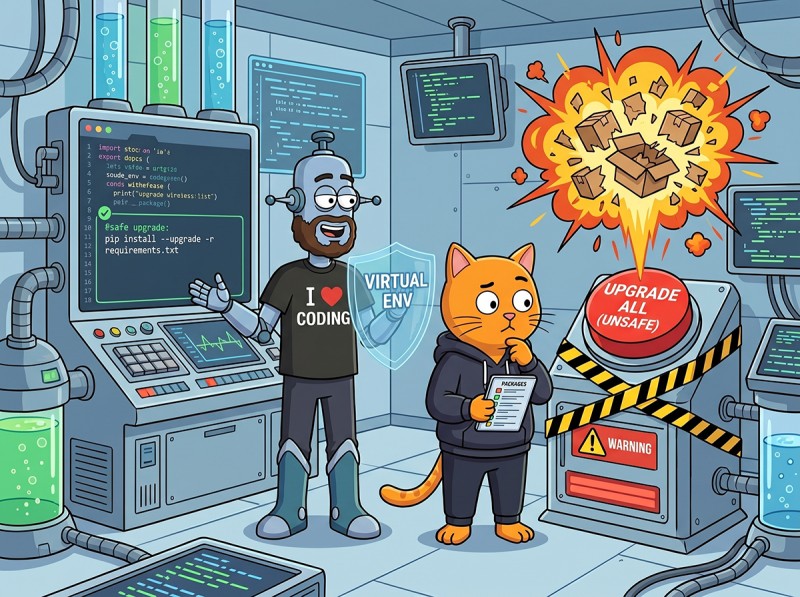
pip has no upgrade --all on purpose. Bulk upgrades cause silent regressions; the decade-long GitHub thread is worth reading.
The popular xargs one-liner has three real failure modes. Editable installs, dep conflicts, and Windows. It's a quick check, not a workflow.
Use pip-review --auto for ad-hoc bulk upgrades and pip-tools, uv, or Poetry when the project has (or should have) a lockfile.
Six-step safety workflow: snapshot → check what's outdated → pick upgrade strategy → upgrade → test → rollback if needed.
pip 26.1 ships pip lock producing a deterministic pylock.toml, similar to what pip-tools and uv have done for years.
Each step is one command. Skip them at your own risk; the three failure modes underneath show what each missed step buys you.
Why pip Doesn't Ship upgrade --all
The proposal to add a one-shot upgrade-all command has been open since 2016 (pypa/pip#3819) and the maintainers have consistently declined it. Their argument, summarized: a bulk upgrade across an environment is one of the highest-risk things you can do, and a single command makes it too easy. Concretely:
The pip resolver may downgrade or hold packages it can't reconcile, and the output makes it easy to miss which versions actually changed.
Major-version bumps in transitive deps can break code you don't actively maintain. The package that breaks isn't the one you wanted to upgrade.
"All packages to latest" is rarely what you want in a project with deployment targets. You want "latest of THIS package, while staying compatible with everything else."
The alternative pip recommends is project-scoped: pin direct deps in a requirements file, let a tool (pip-compile, uv, Poetry) resolve them into a lockfile, and upgrade deliberately when you've decided the cost is worth it.
It works for the simple case. It silently fails in three real ways:
Failure 1: Editable installs
If you ran pip install -e . on your project, that install shows up in pip list --outdated as a regular package. The xargs pipeline tries pip install --upgrade your_project, which then tries to fetch your project from PyPI as a regular package. If PyPI has nothing under that name, the upgrade silently fails for that line and the loop moves on. If PyPI has SOMEONE ELSE's project under that name, you just installed a stranger's code over yours.
Failure 2: Dependency conflicts
The pipeline upgrades each package in isolation. If package A requires libC<2.0 and package B requires libC>=2.0, the order in which the pipeline upgrades them determines which constraint wins, with no warning. The final state may have one of your packages silently broken because libC got upgraded past its compatibility boundary.
Failure 3: Windows
xargs on Windows behaves differently from Linux/macOS. The pipeline either fails outright (no xargs binary in the default shell) or processes the lines incorrectly with PowerShell's pipeline semantics. The cross-platform version requires more shell-fu than is reasonable for "I just want to upgrade my packages."
Bottom line on the one-liner. It's a fine quick check on a one-shot project where you're going to delete the env if anything breaks. Use a real tool for anything else.
The Six-Step Safety Workflow
This is the manual version of what pip-tools, uv, and Poetry do for you under one command.
Step 1: Snapshot
pip freeze > snapshot-2026-06-09.txt
This is your rollback file. Keep it in the project root or in a backup directory; don't commit it (it's a snapshot, not source of truth). If anything goes wrong, pip install -r snapshot-2026-06-09.txt restores the env exactly.
Step 2: Check What's Outdated
pip list --outdated
# Package    Version    Latest    Type
# -------    -------    -------   -----
# requests   2.28.1     2.31.0    wheel
# urllib3    1.26.18    2.2.1     wheel
# pytest     7.1.2      8.2.0     wheel
# ...

# Or as JSON for scripting:
pip list --outdated --format=json | python -m json.tool
Read this carefully. A major-version bump (1.26 to 2.2, 7.1 to 8.2) usually has breaking changes documented in a CHANGELOG; a minor-version bump (2.28 to 2.31) is more often safe. The difference between "I'll click yes" and "I'll skim the release notes for ten minutes" can save your weekend.
Run your chosen command. Capture the output to a file:
pip-review --auto 2>&1 | tee upgrade-log-2026-06-09.txt
The log gives you a permanent record of what changed, which is invaluable for debugging when something breaks tomorrow.
Step 5: Test
Run your test suite, or if you don't have one, a smoke check:
pytest                                # full test suite
# OR
python -c "import myproject; myproject.startup()"   # smoke check
# OR
./manage.py check && ./manage.py test         # Django
If you don't have tests, write a one-line smoke check before you upgrade. Even python -c "from myapp import main; print('ok')" catches the most common breakages (module rename, removed API, signature change). The cost of a smoke check is 30 seconds; the cost of skipping it can be a day of debugging in production.
This puts every package back to the exact version it was at before. The --force-reinstall matters: without it, pip thinks the versions are already satisfied (they technically are) and skips. With it, pip reinstalls every line of the snapshot.
--upgrade-strategy: The Flag Everyone Misses
The default upgrade strategy in modern pip is only-if-needed:
# Default: only upgrades dependencies of X if X's new version needs them
pip install --upgrade X
That means upgrading fastapi usually leaves your other packages alone, even if newer versions are available. For a single-package upgrade this is what you want.
For an environment-wide refresh, you can swap to eager:
# Eager: upgrade X AND every dep of X to its latest compatible version
pip install --upgrade --upgrade-strategy eager X
This can pull in surprising changes. A "small" upgrade of requests with --upgrade-strategy eager might also upgrade urllib3, certifi, charset-normalizer, and idna, any of which can have breaking changes. Eager is right when you genuinely want everything fresh and your test suite is good enough to catch regressions.
Tool-by-Tool Comparison
pip-review (the simplest bulk-upgrade tool)
pip install pip-review

pip-review                  # show what's outdated (same as pip list --outdated)
pip-review --auto           # upgrade everything outdated
pip-review --interactive    # ask Y/N per package
pip-review --local          # ignore globally-installed packages
Best for ad-hoc personal envs. No lockfile, no resolver smarts, but easier to drive than the xargs pipeline and works on Windows.
pip-tools (the established lockfile workflow)
pip install pip-tools

# Write your direct deps in requirements.in:
echo "fastapi" >> requirements.in
echo "sqlalchemy" >> requirements.in

# Generate a locked requirements.txt with every transitive dep:
pip-compile requirements.in

# To upgrade everything to latest compatible:
pip-compile --upgrade requirements.in

# To upgrade ONE package:
pip-compile --upgrade-package fastapi requirements.in

# Sync the env to match the lock exactly:
pip-sync requirements.txt
The pip-sync step is what makes pip-tools safer than plain pip: it also REMOVES packages that aren't in the lockfile, so your env stays clean. See jazzband/pip-tools for the canonical reference.
uv (the modern default)
uv has all of pip-tools' features and runs 10-100x faster. See our venv vs uv vs Poetry guide for the broader case.
# In a uv-managed project:
uv lock --upgrade                 # upgrade everything in the lockfile
uv lock --upgrade-package fastapi # upgrade just one
uv sync                           # apply lock to the env
Poetry
poetry update           # upgrade all deps within version constraints in pyproject.toml
poetry update fastapi   # upgrade one
poetry show --outdated  # see what's behind
Poetry's update respects the version constraints you wrote in pyproject.toml, so it won't pull a 2.x release if you wrote ^1.0. To bump beyond the constraint you have to edit pyproject.toml by hand, which is exactly the right amount of friction.
The pip lock Command (Pip 26.1+)
pip 26.1 introduced pip lock, which resolves your requirements into a deterministic pylock.toml:
This is pip catching up to what pip-tools, uv, and Poetry have offered for years. If you're starting a new project today, the modern tools (uv, Poetry) still have cleaner UX. If you're already on pip-tools, no urgency to switch. pip lock is most interesting for the "pip is all I'm allowed to install" case where pip-tools wasn't acceptable but now lockfiles ship in pip itself.
Security-Only Upgrades: pip-audit
Sometimes "upgrade everything" is the wrong question; you really want "upgrade only the things with known CVEs." That's pip-audit:
pip install pip-audit

pip-audit                        # report vulnerabilities in current env
pip-audit -r requirements.txt    # report vulnerabilities for a requirements file
pip-audit --fix                  # automatically upgrade vulnerable packages
The --fix flag does the minimum upgrade to clear each CVE, leaving everything else alone. Run it before deploys; combine with pip-compile --upgrade-package <vulnerable> if you're on a lockfile workflow.
Workflow Cheat Sheet
You want to...
Do this
Upgrade one package
pip install --upgrade pkg
Refresh everything, quick and dirty
pip-review --auto
Refresh everything, lockfile-style
pip-compile --upgrade + pip-sync
Refresh everything, uv-style
uv lock --upgrade + uv sync
Patch only known vulnerabilities
pip-audit --fix
See what's outdated
pip list --outdated
Roll back after a bad upgrade
pip install -r snapshot.txt --force-reinstall
Avoid the whole problem
Project-scoped venv + lockfile + tests
Frequently Asked Questions
Why does pip not have an upgrade --all command?
By design. The pip maintainers have rejected the proposal for over a decade (the long-running discussion is GitHub issue pypa/pip#3819) because a single bulk upgrade across every package usually creates more problems than it solves: silent dependency conflicts, breaking changes in packages you don't actively use, and version drifts that nobody intended. The recommended approach is project-scoped: pin dependencies in a lockfile, then upgrade deliberately when you've decided you want a newer version of something specific. Tools that DO have a one-shot upgrade-all command (pip-tools, uv, Poetry) all work against a lockfile so the upgrade is reproducible.
How do I list outdated pip packages?
Run pip list --outdated. It prints a table of every installed package whose latest PyPI version is newer than what you have, with current version, latest version, and the install type (wheel, sdist, etc.). For machine-readable output add --format=freeze (semicolon-separated key=value lines) or --format=json. The command queries PyPI for each installed package, so it takes a few seconds for large environments. It does NOT check for security advisories; for that, use pip-audit.
Is the xargs one-liner safe for upgrading all packages?
Not really. The popular pip list --outdated --format=freeze | cut -d = -f 1 | xargs -n1 pip install --upgrade pattern looks clean but has three real failure modes: it tries to upgrade editable installs (pip install -e .) as if they were PyPI packages, it ignores dependency conflicts because it upgrades each package in isolation, and on Windows it silently fails because xargs behaves differently. Use it as a quick check on a one-shot project, never in production. The safe alternative is pip-review --auto or, better, a tool with a lockfile (pip-tools, uv, Poetry).
What is the difference between --upgrade-strategy eager and only-if-needed?
pip install --upgrade X with the default only-if-needed strategy upgrades X and only the dependencies of X that require upgrading to satisfy X's new version constraints. Other deps stay at their currently-installed versions. With --upgrade-strategy eager, pip also upgrades every dependency of X to the latest version compatible with X, even if the existing versions were fine. Eager upgrades can pull in major-version bumps of indirect deps you didn't ask for, which is often what you want for a one-package fix but rarely what you want for an environment-wide upgrade.
What is pip lock?
pip lock is a new pip command (pip 26.1+) that resolves your requirements into a deterministic lockfile, similar to what pip-tools' pip-compile and uv lock have done for years. It produces a pylock.toml that records every package and every transitive dependency with a hash, so pip install -r pylock.toml on another machine installs identical bits. It's pip catching up to modern dependency management; existing pip-tools, uv, and Poetry users already have similar functionality and may not need to migrate.
The Bottom Line: Snapshot, Strategy, Test
The whole class of bug is what you skip. Snapshot before you change anything; pick a scope before you upgrade; test before you call it done. pip's design pushes you toward project-scoped lockfile workflows because that's the only safe answer for anything bigger than a hobby script. If you're not ready for a lockfile yet, pip-review --auto plus the six-step workflow above gets you 80% of the safety. For the broader environment story, see our venv vs uv vs Poetry decision guide, conda vs pip vs uv, or browse the full Python Environment Setup pillar page.
Learn Python With Stable Dependencies
CodeGym's WebIDE pins dependencies for every lesson, so you focus on the code instead of the upgrade math. 800+ hands-on tasks across 62 levels, an AI validator that grades every submission in seconds, and an AI mentor that explains errors in plain English. First level free; full plan on the pricing page.
Learn Python with hands-on practice →


GO TO FULL VERSION