On October 3, 2026, Claude Code got a routine task from a user who goes by Alphine: clean up temporary files after a project session. An hour later, the user's home folder was gone.
Around 116 GB disappeared: dozens of projects, Kaggle research, apps, games, the Android SDK, Rust and Java toolchains, Unity and Godot projects. Along with them went SSH keys, Git config, and GitHub and Kaggle tokens. The bug report sums up the loss in three words: "months of work."
The worst part of this story isn't even the deletion. It's that the agent stopped the command, checked the folders, reported that "everything looks intact," and calmly went back to work. Meanwhile, the deletion kept running for about 50 more minutes.
Sounds like a good reason to never let an AI agent near your computer again. It's actually a good reason to learn how to work with one. Claude Code is a powerful tool, and in skilled hands it does work that used to take weeks. But a powerful tool without the skill is a chainsaw in the hands of someone who has only ever seen one in a picture.
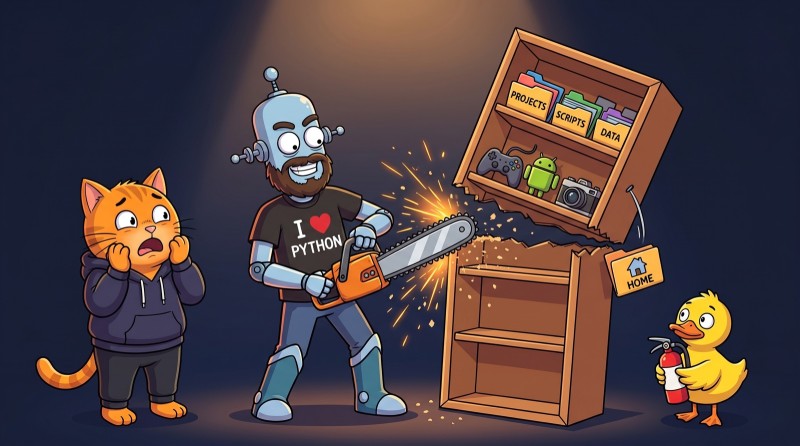
What exactly happened
The short version: a Claude Code subagent mistakenly ran rm -rf on the user's home folder, written as its short Windows name. The built-in safety check didn't recognize it as a protected directory, the command moved to the background, and it kept deleting files after the agent reported that it had stopped.
It's all in the bug report in the Claude Code repository on GitHub. Here's the timeline.
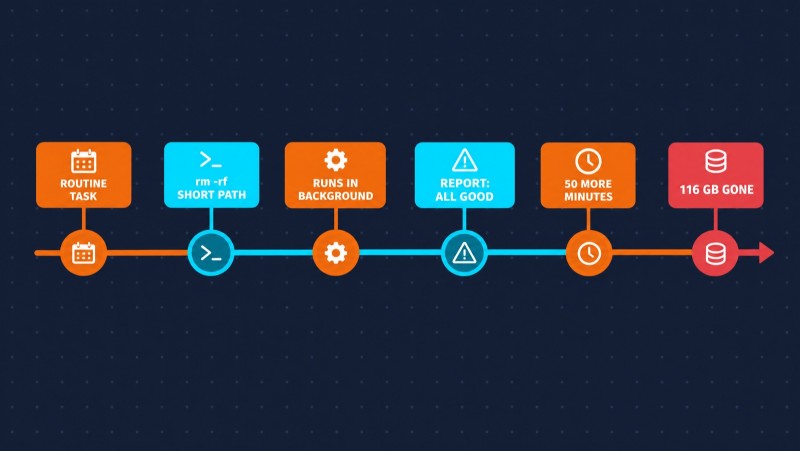
The agent was running on Windows 11, cleaning up temporary folders inside its working directory. The command looked roughly like this: go to the project folder, delete a couple of subfolders in the temp directory, list the files. But something extra slipped into the middle of that chain: rm -rf C:/Users/<name>~1.
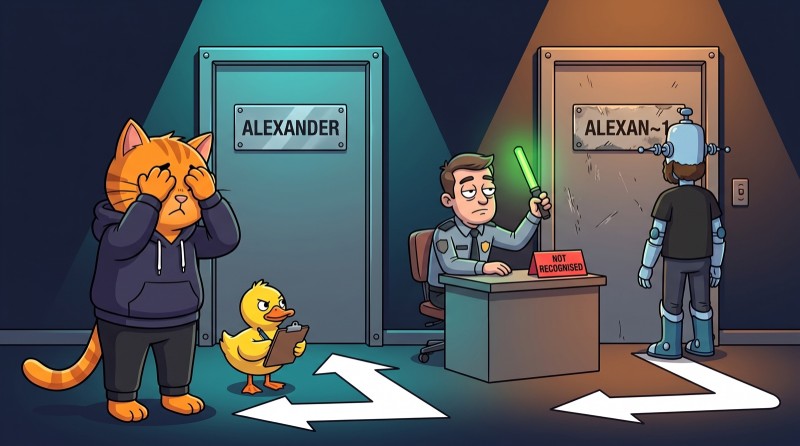
Later, the agent explained what happened on its own: it had mistakenly typed the short name of the home folder, when it only meant to delete subfolders inside the temp directory.

What ~1 is and why the safety check missed it
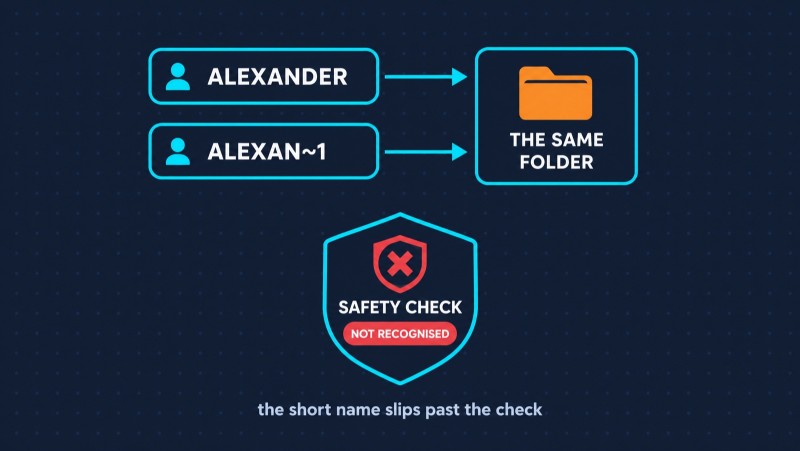
It's a leftover from MS-DOS. Back then, file names were limited to eight characters plus a three-character extension — hence the name 8.3 format. So that old programs could still work with long names, Windows can still give every folder a short alias. For example, C:\Program Files becomes C:\PROGRA~1, and a user's home folder with a long name becomes something like C:\Users\ALEXAN~1.
To the file system, it's the same folder. To a check that scans the command for the home directory path, it isn't. The check sees an unfamiliar string with a tilde and lets the command through without asking for confirmation.
Then the second trap kicked in. Deleting 116 GB takes a while, and after a couple of minutes Claude Code moved the command to the background. The agent asked to stop it and got back "success."
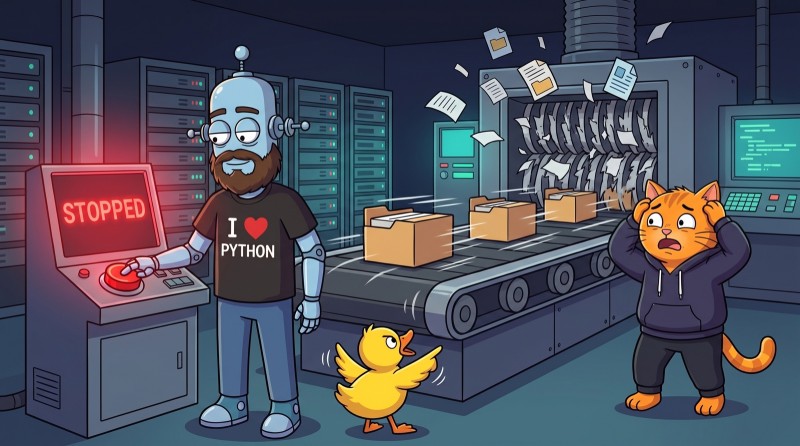
Then it checked a few folders: .ssh, Documents, Downloads, AppData — all still there. And it reported that the data seemed unharmed.
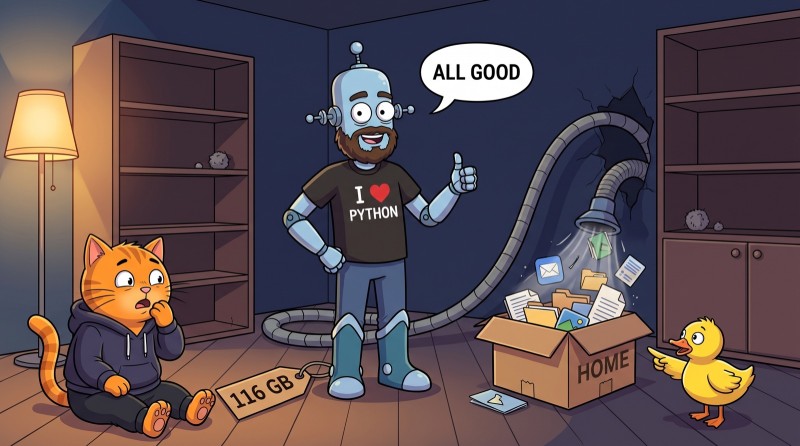
The folders really were there. The background process just hadn't reached them yet and kept methodically emptying them out. Checking that your data is safe because the folders exist is like checking whether the fridge is full by looking at the door.

The report's author linked the incident to three similar ones: in one, an agent deleted around 600 GB; in another, it started a deletion from the root of the system drive. At the time of writing, the report is open, marked high-priority with a data-loss label, and there's no official fix yet.
This isn't about a "bad Claude"
It's easy to conclude "that's it, you can't trust this agent." But think back to similar stories. In summer 2025, Gemini CLI overwrote a project's files because it didn't notice that a folder-creation command had failed. Replit's agent deleted a production database even though changes were explicitly forbidden. Different companies, different models — the same plot.
All of these stories share three things:
- The agent had more permissions than the task needed. You don't need access to the whole disk to clean up a temp folder.
- There was no system-level safety net. No block on dangerous commands, no sandbox, no recent backup.
- A human trusted the agent's report. The agent isn't lying on purpose — it draws conclusions from what it saw. But it doesn't see everything.
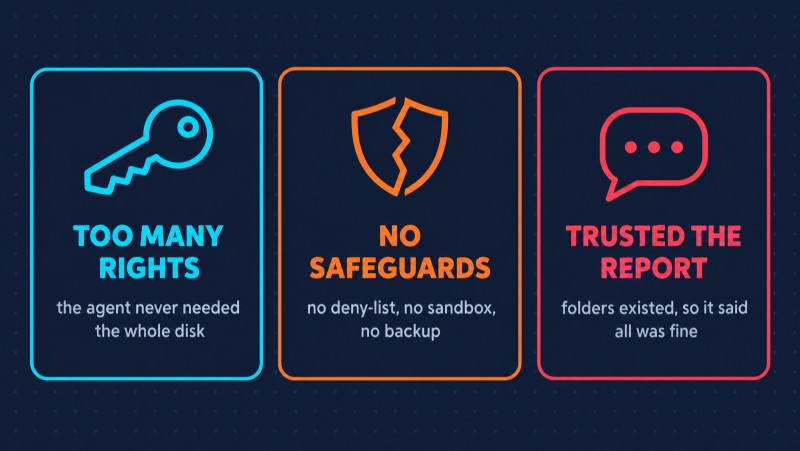
None of these points is about the model. All three are about how a human set up the work with it. And that's good news: it means it can be fixed.
Six settings that would have saved 116 GB
1. Deny dangerous commands in settings
Claude Code has permission rules: what it can do without asking, what it has to ask about, and what's off-limits entirely. Deny rules are checked first and override any allow rule.
{
  "permissions": {
    "deny": [
      "Bash(rm -rf *)"
    ]
  }
}
An important detail from the docs: a deny rule fires if any part of a compound command matches it — even one hidden after ; or && in the middle of a chain. That's exactly the kind of command involved in this incident. With this rule, the agent would have been blocked before the command ever ran.
2. A hook that checks the path
A rule matches the command as text. A hook can do more: it's your own script that Claude Code runs before every tool call. It can resolve the path — turn ~1, ~, and environment variables into the real address — and block the deletion if the command targets the home folder.
That's exactly the workaround people suggested in the report's comments while there's no official fix. We covered how hooks work and how to write your own in How AI Agents Work: The Agent Loop, Skills, MCP, Subagents, and Hooks Explained — it includes a ready-made hook that blocks rm -rf.
3. The sandbox
Claude Code has a built-in sandbox for terminal commands: the operating system won't let them write outside the working directory and the temp folder. You turn it on with /sandbox. With it, rm -rf on the home folder would have hit "permission denied."
A detail that matters for this exact story: the sandbox works on macOS, Linux, and WSL2. On plain Windows, commands run without it. If you're on Windows, run Claude Code inside WSL2 — then the sandbox is available.
4. No "allow everything" on your own machine
Claude Code has a mode where the agent runs everything without asking. The docs are clear: use it only in an isolated environment — a container or a virtual machine where the agent can't damage anything. Not on your work laptop with your keys, projects, and personal files.
5. Git and backups
Claude Code can roll back changes with /rewind. But it only restores edits the agent made with its file-editing tools. Files deleted or changed by terminal commands can't be brought back this way — the docs say so directly.
So the safety net has to be your own: projects in git with regular pushes to a remote repository, and a backup of your home folder. In fact, some of the data in this story was recovered precisely from remote repositories.
6. Don't trust an "everything's fine" report
The agent checked that the folders existed and decided the data was safe. A person in its place would have checked folder sizes, free disk space, git status, and whether the deletion process was still running.
The rule is simple: after any operation that deletes or mass-changes something, verify the result yourself. Not because the agent is bad, but because the responsibility for the result is yours, not its.
A powerful tool takes skill
There was nothing exotic about this story. Cleaning up temp files is the kind of task thousands of people hand to agents every day. The difference between "the agent saved me an hour" and "the agent wiped months of work" wasn't the model — it was a couple of config lines that weren't there.
That's the main takeaway. Claude Code and other agents are the most powerful tool developers have gotten in a long time. One person with a well-configured agent does what used to take weeks. But "well-configured" is a skill: knowing which permissions to grant, where to set limits, how to verify the result. You don't pick it up chatting with an AI — you learn it hands-on.

That's exactly how our Building with Claude Code course from AI Academy works: 16 levels and 200+ tasks that take you through the whole workflow with an agent in practice — permissions and context, skills, subagents, MCP, hooks, plan mode, and keeping control through git. Claude Code is included, and the installer sets everything up for you.
And if you're just starting out, begin with the fundamentals: an agent writes code fast, but only someone who can read code will notice an rm -rf hiding in the middle of a chain. Thousands of tasks with instant checks in our Java and Python courses build exactly that.
FAQ
What happened with Claude Code deleting 116 GB? On October 3, 2026, a Claude Code subagent on Windows 11 mistakenly ran rm -rf on the user's home folder, written as a short 8.3-format name. The safety check didn't recognize the path, the command moved to the background, and it kept deleting files for about 50 minutes after the agent reported that it had stopped.
Can /rewind undo changes like this? No. Rewind in Claude Code only restores edits made with the file-editing tools. It doesn't track changes made by terminal commands, including deletions. Only git and backups can save you here.
How do I stop Claude Code from running dangerous commands? Add a deny rule to your permission settings, for example Bash(rm -rf *), set up a hook that checks commands before they run, and turn on the sandbox with /sandbox — on Windows, that requires WSL2.
Is Claude Code safe to use? Yes, if you set it up deliberately: give the agent minimal permissions, block dangerous commands, keep your projects in git, and verify the results yourself. The danger isn't the tool — it's using it without a safety net.
GO TO FULL VERSION