1. Why Go checks err so often
When you write a program, the world starts throwing banana peels at it. The user enters the wrong thing. The file is not found. The number is too large. Water is wet, and input is evil. In Go, the convention is not to sweep these situations “under the rug”, but to handle them right where they occur, with a short and clear check.
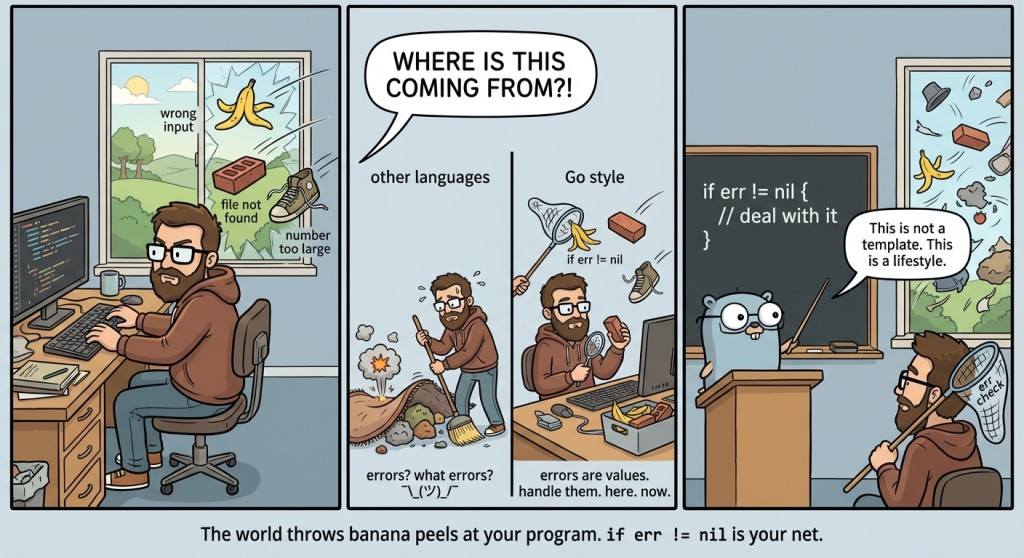
That is why the construct if err != nil { ... } appears in Go code all the time: it is not just a “checkbox pattern”, but a way to keep the program in a sane state. In the official Go materials, this is described as a basic style: errors are values, and you work with them explicitly, without magic.
error and nil: a simple model
Right now we do not need to dive into how interfaces work, or how exactly the error type is arranged “inside”. We need a practical model at the level of “I can write programs and not cry”. In Go, many functions return an error, and that value is either nil or not nil.
If err == nil, it means “there is no error, everything is fine”. If err != nil, it means “something went wrong, and we cannot keep pretending everything is fine”. This check is the most common way to understand whether an operation succeeded. This is stated directly in introductory Go error materials: the most ordinary check is to compare the error with nil.
Mini-demo: an error is a value, so it can be printed.
package main

import "fmt"

func main() {
	var err error
	fmt.Println(err == nil) // true
}
Yes, it looks too simple. But this simplicity is like a seat belt: it does not make the ride more fun, but it saves you when something “hits”.
2. Input and parsing errors: Scan and Atoi
Up to this point, it may have seemed that input and conversions are things that “almost always work”. In tests, you enter 10, and everything is great. But a program does not live only in your hands: the user may enter "ten", 10.5, an empty string, or even send EOF (that is, the code for “there is no more input”). And that is where errors start to appear regularly.
In our tasks, there are two classic sources of errors. First, fmt.Scan may fail to read what you expect and return an err. Second, strconv.Atoi may fail to parse a string as an integer and also return an error. So without checking err, you actually do not know whether the data in your variables is correct — you are just hoping. And hope, as we know, is a poor testing strategy.
Example with Scan:
package main

import "fmt"

func main() {
	var x int
	_, err := fmt.Scan(&x)

	if err != nil {
		fmt.Println("could not read the number") // for example, if "abc" was entered
		return		// exit main()
	}

	fmt.Println("x =", x)
}

3. Pattern: call → check err → use the result
There is a very useful rule: if a function returns an error, check it immediately. Not “at the end of the program”, not “after a couple more lines”, not “when it becomes clear”. Immediately. Otherwise you start writing code that uses potentially incorrect data, and then tries to treat the symptoms.
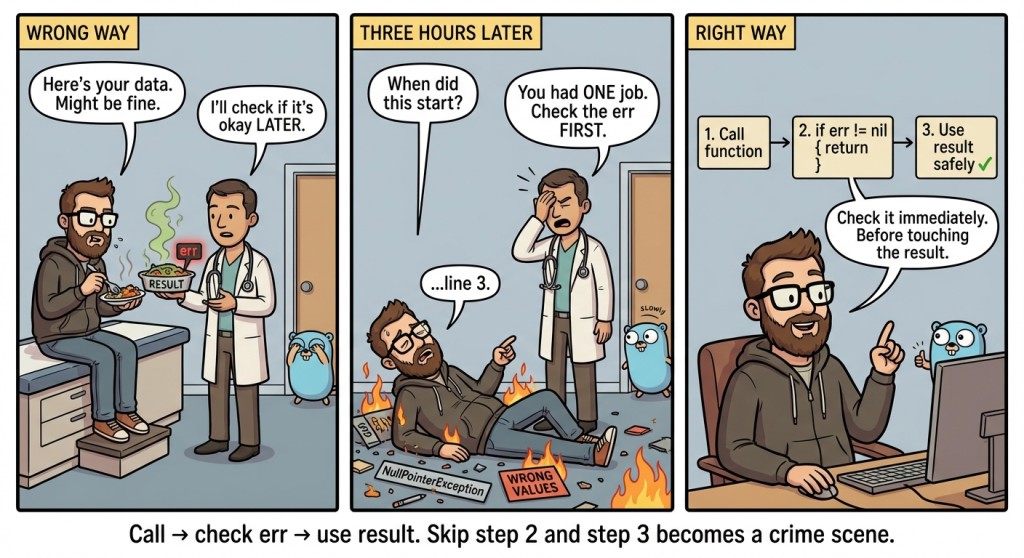
This idea is so fundamental that in many Go error discussions it is repeated like a mantra: an error is part of the normal control flow, just a separate branch.
Let us look at a micro-template:
package main

import (
	"fmt"
	"strconv"
)

func main() {
	s := "42x"

	n, err := strconv.Atoi(s)
	if err != nil {
		fmt.Println("this is not a number:", s) // this is not a number: 42x
		return
	}

	fmt.Println("n + 1 =", n+1)
}
Pay attention to an important “psychology” of the code: while err != nil, we do not pretend that the number was obtained. We choose the safe path: we tell the user and exit.
if with an initializer: fewer “extra” variables
Sometimes beginners write like this: they declare a variable n, then err, then something else — and suddenly main turns into a storage room full of boxes. In Go there is a convenient form: an initializer in if, which lets you create temporary variables right inside the condition and limit their scope.
This is especially great for parsing and reading: “tried → checked → either error, or continue working”. And most importantly, the variables n and err do not spread all over main; they live exactly where they are needed.
Example:
package main

import (
	"fmt"
	"strconv"
)

func main() {
	if n, err := strconv.Atoi("100"); err != nil {
		fmt.Println("parsing error:", err)
	} else {
		fmt.Println(n + 1) // 101
	}
}
Here it is important to remember: n and err exist only inside if/else. If you need the number later in the program, declare the variable in advance (we already discussed this in the topic of scopes).
4. Example: bill and tip calculator
Now let us build a small console application that does a useful everyday thing: it calculates the final bill including the tip. The example is intentionally simplified: the closer it is to reality, the faster the brain stops treating err as “something abstract from a textbook” and starts treating it as “a way not to break the program”.
As we improve it, we will not “invent new constructs”, but apply what we already know: fmt.Scan, Atoi, if/else, and today’s hero — if err != nil. In the end we get a program that does not crash at the first bad input.
Version 1: “on faith”
Let us start with a version that compiles and even sometimes works. It reads two strings: the bill amount and the tip percentage. Then it tries to convert them to numbers. We ignore errors because “well, the user is a normal person... probably”.
package main

import (
	"fmt"
	"strconv"
)

func main() {
	var billStr, tipStr string
	fmt.Scan(&billStr, &tipStr)

	bill, _ := strconv.Atoi(billStr)
	tipPercent, _ := strconv.Atoi(tipStr)

	total := bill + bill*tipPercent/100
	fmt.Println(total)
}
The problem with this version is not that it is “bad style”. The problem is that it lies to your face: if the user entered billStr = "abc", then Atoi will return an error, and bill will become 0. And you will get “total 0”, although in reality you should have said: “invalid input”.
Version 2: checking Scan and Atoi
Now let us do it properly: after every potentially failing operation, check the error. And we handle reading errors and conversion errors separately — these are different problems, and it is useful for the user to understand exactly where things broke.
package main

import (
	"fmt"
	"strconv"
)

func main() {
	var billStr, tipStr string
	_, err := fmt.Scan(&billStr, &tipStr)
	if err != nil {
		fmt.Println("input error: 2 values are required")
		return
	}

	bill, err := strconv.Atoi(billStr)
	if err != nil {
		fmt.Println("the bill must be an integer")
		return
	}

	tipPercent, err := strconv.Atoi(tipStr)
	if err != nil {
		fmt.Println("the tip must be an integer")
		return
	}

	total := bill + bill*tipPercent/100
	fmt.Println("total:", total)
}
Notice the effect: the code became longer, but the behavior became more predictable. We no longer “guess” what is stored in bill. We know for sure: either it is a number, or we have already exited the program.
And this is exactly why the pattern if err != nil is so common: Go prefers explicitness and control over the flow of execution. In Go error discussions, it is emphasized that this style may seem noisy, but it makes possible failure points visible right in the code.
Version 3: adding validation
There is another important point. An error (err) says: “the operation did not succeed”. But even if the operation succeeds, the data may be logically wrong. For example, a tip of -10% or a bill amount of -500. That is not an Atoi error — it is a semantic error.
Validation is done with an ordinary if, because this is already our business logic: which values we consider acceptable.
package main

import (
	"fmt"
	"strconv"
)

func main() {
	var billStr, tipStr string
	_, err := fmt.Scan(&billStr, &tipStr)
	if err != nil {
		fmt.Println("input error: 2 values are required")
		return
	}

	bill, err := strconv.Atoi(billStr)
	if err != nil {
		fmt.Println("the bill must be an integer")
		return
	}
	if bill < 0 {
		fmt.Println("the bill cannot be negative")
		return
	}

	tipPercent, err := strconv.Atoi(tipStr)
	if err != nil {
		fmt.Println("the tip must be an integer")
		return
	}
	if tipPercent < 0 {
		fmt.Println("the tip percentage cannot be negative")
		return
	}

	total := bill + bill*tipPercent/100
	fmt.Println("total:", total)
}
Here we get a very healthy structure: first we figure out whether the input can be read at all, then whether it can be parsed, then whether it makes sense, and only after that do we calculate the result.
Flow diagram: where if err != nil lives
So that we do not think of checks as “interruptions between lines”, it is useful to see them as a fork in the execution flow. Here is that same read → parse → compute → print scheme, but with a proper error branch:
flowchart TD
    A[read: fmt.Scan] -->|err == nil| B[parse: strconv.Atoi]
    A -->|err != nil| E[report the error and exit]
    B -->|err == nil| C[compute]
    B -->|err != nil| E
    C --> D[print result]
And that is why Go loves if err != nil: it turns failure into an ordinary, readable branch, without hidden jumps or surprises.
Why Go has no try/catch: the value of explicitness
For many people who come to Go from languages with exceptions, the first reaction to if err != nil is: “why is this so verbose?”. A fair reaction: before, you could write “do one-two-three, and if something happens, catch the exception”. In Go, the approach is different: errors are values, and the programmer decides what to do with them.
Yes, this can lead to many checks. In discussions of syntactic support for errors (which are periodically proposed), people admit that a pattern like x, err := call(); if err != nil { ... } can indeed “clutter” useful code, especially when error handling is primitive. But it also has a practical advantage: at every place where something can fail, the code has a clear beacon. As a result, when you read the program, you can see all the risk points in advance.
And there is also a very practical bonus: if you consistently check err immediately, your errors are more often local and understandable. You do not end up chasing mysterious consequences of “something went wrong earlier somewhere”, but stop at the first problematic place while the context is still fresh.
5. Typical mistakes when working with if err != nil
When you are just starting to write error checks, the brain sometimes treats them as “noise” and tries to skip past them. That is normal: habits are formed through repetition. Below are the most common pitfalls beginners step on, and why they are genuinely dangerous.
Mistake #1: ignoring err because “it worked in the examples”.
While you are testing with ideal input, it seems like errors are rare. But as soon as a human enters the input (or an auto-test that is specifically trying to break the program), err turns from a “formality” into the only way to avoid garbage data. Ignoring an error in Go almost always means that you allowed the program to continue running in an unknown state.
Mistake #2: checking the error, but still using the result as if everything is fine.
Sometimes you see logic like: “if there is an error, I will print a warning... but I will calculate anyway.” This almost always leads to strange results. If parsing fails, the number in the variable is usually 0 (or another zero value), and you get a plausible but incorrect result. If you already checked err != nil, then in that branch you need to stop the normal scenario: return, an alternative value, input retry — anything, but not “keep going as if nothing happened”.
Mistake #3: checking err too late.
If you called Atoi, then did a few more calculations, and only then checked err, you have already built a house on sand. The right habit is to check immediately, while you still know exactly which call the error belongs to and which data can be considered valid.
Mistake #4: confusing err == nil and err != nil.
This sounds funny (and a bit painful), but in practice it happens all the time: especially when a person is tired and has already written the same kind of code ten times. A good trick is to say out loud: “if err is not nil, there is an error”. And write error handling in that branch as briefly as possible so you do not get confused.
Mistake #5: mixing “an operation error” with “bad data in terms of meaning”.
Atoi only answers whether the string is a number. It does not know that “the tip percentage cannot be negative” or that “age cannot be 1000”. That is why, after successful parsing, you need separate if statements for logical validation of values. This is not a replacement for the err check, but the next layer of protection.

GO TO FULL VERSION