1. Getting to know the compiler
The computer does not understand human language. The computer does not even understand programming languages. It understands only programs written in machine code — sequences of zeros and ones. Humans think in words and ideas, and of course, it's hard for them to compose whole programs out of just 0 and 1.
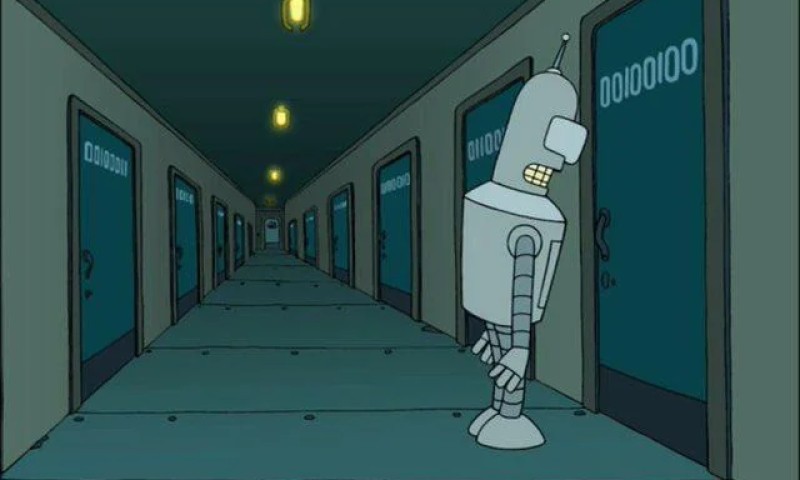
00100100 translates to the decimal number
36 or the character
$
That's why programming languages like C++ appeared. They act as a kind of "translator": now a programmer can write commands like "Do this and that" in a language they understand, instead of a long chain of processor instructions.
But there's one catch. The computer still doesn't understand C++! If you just feed it a file with code, it will shrug and do nothing. That's exactly why a compiler exists.
What is a compiler?
A compiler is a special program that compiles code: it translates C++ code into something the computer understands. It takes text in C++, parses it, checks it for errors, and turns it into machine code (usually as an executable file).
- Program in C++
-
Compiler
- Program consisting of machine code
You can imagine the compiler as a strict teacher who:
- carefully checks sentences (did you make a mistake?),
- enforces rules (for example, correct variable names, semicolons, brackets…),
- and only after that lets you interview with the computer!
The compiler is even smarter
C++ compilers are now even smarter — they can not only translate, but also optimize code, point out errors and even suggest improvements (via warnings — warnings). And much more besides.
And for convenience and correct building of a large program compilation usually doesn't happen in "one magical step", but at least in several stages:
- First, the preprocessor handles directives like #include.
- Then the compiler translates C++ code into object code (partially ready "pieces" of the program).
- And then the linker assembles these pieces and any linked libraries into a single executable file.

If you have a powerful processor and enabled optimizations, the compiler can generate machine code considering your platform capabilities and chosen build settings. But the main idea to remember is: C++ is usually compiled directly to machine code, and then that ready executable file is run.
       flowchart TD
    SRC["Source .cpp files"]:::source

    PP["Preprocessor Handles #include and #define"]:::stage
    CC["Compiler Translates C++ → object code Finds errors, gives warnings"]:::stage
    LN["Linker Joins object code + links libraries"]:::stage

    EXE["Executable file .exe"]:::artifact

    RUN(["▶ Run Ready machine code is executed directly"]):::run

    LIB["Libraries"]:::lib
    DEV["Developer fixes errors"]:::dev

    SRC --> PP --> CC --> LN --> EXE --> RUN
    CC -.->|"⚠️ warnings & errors"| DEV
    LIB --> LN

    classDef source fill:#f59e0b,color:#1c1917,stroke:none
    classDef stage fill:#3b82f6,color:#fff,stroke:#1d4ed8,stroke-width:2px
    classDef artifact fill:#8b5cf6,color:#fff,stroke:#6d28d9,stroke-width:2px
    classDef lib fill:#64748b,color:#fff,stroke:none
    classDef run fill:#22c55e,color:#fff,stroke:none
    classDef dev fill:#fde68a,color:#1c1917,stroke:#f59e0b,stroke-width:1px
2. Compilation errors
Speed and code optimization are not very important for us yet, but what matters is that the compiler checks your program for errors. It validates the code and won't let it pass further if it finds even a small mistake.
Error example:
You try to assign a number to a variable that can only hold text.
#include <string>

int main() {
    std::string userName = 42; // Oops! You can't do that.
}
The compiler will immediately give an error that types do not match (wording depends on the compiler), something like: "no viable conversion from int to std::string".
Another example — a typo in the name std::cout:
#include <iostream>

int main() {
    std::coutt << "Hello!\n"; // Typo in the name
}
The compiler will say something like: "coutt is not a member of std" — check your syntax!
How to read errors?
Most compilers hint where the error is in the code: usually it's the file, the line number, and often even the column number, plus the error text. Don't be afraid of errors: each one is a step toward enlightenment and beating your internal "boss".
3. Typical compilation errors
expected means: "I expected to see symbol X here, but it's not there". Most often this is:
expected ';' — you forgot a semicolon
Broken code:
#include <iostream>

int main() {
    std::cout << "Hello!\n"
    return 0;
}
The statement should end with a ;. The compiler reached return and was still expecting a ;. Fix:
std::cout << "Hello!\n";expected '}' — you didn't close a block
If you forget }, the compiler usually complains at the end of the file.
int main() {
    std::cout << "Start\n";
    return 0;
// missing }
Just close the block:
}Tip: align indentation — it's easier to spot a missing brace.
expected ')' or expected '(' — problem with parentheses
int main( {You need:
int main() {Parentheses must open and close in pairs.
not declared — name not found
The compiler says: "I don't know what this is". You forgot std::
cout << "Hi\n";You need:
std::cout << "Hi\n";cout is located in the namespace std.
Forgot #include <iostream>
int main() {
    std::cout << "Hi\n";
}
Add:
#include <iostream>Without #include the compiler is not obliged to know what std::cout is.
4. Comments

So, imagine: you write a complex program. Everything works, you are a genius! But a month later you open that code and... understand nothing. A couple lines of code here, a weird variable there. All you think is: “Obviously someone else wrote this, but not me!”. That's when comments come to the rescue.
Comments are like notes in the margins of a textbook or labels on a fridge ("Beer. Do not drink. For the morning!"). The compiler ignores them, while people do not. Comments allow you to explain the meaning of code, mark important details, and even "turn off" parts of a program without deleting them.
Important: The compiler does not "understand the meaning" of your comments — for it they are just text to skip.
Single-line comments
In C++ there are two types of comments — single-line and multi-line. Single-line comments start with a double slash // and continue to the end of the line. Everything after // is considered a comment and is completely ignored by the compiler.
Example:
#include <iostream>

int main() {
    std::cout << "Hello, world!\n"; // This prints a greeting to the screen
}
Here // This prints a greeting to the screen is a comment. If a line in the code seems unclear, write a comment like that!
Another example:
int main() {
    int x = 42; // Programmer's age value
}
You can also write single-line comments on separate lines:
#include <string>

int main() {
    // Initialize a variable with the user's name
    std::string userName = "John";
}
Almost like stage directions: a comment explains why and what for.
Multi-line comments
What if you have a lot to say? A whole story? For that there are multi-line comments, which start with /* and end with */. Everything between these symbols is ignored by the compiler, even if it spans multiple lines.
Example:
#include <iostream>

int main() {
    /*
      Here we display a hint to the user.
      If the name is missing, some programs might use "Guest".
    */
    std::cout << "Enter your name:\n";
}
Or like this:
int main() {
    int age = 18; /* Initial age value
                     for a new user */
}
Attention: you cannot nest multi-line comments inside each other. Don't try to be smarter than the compiler — it won't work.
Illustration:
| Type | Syntax | Example |
|---|---|---|
| Single-line | |
|
| Multi-line | |
|
5. Real-life examples
"Turning off" a line of code:
Sometimes you want a fragment of code not to run temporarily. Comments are perfect for that:
// std::cout << "Text that is temporarily not needed\n";The line remains, but the compiler doesn't "see" it.
Notes TODO and FIXME
Programmers are people too, and sometimes you need to remind yourself that the code is unfinished or that there's a bug. For this people often write:
// TODO: add check for empty input
// FIXME: this function computes the sum incorrectly
Many editors and IDEs even highlight such words!
Programmers joke
And of course, sometimes you find very interesting comments in code:
// I'm not responsible for this code. I was forced to write it against my will.// Dear, I'm_from_the_future! Please forgive me for this code.
// If I ever see this again, I will have to start bringing a weapon to work.
// If this condition ever happens, please contact me at phone xxx-xx-xx for a reward.// Dear programmer:
//
// When you finish "optimizing" this subroutine
// and realize how big a mistake it was,
// please increase the counter below as a warning
// for the next guy:
//
// hours_spent_here = 42// When I started writing this, only God and I understood what I was doing.
// Now only God remains.// Sometimes it feels like the compiler ignores all my comments// I dedicate all my code, all my work to my wife Darlin,
// who will have to support me, our three children and the dog,
// when this goes to production.Yes, comments can be very funny. After all, they are written by real people.

GO TO FULL VERSION