1. Getting to know commands
If you once imagined a programmer’s job as something incomprehensible and mysterious, it’s time to debunk that myth! Programming is not a secret art, but an awesome and very interesting job. And you’re about to see that for yourself.
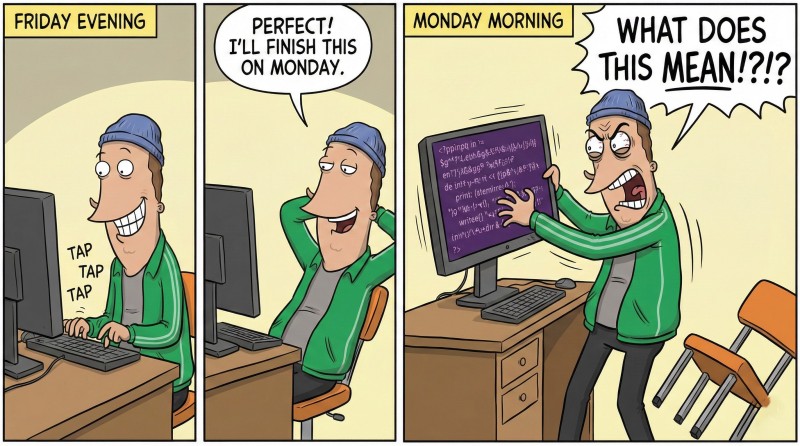
Computer programs are written using programming languages—special rules and words that a computer understands. Today you’ll get acquainted with Kotlin: you’ll write your first program, learn what commands are, and make the computer obey you (as much as it wants to, of course). 😅
A program is a set (list) of commands. First the first command is executed, then the second, the third, and so on. When all commands have been executed, the program ends.
    flowchart LR
    A([🚀 The program starts]) --> B

    B[📋 Command 1]
    B --> C[📋 Command 2]
    C --> D[📋 ...]
    D --> E([✅ The program ends])

    style A fill:#4CAF50,color:#fff,stroke:#388E3C
    style E fill:#2196F3,color:#fff,stroke:#1565C0
    style B fill:#FFF9C4,stroke:#F9A825
    style C fill:#FFF9C4,stroke:#F9A825
    style D fill:#FFF9C4,stroke:#F9A825

What exactly the commands in the command list can be depends on who executes them—more precisely, on which commands the executor knows (and understands). You can give a dog the commands “Sit” or “Speak”, a cat—“Shoo”, a person—“Stop!”, and a robot—“Work!”. 👨💻
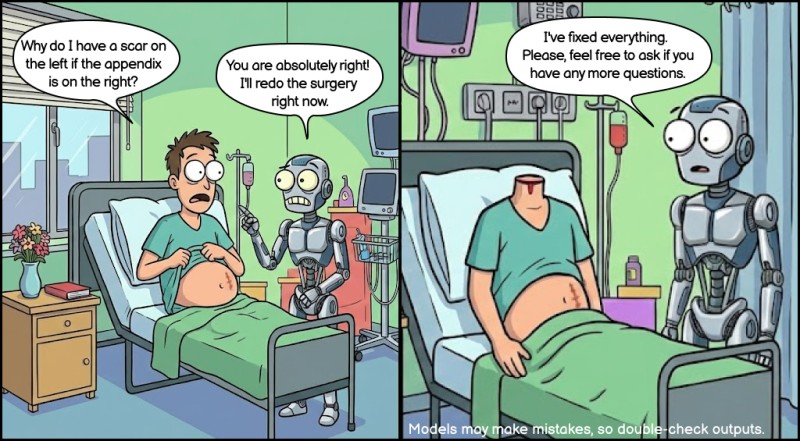
A command is a simple instruction to the computer: do this! The most important thing is that the computer does exactly what you told it to do, not what you meant. 😆 At least until artificial intelligence grows up, of course.
 alt="">
The set of commands in Kotlin is quite extensive. For example, this command can display a message on the screen:
println("Robot is a friend of humans")This command tells the computer: “Print the text "Robot is a friend of humans" on the screen.”
If you want the computer to print your phrase three times, give it the command several times.
A three-command program:
println("Robot is a friend of humans")
println("Robot is a friend of humans")
println("Robot is a friend of humans")As a result, the computer will print the phrase 3 times. Simple as that. 😎
2. The main() function
Your program, depending on its size, can consist of one or several files. And each file contains commands grouped into functions. A minimal Kotlin program must have at least one function where execution begins. This function is called main().
The main() function is the entry point to your program. Code execution always starts from it. In Kotlin, a minimal program can consist of a single main() function, which may not contain any commands at all.
A minimal Kotlin program looks like this:
fun main() {
}As you can see, the main() function in this example does not contain a single command. But it is still a full-fledged, albeit minimal, program. Its appearance is always the same:
fun main() {
   // The function code is written here
}
This approach makes Kotlin more accessible to beginners, allowing them to focus on the program logic rather than on extra boilerplate around the first program.
3. Program execution order
Your program simply executes all commands from top to bottom, line by line. When the commands run out, the program ends.
Let’s look at a simple example:
fun main() {
   println("Hello everyone!")
   println("Today we are learning to write Kotlin!")
}
The result of running this code will be:
Hello everyone!
Today we are learning to write Kotlin!
Add a couple more lines, and the computer will obediently print them to the screen. It is very hardworking but modest—it won’t print anything extra.
4. Writing and running your first program
Why put off a good thing until later? Time to move from theory to practice! Let’s write the first program in Kotlin.
Step 1: open WebIDE
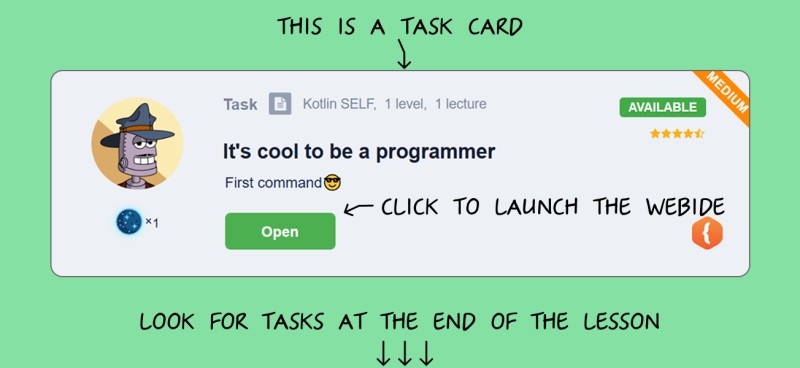
Open WebIDE and write a program that prints the message "It’s awesome to be a programmer! 😎" on the screen.
You should have a file named Solution.kt open.
Step 2: type the following code there
You can even use emojis—Kotlin supports them perfectly! 🥰
fun main() {
   println("It’s awesome to be a programmer!😎")
}Step 3: submit the program for checking
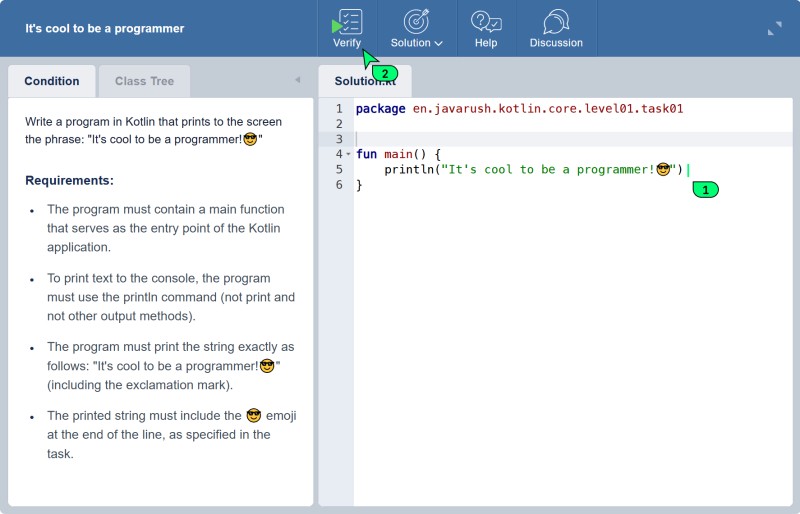
At the top of the WebIDE panel, you will have a button labeled "Check". Click it.
The Output window should show:
It’s awesome to be a programmer!😎If you did everything correctly, the server will accept your solution and congratulate you. 😎
You have just written and successfully submitted your first program in Kotlin. Nice, right? Now you’re a real programmer (well, at least one step closer to that title). 😇

GO TO FULL VERSION